Variables are one of the most important concepts in JavaScript. Almost every JavaScript program needs variables to store and work with information.
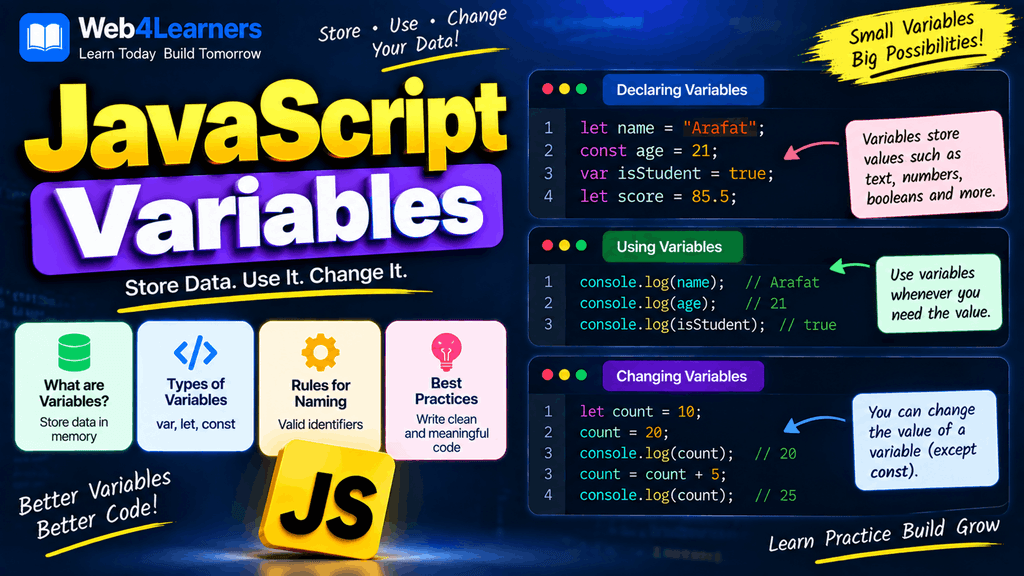
A variable can store different types of values, such as text, numbers, Boolean values, arrays, objects, and more.
For example:
let userName = "Alex";
let age = 25;

console.log(userName);
console.log(age);
In this example, userName stores "Alex" and age stores 25.
JavaScript provides three main keywords for declaring variables:
var
let
const
Although all three can be used to create variables, they behave differently. In modern JavaScript, let and const are generally preferred, while var is mainly encountered in older JavaScript code.
What Is a Variable?
A variable is a named reference used to store or access a value in a JavaScript program.
Think of a variable as a labeled container.
For example:
let age = 25;
Here:
letdeclares the variable.ageis the variable name.25is the value.=assigns the value to the variable.
You can then use the variable elsewhere:
console.log(age);
Output:
25
Variables allow your programs to work with information dynamically.
For example:
let price = 100;
let quantity = 3;

let total = price * quantity;

console.log(total);
Output:
300
Instead of writing 100 * 3 directly, the program uses variables to represent the values.
Why Are Variables Important?
Variables make JavaScript programs more useful and flexible.
Without variables, you would have to repeatedly write values directly into your code.
For example:
console.log(100 * 2);
console.log(100 * 3);
console.log(100 * 4);
With variables:
let price = 100;

console.log(price * 2);
console.log(price * 3);
console.log(price * 4);
Now, if the price changes, you can update it in one place:
let price = 150;
The rest of the calculations automatically use the new value.
Variables are commonly used for:
- User information
- Prices
- Product quantities
- Scores
- Counters
- Form values
- API responses
- Configuration values
- Calculation results
- Application state
JavaScript Variable Declaration
Before using a variable, you generally declare it using var, let, or const.
For example:
let userName;
This declares a variable named userName.
At this point, no value has been explicitly assigned to it, so its value is undefined.
console.log(userName);
Output:
undefined
You can assign a value later:
userName = "Alex";

console.log(userName);
Output:
Alex
This separates declaration from assignment.
var in JavaScript
var is the traditional way of declaring variables in JavaScript.
For example:
var age = 25;

console.log(age);
Output:
25
You can also declare a variable first and assign a value later:
var name;

name = "Alex";

console.log(name);
var has function scope rather than block scope and has some behaviors that can lead to unexpected results in modern programs.
Because of this, modern JavaScript development generally prefers let and const.
Reassigning a var Variable
A variable declared using var can be reassigned.
var score = 50;

score = 80;

console.log(score);
Output:
80
The value stored in score changed from 50 to 80.
Redeclaring a var Variable
One important characteristic of var is that the same variable can be redeclared within the same scope.
var name = "Alex";
var name = "John";

console.log(name);
Output:
John
This behavior is one reason var can sometimes make code harder to maintain.
With modern JavaScript, let and const provide stricter rules.
let in JavaScript
The let keyword was introduced with ECMAScript 2015, commonly known as ES6.
It is used to declare variables whose values may need to change.
For example:
let age = 25;

console.log(age);
You can reassign the variable:
let age = 25;

age = 26;

console.log(age);
Output:
26
This makes let useful for values that change during program execution.
Examples include:
let score = 0;
let count = 1;
let currentPage = 1;
let userStatus = "offline";
These values can later be changed.
let Is Block-Scoped
One of the major differences between let and var is scope.
A variable declared with let is block-scoped.
For example:
if (true) {
    let message = "Hello";
    console.log(message);
}
The variable exists inside that block.
Trying to access it outside the block results in an error:
if (true) {
    let message = "Hello";
}

console.log(message);
The message variable is not available outside the if block.
Redeclaring a let Variable
You cannot redeclare the same let variable within the same scope.
This is invalid:
let age = 25;
let age = 30;
JavaScript will produce a syntax error.
However, you can reassign it:
let age = 25;

age = 30;

console.log(age);
This is valid.
The difference is important:
Redeclaration
let age = 25;
let age = 30;
Not allowed in the same scope.
Reassignment
let age = 25;
age = 30;
Allowed.
const in JavaScript
The const keyword is used when a variable binding should not be reassigned after initialization.
For example:
const country = "USA";

console.log(country);
Once initialized, you cannot assign another value to the same const binding.
This is invalid:
const country = "USA";

country = "India";
JavaScript will produce a TypeError when the reassignment is attempted.
A const Variable Must Be Initialized
Unlike let, you cannot declare a const variable without giving it a value.
This is invalid:
const age;
Instead, initialize it when declaring it:
const age = 25;
This is because a const binding must have an initial value.
const Is Block-Scoped
Like let, const is block-scoped.
if (true) {
    const message = "Hello";
    console.log(message);
}
The variable is available only within that block.
Variable Declaration
Variable declaration means creating a variable name.
For example:
let userName;
Here, userName has been declared.
Another example:
var age;
And:
const country = "USA";
The declaration tells JavaScript that you want to create a binding with a particular name.
Variable Assignment
Assignment means giving a value to a variable.
For example:
let age;

age = 25;
The first line declares the variable.
The second line assigns the value.
You can also declare and assign in the same statement:
let age = 25;
This is extremely common in JavaScript.
Declaration and Assignment Together
Most JavaScript code declares and initializes variables in one statement.
let name = "Alex";
let age = 25;
let city = "New York";
Each statement creates a variable and gives it an initial value.
You can also declare multiple let variables, although separate declarations are often easier to read:
let firstName = "Alex";
let lastName = "Smith";
Reassigning Variables
Reassignment means changing the value associated with a variable after it has already been initialized.
For example:
let score = 50;

score = 75;

console.log(score);
Output:
75
The original value was 50, but the variable was later assigned 75.
You can reassign variables declared with let:
let city = "London";

city = "Chicago";
You can also reassign variables declared with var:
var city = "London";

city = "Chicago";
You cannot reassign a const binding:
const city = "London";

city = "Chicago";
Reassignment With Calculations
Reassignment is especially useful for calculations.
let count = 1;

count = count + 1;

console.log(count);
Output:
2
You can shorten this using the ++ operator:
let count = 1;

count++;

console.log(count);
Output:
2
Another example:
let total = 100;

total = total + 50;

console.log(total);
Output:
150
Constants
A constant is a binding that cannot be reassigned after initialization.
JavaScript uses const to create such bindings.
const pi = 3.14159;
You should use const when the binding itself should not be reassigned.
For example:
const websiteName = "Web4Learners";
const country = "USA";
const maxUsers = 1000;
These values are intended to remain associated with those bindings.
Constants Do Not Mean Every Part of an Object Is Immutable
This is an important JavaScript concept.
Consider:
const user = {
    name: "Alex",
    age: 25
};
You cannot replace the entire user binding:
user = {};
But you can modify a property of the object:
user.age = 26;

console.log(user.age);
Output:
26
Why?
Because const prevents reassignment of the variable binding. It does not automatically make the referenced object immutable.
The same concept applies to arrays:
const colors = ["red", "blue"];

colors.push("green");

console.log(colors);
Output:
["red", "blue", "green"]
The array itself was modified, but the colors binding was not reassigned.
let vs const
The most common question for beginners is whether to use let or const.
The basic rule is simple:
Use
constby default. Useletwhen you know the variable needs to be reassigned.
For example:
const name = "Alex";
If the name does not need to be reassigned, const is appropriate.
For a changing value:
let score = 0;

score = 10;
score = 20;
let is appropriate because the variable is reassigned.
Example
const productName = "Laptop";
let quantity = 1;

quantity = 2;

console.log(productName);
console.log(quantity);
Here:
productNameusesconstbecause its binding does not change.quantityusesletbecause its value is reassigned.
var vs let vs const
JavaScript provides three variable declaration keywords, but they are not identical.
| Feature | var | let | const |
|---|---|---|---|
| Can declare a variable | Yes | Yes | Yes |
| Can reassign | Yes | Yes | No |
| Must initialize immediately | No | No | Yes |
| Block-scoped | No | Yes | Yes |
| Function-scoped | Yes | No | No |
| Same-scope redeclaration | Allowed | Not allowed | Not allowed |
| Modern recommendation | Usually avoid for new code | Use when reassignment is needed | Use by default |
The biggest practical differences involve scope, reassignment, and redeclaration.
Scope of var
var is function-scoped.
For example:
function test() {
    var message = "Hello";

    if (true) {
        var message = "Inside";
        console.log(message);
    }

    console.log(message);
}

test();
Because var does not create block scope for the if block, the same function-scoped variable is involved.
This behavior can sometimes lead to unexpected results.
Scope of let and const
let and const are block-scoped.
function test() {
    if (true) {
        let message = "Hello";
        const language = "JavaScript";

        console.log(message);
        console.log(language);
    }
}

test();
The variables exist within the block where they are declared.
This makes let and const easier to reason about in many situations.
Hoisting and Variables
JavaScript processes declarations in a way commonly described as hoisting.
However, var, let, and const behave differently.
With var:
console.log(age);

var age = 25;
The declaration is processed before execution, and the value observed at the earlier console.log is undefined.
With let:
console.log(age);

let age = 25;
This produces a ReferenceError.
The period from entering the relevant scope until the let or const declaration is initialized is commonly called the Temporal Dead Zone, or TDZ.
For beginners, the safest approach is simple:
Declare variables before using them.
For example:
const name = "Alex";

console.log(name);
Choosing Between var, let, and const
A practical approach for modern JavaScript is:
Use const when the binding will not be reassigned.
Use let when the binding needs reassignment.
Avoid var in new code unless you specifically need its behavior or are working with older code.
For example:
const name = "Alex";
const age = 25;

let score = 0;

score = 100;
This makes the intended behavior of each variable clear.
Variable Naming Rules
Variable names must follow JavaScript identifier rules.
A variable name can contain:
- Letters
- Numbers
- Underscores
- Dollar signs
However, a variable name cannot begin with a number.
Valid examples:
let userName = "Alex";
let user2 = "John";
let _count = 10;
let $price = 100;
Invalid example:
let 2users = 10;
Variable names are also case-sensitive.
These are different variables:
let age = 20;
let Age = 30;
Although technically different, using names that differ only by capitalization can make code harder to understand.
Descriptive Variable Names
Good variable names make code easier to understand.
Instead of:
let x = 500;
Use:
let productPrice = 500;
Instead of:
let n = 10;
Use:
let productCount = 10;
Descriptive names are especially important in larger applications.
Variables Can Store Different Types of Values
JavaScript variables can hold many different types of values.
String
let name = "Alex";
Number
let age = 25;
Boolean
let isLoggedIn = true;
Array
let colors = ["red", "blue", "green"];
Object
let user = {
    name: "Alex",
    age: 25
};
Null
let selectedUser = null;
Undefined
let result;
The variable result has the value undefined until a value is assigned.
Changing the Type of a Variable
JavaScript is dynamically typed, so a variable declared with let can be assigned values of different types.
For example:
let value = 100;

value = "Hello";

console.log(value);
The variable first contains a number and later contains a string.
Although JavaScript allows this, using variables consistently usually makes programs easier to understand.
Multiple Variables
You can create multiple variables in a program:
const firstName = "Alex";
const lastName = "Smith";

let age = 25;
let score = 90;
You can then use them together:
console.log(firstName + " " + lastName);
console.log(age);
console.log(score);
Variables in Calculations
Variables are frequently used for mathematical operations.
const price = 50;
const quantity = 4;

const total = price * quantity;

console.log(total);
Output:
200
Another example:
let balance = 1000;

balance = balance - 250;

console.log(balance);
Output:
750
Variables in Strings
Variables can also be inserted into strings using template literals.
const name = "Alex";
const age = 25;

console.log(`My name is ${name} and I am ${age} years old.`);
Output:
My name is Alex and I am 25 years old.
This is a common and useful way to combine variables with text.
Variables and User Input
Variables become especially useful when working with user input.
For example:
const name = prompt("Enter your name");

console.log(`Hello, ${name}!`);
The value entered by the user is stored in the name variable.
In real web applications, values can also come from:
- HTML forms
- Buttons
- URL parameters
- APIs
- Databases
- Browser storage
- Server responses
Variables and Constants in Real Projects
Imagine you are creating an e-commerce website.
You might have:
const productName = "Laptop";
const productPrice = 800;

let quantity = 1;
let cartTotal = productPrice * quantity;
If the customer changes the quantity:
quantity = 3;

cartTotal = productPrice * quantity;

console.log(cartTotal);
Output:
2400
Here, productName and productPrice can remain unchanged, while quantity and cartTotal can change.
Common Mistakes With Variables
Trying to reassign a const
const age = 25;

age = 30;
This is not allowed because the const binding cannot be reassigned.
Use let if reassignment is required:
let age = 25;

age = 30;
Declaring const without a value
This is invalid:
const age;
Initialize it:
const age = 25;
Redeclaring a let
This is invalid in the same scope:
let name = "Alex";
let name = "John";
Instead:
let name = "Alex";
name = "John";
Using a variable before declaration
Avoid code such as:
console.log(username);

let username = "Alex";
Declare it first:
let username = "Alex";

console.log(username);
Using unclear names
Avoid:
let x = 500;
let y = 10;
Prefer:
let productPrice = 500;
let productCount = 10;
Using var unnecessarily
Modern JavaScript generally favors:
const
let
over:
var
Understanding var is still important because you will encounter it in older JavaScript projects and tutorials.
Variable Best Practices
Prefer const by default
If you do not need to reassign a variable, use const.
const websiteName = "Web4Learners";
Use let for changing values
let counter = 0;

counter++;
Avoid var in new code
Unless there is a specific reason to use its function-scoped behavior, prefer let or const.
Use meaningful names
const customerName = "Alex";
const orderTotal = 250;
These are easier to understand than:
const x = "Alex";
const y = 250;
Keep variables close to where they are needed
Avoid creating variables far away from the code that uses them unless they genuinely need a wider scope.
Do not create unnecessary variables
Instead of:
const price = 10;
const quantity = 2;
const total = price * quantity;

console.log(total);
This is often appropriate because the variables have meaningful purposes.
But unnecessary temporary variables can make simple code harder to read.
Quick Comparison of var, let, and const
| Feature | var | let | const |
|---|---|---|---|
| Introduced | Original JavaScript | ES6 | ES6 |
| Reassignment | Yes | Yes | No |
| Redeclaration in same scope | Yes | No | No |
| Block scope | No | Yes | Yes |
| Function scope | Yes | Yes, within functions | Yes, within functions |
| Must initialize | No | No | Yes |
| Recommended for new code | Usually no | Yes | Yes |
| Typical use | Legacy code | Changing values | Values not reassigned |
A Complete Example
Here is a small example combining variables, assignment, reassignment, and constants:
const productName = "Laptop";
const price = 800;

let quantity = 1;

let total = price * quantity;

console.log(`Product: ${productName}`);
console.log(`Price: $${price}`);
console.log(`Quantity: ${quantity}`);
console.log(`Total: $${total}`);

quantity = 2;

total = price * quantity;

console.log(`Updated quantity: ${quantity}`);
console.log(`Updated total: $${total}`);
Output:
Product: Laptop
Price: $800
Quantity: 1
Total: $800
Updated quantity: 2
Updated total: $1600
This example demonstrates an important pattern used throughout JavaScript development:
constis used for values whose bindings are not reassigned.letis used for values that need to change.- Variables can be used in calculations.
- Variables can be inserted into strings.
- Reassignment allows a program to respond to changing data.
Frequently Asked Questions
What is a variable in JavaScript?
A variable is a named binding that allows a JavaScript program to store and access a value.
For example:
let age = 25;
Here, age refers to the stored value 25.
What are the three types of variable declarations in JavaScript?
JavaScript provides three declaration keywords:
var
let
const
let and const are generally preferred in modern JavaScript.
What is the difference between let and const?
let allows reassignment:
let score = 10;
score = 20;
const does not allow reassignment:
const score = 10;
score = 20;
The second example is invalid.
When should I use let?
Use let when the variable needs to be reassigned.
let count = 0;

count = 1;
count = 2;
When should I use const?
Use const when you do not need to reassign the variable binding.
const website = "Web4Learners";
Should I still use var?
You may encounter var in older JavaScript code, but for new code, let and const are generally preferred.
Can a const object be changed?
Yes. const prevents reassignment of the binding, but object properties can still be modified unless the object is otherwise made immutable.
const user = {
    name: "Alex"
};

user.name = "John";
This is allowed.
Can a const array be modified?
Yes.
const numbers = [1, 2, 3];

numbers.push(4);
This is allowed because the array binding itself was not reassigned.
Can I declare a variable without assigning a value?
With let and var, yes:
let age;
var name;
With const, no:
const age;
A const declaration must have an initializer.
What happens if I redeclare a let variable?
Redeclaring a let variable in the same scope causes a syntax error.
let age = 25;
let age = 30;
Instead, reassign it:
let age = 25;
age = 30;
Are JavaScript variables case-sensitive?
Yes.
let name = "Alex";
let Name = "John";
These are different identifiers.
However, it is usually better to avoid names that differ only by capitalization.
Practice Exercise
Try creating a small JavaScript program using the following requirements:
- Create a constant named
productName. - Create a constant named
price. - Create a variable named
quantity. - Set the quantity to
2. - Calculate the total price.
- Print all the information to the console.
- Change the quantity to
3. - Calculate the new total.
- Print the updated total.
A possible solution is:
const productName = "Keyboard";
const price = 50;

let quantity = 2;

let total = price * quantity;

console.log(`Product: ${productName}`);
console.log(`Total: $${total}`);

quantity = 3;

total = price * quantity;

console.log(`Updated total: $${total}`);
Expected output:
Product: Keyboard
Total: $100
Updated total: $150
8 thoughts on “JavaScript Variables”