
JavaScript provides many operators for working with values, variables, objects, conditions, and program logic.
You have already seen common operators such as arithmetic, assignment, comparison, and logical operators. JavaScript also provides several other useful operators that are important when writing modern applications.
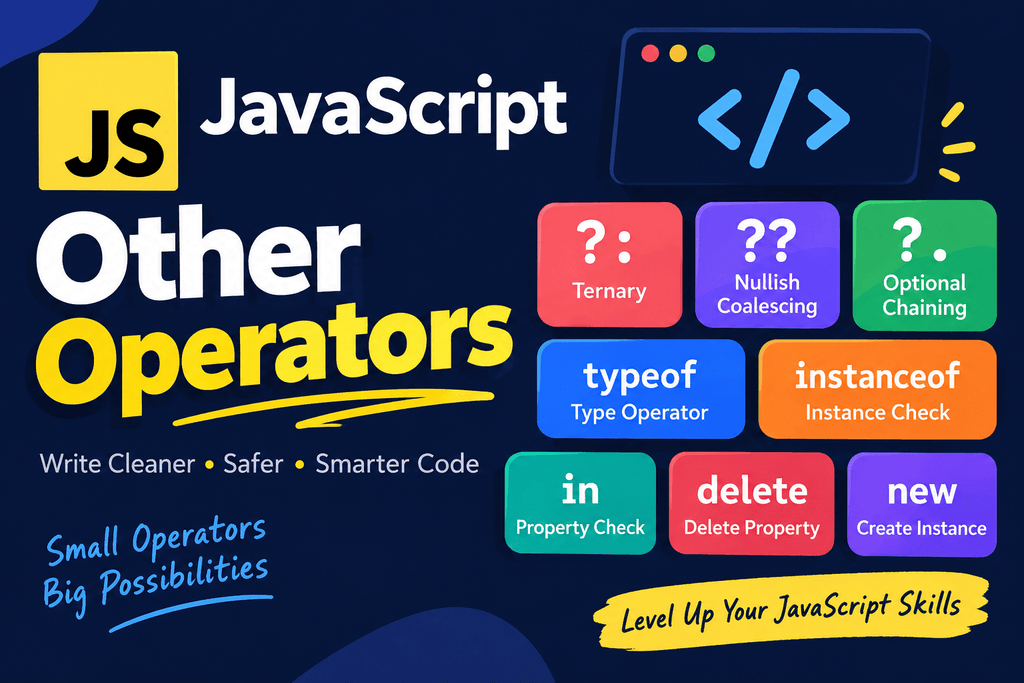
These include:
- Ternary operator
? : - Nullish coalescing operator
?? - Optional chaining operator
?. typeofinstanceofindeletenew
These operators can make JavaScript code shorter, safer, and easier to work with, especially when dealing with objects, optional values, and dynamic data.
Ternary Operator
The ternary operator is a short way to write a simple if...else condition.
Its syntax is:
condition ? valueIfTrue : valueIfFalse;
For example:
let age = 20;

let result = age >= 18 ? "Adult" : "Minor";

console.log(result);
Output:
Adult
The condition is:
age >= 18
If the condition is true, the first value is returned:
"Adult"
If the condition is false, the second value is returned:
"Minor"
Ternary Operator vs if...else
The following if...else statement:
let age = 20;
let result;

if (age >= 18) {
    result = "Adult";
} else {
    result = "Minor";
}
Can be written using the ternary operator:
let age = 20;

let result = age >= 18 ? "Adult" : "Minor";
Both perform the same basic task.
The ternary operator is useful when the condition is simple and you need to choose between two values.
Ternary Operator With Variables
You can use variables inside a ternary expression.
let score = 75;

let status = score >= 50 ? "Pass" : "Fail";

console.log(status);
Output:
Pass
If the score changes:
let score = 30;

let status = score >= 50 ? "Pass" : "Fail";

console.log(status);
Output:
Fail
Ternary Operator With Function Calls
A ternary expression can also choose between function calls.
let isLoggedIn = true;

isLoggedIn
    ? console.log("Welcome back!")
    : console.log("Please log in.");
If isLoggedIn is true, the first expression runs.
If it is false, the second expression runs.
Nested Ternary Operators
It is technically possible to put ternary operators inside other ternary operators.
let score = 85;

let grade =
    score >= 90 ? "A" :
    score >= 80 ? "B" :
    score >= 70 ? "C" :
    "F";

console.log(grade);
Output:
B
Although this works, too many nested ternary operators can make code difficult to read.
For complicated conditions, an if...else if...else structure is often clearer.
Nullish Coalescing Operator ??
The nullish coalescing operator ?? provides a fallback value when the value on its left is null or undefined.
Its syntax is:
value ?? fallbackValue
For example:
let username = null;

let displayName = username ?? "Guest";

console.log(displayName);
Output:
Guest
Because username is null, JavaScript uses "Guest".
?? With undefined
The nullish coalescing operator also uses the fallback when the left side is undefined.
let username;

let displayName = username ?? "Guest";

console.log(displayName);
Output:
Guest
The variable username is undefined, so "Guest" is used.
?? Does Not Treat Every Falsy Value as Nullish
This is one of the most important things to understand about ??.
The operator only considers:
null
undefined
to be nullish.
Values such as:
0
false
""
NaN
are not nullish.
For example:
let score = 0;

let result = score ?? 100;

console.log(result);
Output:
0
The value 0 is preserved.
Another example:
let enabled = false;

let result = enabled ?? true;

console.log(result);
Output:
false
The value false is preserved.
This is different from the logical OR operator ||.
?? vs ||
Consider:
let score = 0;

console.log(score || 100);
Output:
100
Because 0 is falsy.
But:
console.log(score ?? 100);
Output:
0
The difference is important.
| Value | value || fallback | value ?? fallback |
|—|—|—|
| null | Fallback | Fallback |
| undefined | Fallback | Fallback |
| 0 | Fallback | 0 |
| false | Fallback | false |
| "" | Fallback | "" |
| "Hello" | "Hello" | "Hello" |
Use ?? when you specifically want a fallback for null or undefined.
Practical Example of ??
Imagine a user profile:
const user = {
    name: "Alex",
    age: null
};

const age = user.age ?? "Not provided";

console.log(age);
Output:
Not provided
If the age is 0, however:
const user = {
    age: 0
};

const age = user.age ?? "Not provided";

console.log(age);
Output:
0
The value is preserved because 0 is not nullish.
Optional Chaining Operator ?.
The optional chaining operator ?. allows you to safely access properties or call methods when a value might be null or undefined.
For example:
const user = {
    name: "Alex"
};

console.log(user.name);
This works because user exists.
But consider:
const user = null;

console.log(user.name);
This causes an error because you cannot access name from null.
Optional chaining solves this problem:
const user = null;

console.log(user?.name);
Output:
undefined
Instead of throwing an error, JavaScript returns undefined.
Optional Chaining With Objects
Consider:
const user = {
    profile: {
        name: "Alex"
    }
};
You can access the name normally:
console.log(user.profile.name);
But if profile may not exist, use optional chaining:
console.log(user?.profile?.name);
If profile exists, JavaScript continues to name.
If profile is null or undefined, the result is undefined.
Optional Chaining With Missing Properties
For example:
const user = {
    name: "Alex"
};

console.log(user?.profile?.email);
Output:
undefined
JavaScript does not throw an error when profile is missing.
This is particularly useful when working with API responses where some properties may not always be available.
Optional Chaining With Arrays
Optional chaining can also be used with array access.
const users = null;

console.log(users?.[0]);
Output:
undefined
Without optional chaining, accessing [0] on null would cause an error.
Optional Chaining With Function Calls
You can use ?.() to call a function only when it exists.
const user = {
    greet() {
        console.log("Hello!");
    }
};

user.greet?.();
Output:
Hello!
If the function does not exist:
const user = {};

user.greet?.();
Nothing happens, and JavaScript does not throw an error because greet is missing.
Optional Chaining With Methods
Optional chaining can also be useful when calling methods that might not exist.
const user = {
    name: "Alex"
};

const result = user.getName?.();

console.log(result);
Because getName does not exist, the expression returns undefined.
typeof
The typeof operator returns a string describing the type of a value.
For example:
let age = 25;

console.log(typeof age);
Output:
number
For a string:
let name = "Alex";

console.log(typeof name);
Output:
string
Common typeof Results
| Value | typeof result |
|---|---|
"Hello" | "string" |
25 | "number" |
true | "boolean" |
undefined | "undefined" |
123n | "bigint" |
Symbol() | "symbol" |
function() {} | "function" |
{} | "object" |
[] | "object" |
null | "object" |
Checking Variables With typeof
typeof is useful when checking whether a value has a particular type.
let value = "JavaScript";

if (typeof value === "string") {
    console.log("Value is a string");
}
Output:
Value is a string
Another example:
let age = 25;

if (typeof age === "number") {
    console.log("Age is a number");
}
typeof With Undefined Variables
One useful behavior of typeof is that it can be used with an undeclared identifier without immediately throwing a ReferenceError.
For example:
console.log(typeof someVariable);
Output:
undefined
However, that does not mean the variable exists. It means typeof reports "undefined" for the unresolved identifier.
With a declared variable:
let someVariable;

console.log(typeof someVariable);
The result is also:
undefined
The typeof null Behavior
One famous JavaScript behavior is:
console.log(typeof null);
Output:
object
This is a long-standing behavior of JavaScript.
Although null represents the intentional absence of a value, typeof null returns "object".
Therefore, if you specifically want to check for null, use:
value === null
For example:
let value = null;

console.log(value === null);
Output:
true
instanceof
The instanceof operator checks whether an object is an instance of a particular constructor or class.
Its basic syntax is:
object instanceof Constructor
For example:
class User {}

const user = new User();

console.log(user instanceof User);
Output:
true
The object was created using the User class, so the result is true.
instanceof With Built-in Objects
You can use instanceof with built-in constructors.
For example:
const numbers = [1, 2, 3];

console.log(numbers instanceof Array);
Output:
true
Another example:
const date = new Date();

console.log(date instanceof Date);
Output:
true
instanceof With Different Types
For example:
const numbers = [1, 2, 3];

console.log(numbers instanceof Array);
console.log(numbers instanceof Object);
Both can be true because arrays are objects and participate in the prototype chain.
But:
console.log(numbers instanceof String);
returns:
false
instanceof With Classes
Consider two classes:
class Animal {}

class Dog extends Animal {}
Create a Dog:
const dog = new Dog();
Now:
console.log(dog instanceof Dog);
returns:
true
And:
console.log(dog instanceof Animal);
also returns:
true
because Dog extends Animal.
in
The in operator checks whether a property exists in an object or anywhere in its prototype chain.
Its syntax is:
property in object
For example:
const user = {
    name: "Alex",
    age: 25
};

console.log("name" in user);
Output:
true
The name property exists in the object.
If the property does not exist:
console.log("email" in user);
Output:
false
in Checks Property Names
The left side of the in operator is normally a property key.
For example:
const user = {
    name: "Alex"
};

console.log("name" in user);
Do not confuse this with checking the property’s value.
For example:
const user = {
    name: undefined
};

console.log("name" in user);
The result is:
true
The property exists even though its value is undefined.
in vs undefined
This distinction is important.
Consider:
const user = {
    name: undefined
};
Then:
console.log(user.name === undefined);
returns:
true
But:
console.log("name" in user);
also returns:
true
The first checks the value.
The second checks whether the property exists.
in With Arrays
The in operator can also be used with arrays because arrays are objects.
const colors = ["red", "blue", "green"];

console.log(0 in colors);
console.log(1 in colors);
Output:
true
true
But remember that in checks indexes, not whether a value exists.
For example:
console.log("red" in colors);
returns:
false
If you want to check whether an array contains a value, use:
colors.includes("red");
delete
The delete operator removes a property from an object.
For example:
const user = {
    name: "Alex",
    age: 25
};

delete user.age;

console.log(user);
The resulting object contains only:
{
    name: "Alex"
}
Checking a Deleted Property
After deleting a property:
const user = {
    name: "Alex",
    age: 25
};

delete user.age;

console.log("age" in user);
Output:
false
The property no longer exists on the object itself.
delete Does Not Delete Variables
The delete operator is primarily used for object properties.
For example:
const user = {
    name: "Alex"
};

delete user.name;
This deletes the property.
It should not be treated as a general-purpose way to delete variables declared with let, const, or var.
For example:
let name = "Alex";

delete name;
This does not provide the behavior people often expect from deleting an object property.
delete and Arrays
You can technically delete an array element:
const numbers = [10, 20, 30];

delete numbers[1];

console.log(numbers);
This leaves a hole in the array rather than shifting the remaining elements.
Conceptually, the array becomes something like:
[10, empty, 30]
If your goal is to remove an element and shift the remaining elements, splice() is generally more appropriate:
const numbers = [10, 20, 30];

numbers.splice(1, 1);

console.log(numbers);
Result:
[10, 30]
new
The new operator creates an instance of a constructor or class.
For example:
class User {
    constructor(name) {
        this.name = name;
    }
}

const user = new User("Alex");

console.log(user.name);
Output:
Alex
Here:
new User("Alex")
creates a new instance of the User class.
new With Built-in Constructors
JavaScript provides many built-in constructors.
For example:
const date = new Date();

console.log(date);
Another example:
const map = new Map();

console.log(map);
You can also create a Set:
const numbers = new Set();

numbers.add(10);
numbers.add(20);

console.log(numbers);
new With Constructor Functions
Before JavaScript classes became common, constructor functions were widely used.
For example:
function User(name) {
    this.name = name;
}

const user = new User("Alex");

console.log(user.name);
Output:
Alex
The new operator creates a new object and uses the constructor function to initialize it.
new and Classes
Modern JavaScript commonly uses classes:
class Car {
    constructor(brand) {
        this.brand = brand;
    }
}

const car = new Car("Toyota");

console.log(car.brand);
The new operator creates an instance of Car.
Combining ?. and ??
Optional chaining and nullish coalescing are especially useful together.
For example:
const user = {};

const city = user?.address?.city ?? "Unknown";

console.log(city);
Output:
Unknown
First, optional chaining safely checks:
user?.address?.city
If the value is missing, the expression produces undefined.
Then ?? provides:
"Unknown"
This pattern is very common when working with optional API data.
Combining typeof and ??
You can also combine operators when checking values.
let value;

const type = typeof value ?? "unknown";

console.log(type);
The result is:
undefined
It is important to understand operator behavior rather than combining operators unnecessarily. Choose expressions that clearly communicate what your code is trying to do.
Combining Ternary and ??
You can use both operators in the same program.
const user = {
    name: null,
    age: 25
};

const name = user.name ?? "Guest";

const message = user.age >= 18
    ? "Adult"
    : "Minor";

console.log(name);
console.log(message);
Output:
Guest
Adult
Each operator handles a different problem.
??provides a fallback fornullandundefined.?:chooses between two expressions based on a condition.
Other Operators Quick Reference
| Operator | Name | Main Purpose |
|---|---|---|
? : | Ternary operator | Chooses between two expressions |
?? | Nullish coalescing | Provides fallback for null or undefined |
?. | Optional chaining | Safely accesses potentially missing values |
typeof | Type operator | Checks the type of a value |
instanceof | Instance operator | Checks an object’s constructor relationship |
in | Property operator | Checks whether a property exists |
delete | Delete operator | Removes an object property |
new | New operator | Creates an object instance |
Ternary vs Nullish Coalescing
These operators solve different problems.
Ternary
Use the ternary operator when you want to make a decision based on a condition:
const age = 20;

const status = age >= 18 ? "Adult" : "Minor";
Nullish Coalescing
Use ?? when you want a fallback only for null or undefined:
const username = null;

const name = username ?? "Guest";
They should not be treated as interchangeable.
Nullish Coalescing vs Optional Chaining
These operators are also different.
Optional chaining:
user?.profile?.name
safely accesses a property.
Nullish coalescing:
username ?? "Guest"
provides a fallback.
They are often useful together:
const name = user?.profile?.name ?? "Guest";
This means:
- Try to access
user.profile.name. - If that access results in
nullorundefined, use"Guest".
Common Mistakes
Using || when ?? is needed
Consider:
let count = 0;

let result = count || 10;
This gives:
10
If 0 is a valid value, that may not be what you want.
Use:
let result = count ?? 10;
Now the result is:
0
Forgetting that ?. only protects against nullish values
Optional chaining handles null and undefined.
It does not mean that every possible programming error disappears.
For example:
const user = {
    name: 123
};

console.log(user?.name.toUpperCase());
user?.name exists, but name is a number, which does not provide the expected string method.
Optional chaining should be used thoughtfully.
Using in to search array values
This is incorrect if you want to find a value:
const colors = ["red", "blue"];

console.log("red" in colors);
Use:
console.log(colors.includes("red"));
Using delete instead of splice() for arrays
If you want to remove an array element and close the gap, use:
numbers.splice(index, 1);
rather than:
delete numbers[index];
Overusing nested ternary operators
This can quickly become difficult to read:
const result =
    score > 90 ? "A" :
    score > 80 ? "B" :
    score > 70 ? "C" :
    "F";
For more complex logic, use a normal conditional structure.
Practical Example
Here is a complete example that uses several of these operators together:
const user = {
    name: "Alex",
    profile: {
        city: "Chicago"
    },
    score: 0
};

const name = user?.name ?? "Guest";
const city = user?.profile?.city ?? "Unknown";

const status = user.score >= 50
    ? "Pass"
    : "Fail";

console.log(`Name: ${name}`);
console.log(`City: ${city}`);
console.log(`Status: ${status}`);

console.log(typeof user);
console.log(user instanceof Object);
console.log("name" in user);
Output:
Name: Alex
City: Chicago
Status: Fail
object
true
true
This example demonstrates how these operators can work together when handling real application data.
Frequently Asked Questions
What is the ternary operator in JavaScript?
The ternary operator is a short form of a simple if...else expression.
const result = age >= 18 ? "Adult" : "Minor";
What does ?? mean in JavaScript?
?? is the nullish coalescing operator. It returns the right-hand value when the left-hand value is null or undefined.
const name = username ?? "Guest";
What is the difference between ?? and ||?
?? only treats null and undefined as missing.
|| treats all falsy values, including 0, false, and "", as requiring the fallback.
What does ?. mean in JavaScript?
?. is optional chaining. It allows JavaScript to safely access a property, element, or function when an intermediate value may be null or undefined.
user?.profile?.name
What does typeof do?
typeof returns a string describing the type of a value.
console.log(typeof "Hello");
Output:
string
What does instanceof do?
instanceof checks whether an object is an instance of a particular constructor or class.
const user = new User();

console.log(user instanceof User);
What does the in operator do?
The in operator checks whether a property exists in an object or its prototype chain.
console.log("name" in user);
What does delete do?
The delete operator removes a property from an object.
delete user.age;
What does new do?
The new operator creates an instance of a constructor or class.
const user = new User("Alex");
Can I use optional chaining with arrays?
Yes.
const users = [];

console.log(users?.[0]);
Can I use optional chaining with functions?
Yes. Optional call syntax allows you to call a function only when it exists.
user.greet?.();
Can I combine ?. and ???
Yes. This is a common pattern:
const city = user?.address?.city ?? "Unknown";
The first operator safely accesses the property, while the second provides a fallback.
Practice Exercise
Create an object representing a user:
const user = {
    name: "Alex",
    age: 25,
    profile: {
        city: "Chicago"
    }
};
Then complete these tasks:
- Use optional chaining to access the city.
- Use
??to provide"Unknown"if the city does not exist. - Use the ternary operator to determine whether the user is an adult.
- Use
typeofto check the type ofage. - Use
instanceofto check whetheruseris an object. - Use
into check whethernameexists. - Create another object and remove a property using
delete. - Create a simple class and create an instance using
new.
A possible solution is:
const user = {
    name: "Alex",
    age: 25,
    profile: {
        city: "Chicago"
    }
};

const city = user?.profile?.city ?? "Unknown";

const status = user.age >= 18
    ? "Adult"
    : "Minor";

console.log(`City: ${city}`);
console.log(`Status: ${status}`);

console.log(typeof user.age);
console.log(user instanceof Object);
console.log("name" in user);

const account = {
    username: "alex123",
    email: "alex@example.com"
};

delete account.email;

console.log(account);

class Product {
    constructor(name) {
        this.name = name;
    }
}

const product = new Product("Laptop");

console.log(product.name);
1 thought on “JavaScript Other Operators”