Arithmetic is one of the most basic operations performed in any programming language. JavaScript provides several arithmetic operators that allow you to perform mathematical calculations such as addition, subtraction, multiplication, division, finding remainders, calculating powers, and increasing or decreasing values.
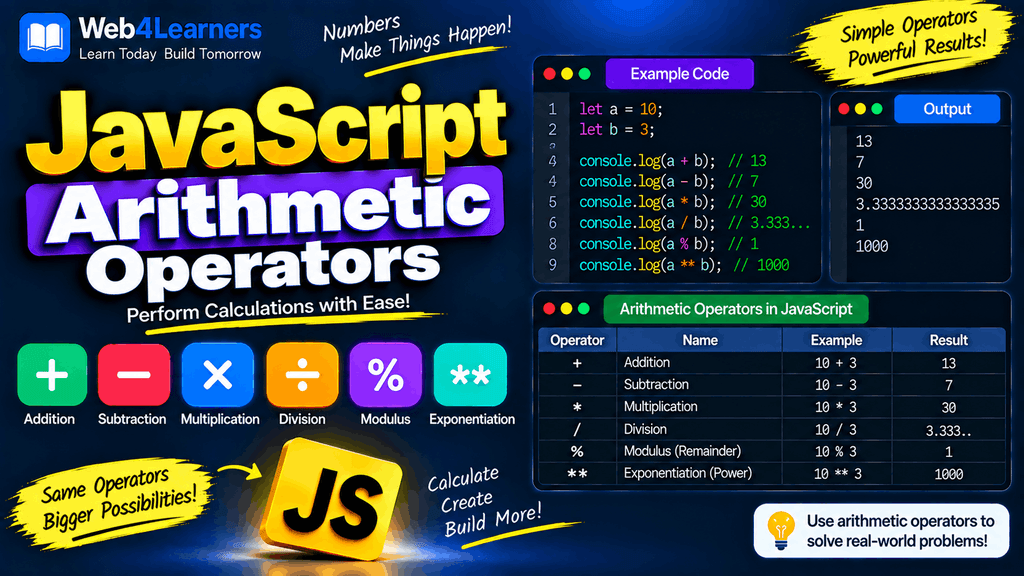
Arithmetic operators are used in almost every type of JavaScript application. You may use them to calculate prices, totals, scores, percentages, distances, ages, quantities, salaries, measurements, and many other values.
For example, you can add two numbers using the + operator:
const a = 10;
const b = 20;

const result = a + b;

console.log(result);
Output:
30
JavaScript provides the following main arithmetic operators:
| Operator | Name | Example | Result |
|---|---|---|---|
+ | Addition | 10 + 5 | 15 |
- | Subtraction | 10 - 5 | 5 |
* | Multiplication | 10 * 5 | 50 |
/ | Division | 10 / 5 | 2 |
% | Modulus | 10 % 3 | 1 |
** | Exponentiation | 2 ** 3 | 8 |
++ | Increment | x++ | Increases by 1 |
-- | Decrement | x-- | Decreases by 1 |
In this tutorial, you will learn how each arithmetic operator works and how to use it correctly in JavaScript.
What Are Arithmetic Operators in JavaScript?
Arithmetic operators are symbols that tell JavaScript to perform mathematical operations on values.
For example:
const result = 10 + 5;
Here:
10is the first operand.+is the arithmetic operator.5is the second operand.15is the resulting value.
You can store the result in a variable:
const total = 10 + 5;

console.log(total);
Output:
15
Image placement suggestion: Add a simple infographic here showing the eight JavaScript arithmetic operators with a short example for each.
Addition Operator +
The addition operator is represented by:
+
It adds two numeric values together.
const a = 10;
const b = 20;

const result = a + b;

console.log(result);
Output:
30
You can also add decimal numbers:
const price = 19.99;
const tax = 2.50;

console.log(price + tax);
Output:
22.49
Adding More Than Two Numbers
You can add multiple numbers in one expression.
const result = 10 + 20 + 30 + 40;

console.log(result);
Output:
100
JavaScript evaluates the addition from left to right when the operations have the same precedence.
Addition with Variables
Arithmetic operators are commonly used with variables.
const price = 500;
const shipping = 50;

const total = price + shipping;

console.log(total);
Output:
550
This type of calculation is common in shopping carts and billing applications.
Addition with Strings
The + operator has an important special behavior in JavaScript. It can perform either numeric addition or string concatenation.
For example:
const firstName = "John";
const lastName = "Smith";

const fullName = firstName + " " + lastName;

console.log(fullName);
Output:
John Smith
When one or both operands are strings, the + operator can result in string concatenation.
For example:
console.log("10" + 5);
Output:
105
This is not numeric addition. JavaScript combines the values as strings.
If you want mathematical addition, convert the value first:
console.log(Number("10") + 5);
Output:
15
Subtraction Operator -
The subtraction operator is represented by:
-
It subtracts one number from another.
const a = 20;
const b = 5;

const result = a - b;

console.log(result);
Output:
15
Subtracting Decimal Numbers
You can subtract decimal values as well.
const price = 99.99;
const discount = 20.00;

console.log(price - discount);
Output:
79.99
As with other floating-point calculations, very small precision differences can sometimes occur because JavaScript numbers use binary floating-point representation.
Subtraction with Negative Numbers
JavaScript supports negative values.
const result = 10 - 20;

console.log(result);
Output:
-10
You can also subtract a negative number:
const result = 10 - (-5);

console.log(result);
Output:
15
Multiplication Operator *
The multiplication operator is represented by:
*
It multiplies two values.
const price = 100;
const quantity = 5;

const total = price * quantity;

console.log(total);
Output:
500
This is commonly used for calculations such as:
- Product price × quantity
- Distance × speed
- Hours × hourly rate
- Marks × weight
- Width × height
Multiplication with Decimal Numbers
const price = 19.99;
const quantity = 3;

console.log(price * quantity);
Output:
59.97
Division Operator /
The division operator is represented by:
/
It divides one number by another.
const total = 100;
const people = 4;

const share = total / people;

console.log(share);
Output:
25
Division Can Produce Decimal Values
JavaScript does not automatically round division results to integers.
const result = 10 / 3;

console.log(result);
Output:
3.3333333333333335
The result is a JavaScript number.
If you need to display a specific number of decimal places, you can use methods such as toFixed().
const result = 10 / 3;

console.log(result.toFixed(2));
Output:
3.33
Remember that toFixed() returns a string.
Division by Zero
JavaScript handles division by zero differently depending on the numerator.
For example:
console.log(10 / 0);
Output:
Infinity
Negative division by zero can produce:
console.log(-10 / 0);
Output:
-Infinity
But:
console.log(0 / 0);
produces:
NaN
These are important special numeric values in JavaScript.
Modulus Operator %
The modulus operator is represented by:
%
It returns the remainder after division.
For example:
const result = 10 % 3;

console.log(result);
Output:
1
Why?
Because:
10 ÷ 3 = 3 remainder 1
Therefore:
10 % 3 = 1
More Modulus Examples
console.log(10 % 2);
console.log(15 % 4);
console.log(20 % 5);
console.log(7 % 3);
Output:
0
3
0
1
When the first number divides evenly by the second number, the remainder is 0.
Checking Even and Odd Numbers
One of the most common uses of the modulus operator is checking whether a number is even or odd.
An even number has a remainder of 0 when divided by 2.
const number = 20;

if (number % 2 === 0) {
    console.log("Even");
} else {
    console.log("Odd");
}
Output:
Even
For an odd number:
const number = 15;

if (number % 2 === 0) {
    console.log("Even");
} else {
    console.log("Odd");
}
Output:
Odd
Finding a Remainder in Practical Applications
The modulus operator is useful in many situations.
For example, you can determine whether a number is divisible by five:
const number = 25;

if (number % 5 === 0) {
    console.log("Divisible by 5");
}
Output:
Divisible by 5
It can also be used to repeat a pattern in a loop, alternate between states, or determine positions in cyclic data.
Exponentiation Operator **
The exponentiation operator calculates a number raised to a power.
It is represented by:
**
For example:
const result = 2 ** 3;

console.log(result);
Output:
8
This means:
2 × 2 × 2 = 8
More Exponentiation Examples
console.log(5 ** 2);
console.log(10 ** 3);
console.log(4 ** 4);
Output:
25
1000
256
Exponentiation with Variables
const base = 2;
const exponent = 5;

const result = base ** exponent;

console.log(result);
Output:
32
Square and Cube Calculations
You can use exponentiation to calculate squares:
const number = 10;

console.log(number ** 2);
Output:
100
For a cube:
console.log(number ** 3);
Output:
1000
Exponentiation with Negative Powers
JavaScript also supports negative exponents.
console.log(2 ** -2);
Output:
0.25
This is equivalent to:
1 / 2² = 0.25
Increment Operator ++
The increment operator increases a variable’s value by 1.
It is represented by:
++
For example:
let count = 5;

count++;

console.log(count);
Output:
6
The increment operator is commonly used in loops and counters.
Prefix Increment
When ++ is placed before a variable, it is called prefix increment.
let count = 5;

console.log(++count);
Output:
6
The value is increased first, and then the resulting value is used by the expression.
Postfix Increment
When ++ is placed after a variable, it is called postfix increment.
let count = 5;

console.log(count++);
console.log(count);
Output:
5
6
The original value is used first, and then the variable is increased.
Prefix vs Postfix Increment
The difference becomes important when the increment operation is part of a larger expression.
let x = 5;

const a = ++x;

console.log(a);
console.log(x);
Output:
6
6
With postfix:
let y = 5;

const b = y++;

console.log(b);
console.log(y);
Output:
5
6
| Form | What happens |
|---|---|
++x | Increments first, then uses the new value |
x++ | Uses the current value, then increments |
Decrement Operator --
The decrement operator decreases a variable’s value by 1.
It is represented by:
--
Example:
let count = 5;

count--;

console.log(count);
Output:
4
Like increment, decrement has both prefix and postfix forms.
Prefix Decrement
let count = 5;

console.log(--count);
Output:
4
The variable is decreased before its value is used.
Postfix Decrement
let count = 5;

console.log(count--);
console.log(count);
Output:
5
4
The original value is used first, and then the variable is decreased.
Prefix vs Postfix Decrement
| Form | What happens |
|---|---|
--x | Decrements first, then uses the new value |
x-- | Uses the current value, then decrements |
Arithmetic Operators with Variables
Arithmetic operators become particularly useful when working with variables.
let a = 20;
let b = 5;

console.log(a + b);
console.log(a - b);
console.log(a * b);
console.log(a / b);
console.log(a % b);
console.log(a ** b);
Output:
25
15
100
4
0
3200000
The same operators can be used throughout larger calculations.
Arithmetic Operator Precedence
When an expression contains multiple arithmetic operators, JavaScript follows operator precedence rules.
Consider:
const result = 10 + 5 * 2;

console.log(result);
Output:
20
The multiplication happens before addition:
5 × 2 = 10
10 + 10 = 20
It does not calculate from strictly left to right.
Using Parentheses to Control Order
You can use parentheses when you want a particular operation to happen first.
const result = (10 + 5) * 2;

console.log(result);
Output:
30
The parentheses cause:
10 + 5 = 15
to happen first.
Then:
15 × 2 = 30
Arithmetic Operator Precedence Table
For the operators covered in this tutorial, a simplified precedence order is:
| Operator | Description | Relative precedence |
|---|---|---|
** | Exponentiation | Higher |
* / % | Multiplication, division, modulus | Next |
+ - | Addition, subtraction | Next |
++ -- | Increment, decrement | Context-dependent |
The exact precedence table contains more operators and additional rules, but this ordering is enough for most basic arithmetic expressions.
When an expression is difficult to read, use parentheses.
Combining Multiple Arithmetic Operators
You can combine several arithmetic operators in one expression.
const result = 10 + 20 * 3 - 5;

console.log(result);
JavaScript evaluates multiplication before addition and subtraction.
20 × 3 = 60
10 + 60 = 70
70 - 5 = 65
Therefore:
65
is the result.
Arithmetic with Strings
JavaScript’s type coercion can affect arithmetic expressions.
For example:
console.log("20" - 5);
Output:
15
JavaScript converts "20" into a number.
Similarly:
console.log("20" * 2);
Output:
40
However, the + operator behaves differently:
console.log("20" + 2);
Output:
202
Because + can perform string concatenation.
Explicit Conversion Before Arithmetic
To avoid unexpected results, you can explicitly convert numeric strings.
const price = "100";
const quantity = "3";

const total = Number(price) * Number(quantity);

console.log(total);
Output:
300
This makes your intention clear and is especially useful when working with user input.
Arithmetic with Boolean Values
JavaScript can also coerce booleans into numbers during certain arithmetic operations.
console.log(true + true);
Output:
2
Because:
true → 1
Another example:
console.log(true + 5);
Output:
6
And:
console.log(false + 5);
Output:
5
Although JavaScript allows this coercion, explicitly converting values can make code easier to understand.
Arithmetic with null
null can be converted to 0 in many numeric operations.
console.log(null + 10);
Output:
10
This is another example of JavaScript’s automatic type coercion.
Arithmetic with undefined
Arithmetic involving undefined generally results in NaN.
console.log(undefined + 10);
Output:
NaN
This is important when working with variables that might not have been assigned a value.
Practical Example: Shopping Cart Total
Arithmetic operators can be used to calculate a shopping cart total.
const price = 500;
const quantity = 3;

const total = price * quantity;

console.log(total);
Output:
1500
You can then add shipping:
const shipping = 100;

const finalTotal = total + shipping;

console.log(finalTotal);
Output:
1600
Practical Example: Calculate Average Marks
Suppose a student has three marks:
const math = 80;
const science = 90;
const english = 85;

const total = math + science + english;
const average = total / 3;

console.log("Total:", total);
console.log("Average:", average);
Output:
Total: 255
Average: 85
Practical Example: Calculate a Percentage
const obtainedMarks = 450;
const totalMarks = 500;

const percentage = (obtainedMarks / totalMarks) * 100;

console.log(percentage);
Output:
90
Parentheses make the intended calculation clear.
Practical Example: Countdown
The decrement operator can be used for a countdown.
let count = 5;

count--;
console.log(count);

count--;
console.log(count);

count--;
console.log(count);
Output:
4
3
2
In real applications, a loop would usually be used for repeated countdown operations.
Practical Example: Counter
The increment operator is frequently used to maintain a counter.
let visitors = 0;

visitors++;
visitors++;
visitors++;

console.log(visitors);
Output:
3
This pattern appears in counters, loops, games, statistics, and user-interface logic.
Practical Example: Checking Divisibility
The modulus operator can determine whether a number is divisible by another number.
const number = 30;

if (number % 3 === 0) {
    console.log("The number is divisible by 3.");
}
Output:
The number is divisible by 3.
Practical Example: Calculate Area
Arithmetic operators can be used to calculate the area of a rectangle.
const width = 10;
const height = 5;

const area = width * height;

console.log(area);
Output:
50
Common Mistakes with Arithmetic Operators
Confusing + with String Concatenation
This:
"10" + 5
produces:
"105"
not:
15
Convert the string if you need numeric addition:
Number("10") + 5
Using / When You Need the Remainder
If you want the remainder, use %.
10 % 3
returns:
1
while:
10 / 3
returns approximately:
3.3333333333333335
Forgetting Operator Precedence
This:
10 + 5 * 2
is:
20
not:
30
Use parentheses when you need addition to happen first:
(10 + 5) * 2
Confusing ++x and x++
These produce different results when used inside expressions.
let x = 5;

console.log(++x);
prints:
6
while:
let y = 5;

console.log(y++);
prints:
5
although the variable becomes 6 afterward.
Trying to Increment a Constant
You cannot increment a variable declared with const.
const count = 5;

count++;
This causes an error because const variables cannot be reassigned.
Use let when the value needs to change:
let count = 5;

count++;

console.log(count);
Expecting Division to Return an Integer
JavaScript’s division operator can return decimal values.
console.log(5 / 2);
Output:
2.5
If your application requires an integer, you need to deliberately choose an appropriate rounding or truncation method.
Floating-Point Precision
JavaScript numbers use floating-point representation, which can produce surprising results with some decimal calculations.
For example:
console.log(0.1 + 0.2);
The result is:
0.30000000000000004
rather than exactly:
0.3
This is not unique to JavaScript. It is a consequence of how binary floating-point numbers represent many decimal fractions.
For display purposes, you can use:
const result = 0.1 + 0.2;

console.log(result.toFixed(2));
Output:
0.30
For financial applications requiring exact decimal arithmetic, additional techniques or specialized decimal libraries may be appropriate.
Arithmetic Operators and NaN
An invalid numeric calculation can result in NaN.
For example:
const result = "Hello" * 5;

console.log(result);
Output:
NaN
You can check for NaN using:
console.log(Number.isNaN(result));
Output:
true
Arithmetic Operators and Infinity
Some calculations can produce Infinity.
const result = 10 / 0;

console.log(result);
Output:
Infinity
You can check whether a value is finite:
console.log(Number.isFinite(result));
Output:
false
JavaScript Arithmetic Operators Cheat Sheet
| Operator | Name | Example | Result |
|---|---|---|---|
+ | Addition | 10 + 5 | 15 |
- | Subtraction | 10 - 5 | 5 |
* | Multiplication | 10 * 5 | 50 |
/ | Division | 10 / 5 | 2 |
% | Modulus | 10 % 3 | 1 |
** | Exponentiation | 2 ** 3 | 8 |
++ | Increment | let x=5; x++ | 6 |
-- | Decrement | let x=5; x-- | 4 |
JavaScript Arithmetic Examples at a Glance
let a = 10;
let b = 3;

console.log(a + b);   // 13
console.log(a - b);   // 7
console.log(a * b);   // 30
console.log(a / b);   // 3.333...
console.log(a % b);   // 1
console.log(a ** b);  // 1000
For increment and decrement:
let count = 10;

count++;
console.log(count);  // 11

count--;
console.log(count);  // 10
Frequently Asked Questions About JavaScript Arithmetic Operators
What are arithmetic operators in JavaScript?
Arithmetic operators are symbols used to perform mathematical operations. The main operators are +, -, *, /, %, **, ++, and --.
What is the addition operator in JavaScript?
The + operator adds numbers.
console.log(10 + 20);
Output:
30
It can also concatenate strings.
console.log("Hello " + "World");
Output:
Hello World
What does the modulus operator % do?
The modulus operator returns the remainder after division.
console.log(10 % 3);
Output:
1
It is commonly used to check whether numbers are even, odd, or divisible by another number.
What is the difference between / and %?
/ performs division, while % returns the remainder.
10 / 3
produces approximately:
3.3333333333333335
while:
10 % 3
produces:
1
What does ** mean in JavaScript?
The ** operator performs exponentiation.
console.log(2 ** 3);
Output:
8
What is the increment operator?
The ++ operator increases a variable by 1.
let count = 5;

count++;

console.log(count);
Output:
6
What is the decrement operator?
The -- operator decreases a variable by 1.
let count = 5;

count--;

console.log(count);
Output:
4
What is the difference between ++x and x++?
++x increments the value before the expression uses it, while x++ uses the original value and increments it afterward.
let x = 5;

console.log(++x);
prints:
6
But:
let y = 5;

console.log(y++);
prints:
5
and y becomes 6 afterward.
What happens when you divide a number by zero?
For a positive number:
10 / 0
produces:
Infinity
For a negative number:
-10 / 0
produces:
-Infinity
What happens when you divide zero by zero?
0 / 0
produces:
NaN
Why does "10" + 5 produce "105"?
The + operator can perform string concatenation. Because one operand is a string, JavaScript converts the number to a string and combines them.
To perform numeric addition:
Number("10") + 5
produces:
15
How can I check if a number is even?
Use the modulus operator:
const number = 20;

if (number % 2 === 0) {
    console.log("Even");
}
How can I calculate a power in JavaScript?
Use the exponentiation operator:
console.log(2 ** 5);
Output:
32
Can arithmetic operators work with variables?
Yes. This is one of their most common uses.
const price = 100;
const quantity = 3;

const total = price * quantity;

console.log(total);
Output:
300
Can I use arithmetic operators with decimal numbers?
Yes. JavaScript supports decimal numbers.
const price = 19.99;
const quantity = 2;

console.log(price * quantity);
Output:
39.98
However, remember that floating-point calculations can sometimes produce small precision differences.