
JavaScript conditional statements allow a program to make decisions based on conditions. Instead of executing the same code every time, JavaScript can check a condition and decide which block of code should run.
For example, a website might need to determine whether a user is logged in, whether a student has passed an exam, whether a product is available, or whether a customer qualifies for a discount. All of these situations require the program to make a decision based on some condition.
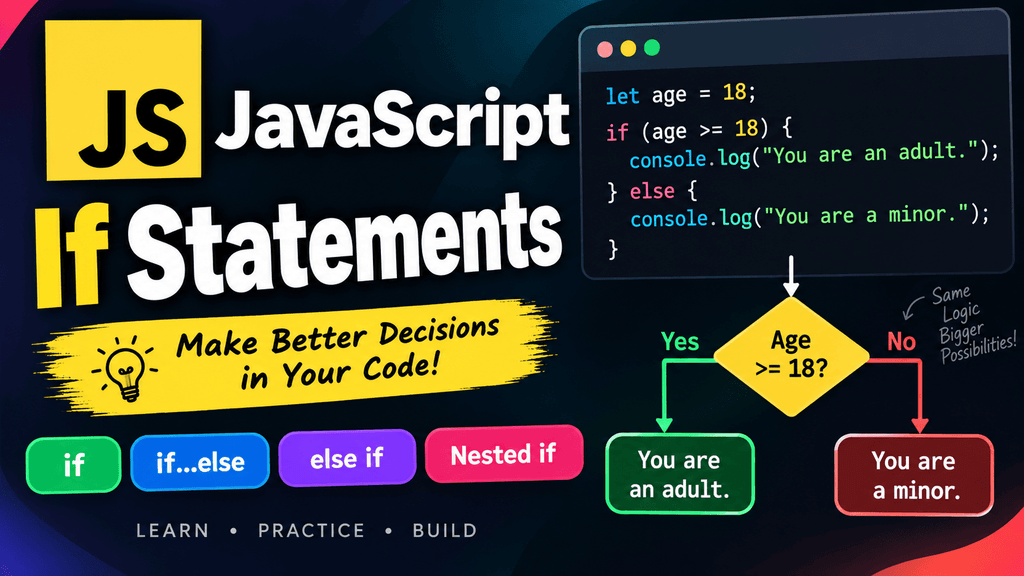
JavaScript provides several ways to create conditional logic. The most basic form is the if statement, while if...else, else if, and nested conditions allow you to handle more complex situations.
In this tutorial, you will learn how JavaScript conditional statements work from the beginning, including how to write conditions, how JavaScript evaluates them, when to use each type of conditional statement, and how to build practical programs with them.
What Are Conditional Statements in JavaScript?
A conditional statement allows JavaScript to execute certain code only when a particular condition is satisfied.
For example:
let age = 20;

if (age >= 18) {
    console.log("You are an adult.");
}
Output:
You are an adult.
JavaScript evaluates the condition:
age >= 18
Since 20 >= 18 is true, JavaScript executes the code inside the if block.
If the condition were false, JavaScript would skip that block.
Conditional statements are one of the foundations of programming because they allow applications to respond differently depending on the data they receive.
Why Are Conditional Statements Important?
Almost every useful application needs to make decisions.
Consider some common examples:
- A login page checks whether the entered credentials are valid.
- An e-commerce website checks whether a product is in stock.
- A banking application checks whether an account has enough balance.
- A game checks whether the player’s health has reached zero.
- A student portal checks whether marks meet the passing requirement.
- A website checks whether a user has administrator permissions.
- A weather application can display different messages based on temperature.
- A form can display an error when required information is missing.
All of these situations can be handled using conditional statements.
Without conditions, a program would have very limited ability to respond intelligently to changing data.
How Does an if Statement Work?
The if statement is the simplest conditional statement in JavaScript.
Its basic syntax is:
if (condition) {
    // code to execute when the condition is true
}
The condition is placed inside parentheses, while the code that should execute when the condition is true is placed inside curly braces.
For example:
let temperature = 35;

if (temperature > 30) {
    console.log("It is a hot day.");
}
Output:
It is a hot day.
The condition:
temperature > 30
evaluates to true, so JavaScript executes the statement inside the curly braces.
Basic if Statement
The basic if statement executes a block of code only when its condition is truthy.
let age = 25;

if (age >= 18) {
    console.log("You are eligible.");
}
Output:
You are eligible.
Here, age >= 18 is true because the value of age is 25.
What Happens When the Condition Is False?
Consider this example:
let age = 16;

if (age >= 18) {
    console.log("You are eligible.");
}
There is no output because the condition:
age >= 18
evaluates to false.
When the condition is false, JavaScript simply skips the if block and continues executing the rest of the program.
For example:
let age = 16;

if (age >= 18) {
    console.log("You are eligible.");
}

console.log("Program continues.");
Output:
Program continues.
This is an important behavior to understand: an if statement does not automatically provide an alternative action when the condition is false.
Using Comparison Operators with if
Conditional statements are commonly combined with comparison operators.
For example:
let score = 75;

if (score >= 40) {
    console.log("You passed.");
}
The condition uses the greater-than-or-equal-to operator:
score >= 40
Because 75 is greater than 40, the condition is true.
You can also use equality:
let role = "admin";

if (role === "admin") {
    console.log("Admin access available.");
}
Output:
Admin access available.
Using === is generally preferable when you want an exact comparison between values and their types.
Using Logical Operators with if
You can combine multiple conditions using logical operators.
For example:
let age = 25;
let hasLicense = true;

if (age >= 18 && hasLicense) {
    console.log("You can drive.");
}
Output:
You can drive.
Both conditions must be true because the program uses the && operator.
You can also use || when either condition is acceptable.
let day = "Sunday";

if (day === "Saturday" || day === "Sunday") {
    console.log("It is the weekend.");
}
Output:
It is the weekend.
The ! operator can be used to reverse a condition.
let isBlocked = false;

if (!isBlocked) {
    console.log("Access allowed.");
}
Output:
Access allowed.
Using Boolean Values with if
An if statement can work directly with a Boolean variable.
let isLoggedIn = true;

if (isLoggedIn) {
    console.log("Welcome back!");
}
Output:
Welcome back!
Because isLoggedIn contains true, the if block executes.
This is often cleaner than writing:
if (isLoggedIn === true) {
    console.log("Welcome back!");
}
When a variable already contains a Boolean value, using it directly is usually easier to read.
Understanding Truthy and Falsy Values
JavaScript does not require the condition inside an if statement to literally be true or false.
JavaScript evaluates the value using its truthy and falsy rules.
For example:
if ("Hello") {
    console.log("This condition is truthy.");
}
Output:
This condition is truthy.
The string "Hello" is truthy.
On the other hand:
if ("") {
    console.log("This will not execute.");
}
An empty string is falsy, so the block does not execute.
Common falsy values include:
false
0
-0
0n
""
null
undefined
NaN
Most other JavaScript values are truthy, including non-empty strings, non-zero numbers, objects, and arrays.
For example:
if ([]) {
    console.log("Array is truthy.");
}
Output:
Array is truthy.
Understanding truthy and falsy values becomes particularly useful when you start working with form values, objects, arrays, and user input.
The if...else Statement
The if...else statement is useful when you want the program to choose between two possible paths.
Its basic syntax is:
if (condition) {
    // code when condition is true
} else {
    // code when condition is false
}
For example:
let age = 16;

if (age >= 18) {
    console.log("You are an adult.");
} else {
    console.log("You are under 18.");
}
Output:
You are under 18.
The if block executes when the condition is true. If the condition is false, JavaScript executes the else block instead.
How if...else Works
Consider this example:
let number = 10;

if (number > 0) {
    console.log("Positive number");
} else {
    console.log("Zero or negative number");
}
Output:
Positive number
If the value changes:
let number = -5;

if (number > 0) {
    console.log("Positive number");
} else {
    console.log("Zero or negative number");
}
Output:
Zero or negative number
Only one of the two blocks is executed.
Practical Example of if...else
A simple pass/fail program can be written using if...else.
let marks = 65;

if (marks >= 40) {
    console.log("Pass");
} else {
    console.log("Fail");
}
Output:
Pass
If the marks were 30, the program would output:
Fail
This pattern is useful whenever a program has two possible outcomes.
Using if...else for Login Status
Conditional statements are frequently used to display different messages based on whether a user is logged in.
let isLoggedIn = false;

if (isLoggedIn) {
    console.log("Welcome to your dashboard.");
} else {
    console.log("Please log in to continue.");
}
Output:
Please log in to continue.
This is a simple example of how conditional logic can control what a user sees.
The else if Statement
Sometimes two possible outcomes are not enough. A program may need to check several different conditions.
This is where else if is useful.
The basic structure is:
if (condition1) {
    // code
} else if (condition2) {
    // code
} else {
    // code
}
JavaScript checks the conditions from top to bottom.
The first condition that evaluates to true gets executed, and the remaining conditions are skipped.
Basic else if Example
Consider a grading system:
let marks = 85;

if (marks >= 90) {
    console.log("Grade A+");
} else if (marks >= 80) {
    console.log("Grade A");
} else if (marks >= 70) {
    console.log("Grade B");
} else if (marks >= 40) {
    console.log("Grade C");
} else {
    console.log("Fail");
}
Output:
Grade A
The value 85 does not satisfy marks >= 90, so JavaScript checks the next condition.
It does satisfy:
marks >= 80
Therefore, JavaScript executes the corresponding block and stops checking the remaining else if conditions.
Order Matters in else if
The order of conditions is extremely important.
Consider:
let marks = 95;

if (marks >= 40) {
    console.log("Pass");
} else if (marks >= 90) {
    console.log("Excellent");
}
Output:
Pass
The condition marks >= 40 is already true, so JavaScript never reaches the marks >= 90 condition.
A better order is:
let marks = 95;

if (marks >= 90) {
    console.log("Excellent");
} else if (marks >= 40) {
    console.log("Pass");
}
Output:
Excellent
The more specific or higher threshold conditions should generally be checked before broader conditions when their ranges overlap.
Multiple else if Conditions
You can use several else if blocks when a program needs to handle multiple possibilities.
let temperature = 28;

if (temperature >= 35) {
    console.log("Very hot");
} else if (temperature >= 30) {
    console.log("Hot");
} else if (temperature >= 20) {
    console.log("Pleasant");
} else if (temperature >= 10) {
    console.log("Cool");
} else {
    console.log("Cold");
}
Output:
Pleasant
The program evaluates the conditions from top to bottom until it finds the first matching condition.
The else Block Is Optional
You do not have to use else after else if.
For example:
let score = 95;

if (score >= 90) {
    console.log("Excellent");
} else if (score >= 75) {
    console.log("Good");
}
If neither condition is true, nothing is printed.
You can add an else block when you want a default action:
let score = 50;

if (score >= 90) {
    console.log("Excellent");
} else if (score >= 75) {
    console.log("Good");
} else {
    console.log("Needs improvement");
}
What Are Nested Conditions?
A nested condition is a conditional statement placed inside another conditional statement.
In other words, an if, if...else, or another conditional structure can exist inside an existing if or else block.
For example:
let age = 25;
let hasLicense = true;

if (age >= 18) {
    if (hasLicense) {
        console.log("You can drive.");
    }
}
Output:
You can drive.
The inner if statement is evaluated only after the outer condition is true.
How Nested if Statements Work
Consider this example:
let isLoggedIn = true;
let isAdmin = true;

if (isLoggedIn) {
    if (isAdmin) {
        console.log("Welcome to the admin panel.");
    }
}
The program first checks:
isLoggedIn
If that is true, JavaScript checks:
isAdmin
Only when both conditions are satisfied does the message appear.
Nested if...else
Nested conditions can also contain else blocks.
let age = 20;
let hasTicket = false;

if (age >= 18) {
    if (hasTicket) {
        console.log("You can enter.");
    } else {
        console.log("You need a ticket.");
    }
} else {
    console.log("You are too young to enter.");
}
Output:
You need a ticket.
The outer condition checks the age first. Because the person is at least 18, JavaScript moves into the inner condition and checks whether the person has a ticket.
Nested Conditions in Real Applications
Nested conditions can be useful when one decision depends on another.
For example, an online shopping application might first check whether a user is logged in and then check whether the user has enough balance.
let isLoggedIn = true;
let balance = 1500;
let price = 1000;

if (isLoggedIn) {
    if (balance >= price) {
        console.log("Purchase successful.");
    } else {
        console.log("Insufficient balance.");
    }
} else {
    console.log("Please log in first.");
}
Output:
Purchase successful.
This demonstrates how nested conditions can represent multiple levels of decision-making.
Nested Conditions vs Logical Operators
Sometimes a nested condition can be simplified using logical operators.
For example:
let age = 25;
let hasLicense = true;

if (age >= 18) {
    if (hasLicense) {
        console.log("You can drive.");
    }
}
The same logic can be written as:
if (age >= 18 && hasLicense) {
    console.log("You can drive.");
}
Both approaches can work, but they communicate the logic differently.
Use logical operators when the conditions naturally belong together and a single condition remains easy to understand.
Nested conditions can be useful when the second decision depends conceptually on the result of the first or when each level needs its own separate handling.
Combining if, else if, and else
You can combine all three structures to handle several possibilities.
let score = 82;

if (score >= 90) {
    console.log("Excellent");
} else if (score >= 75) {
    console.log("Good");
} else if (score >= 40) {
    console.log("Pass");
} else {
    console.log("Fail");
}
This is one of the most common conditional patterns in JavaScript.
The program follows this sequence:
Check first condition
       ↓
If true → execute block
       ↓
If false → check next condition
       ↓
Continue until a condition is true
       ↓
If none are true → execute else
Conditional Statements with User Input
Conditional statements become particularly useful when working with values entered by users.
For example:
let age = Number(prompt("Enter your age:"));

if (age >= 18) {
    console.log("You are eligible.");
} else {
    console.log("You are not eligible.");
}
The value returned by prompt() is converted into a number using Number() before the comparison is performed.
This is important because values obtained from form controls and prompt() are commonly strings.
Conditional Statements with Strings
You can compare strings inside conditions.
let username = "admin";

if (username === "admin") {
    console.log("Welcome, administrator.");
}
Output:
Welcome, administrator.
You can also use multiple conditions:
let role = "editor";

if (role === "admin") {
    console.log("Full access");
} else if (role === "editor") {
    console.log("Editing access");
} else {
    console.log("Limited access");
}
Output:
Editing access
Conditional Statements with Numbers
Numbers are frequently used in conditions.
let price = 750;

if (price < 500) {
    console.log("Low price");
} else if (price <= 1000) {
    console.log("Medium price");
} else {
    console.log("High price");
}
Output:
Medium price
This kind of logic can be used in shopping websites, analytics dashboards, billing systems, and many other applications.
Multiple Conditions with Logical Operators
You can use logical operators inside if and else if conditions.
let age = 25;
let country = "India";

if (age >= 18 && country === "India") {
    console.log("User meets the requirements.");
}
You can also use OR conditions:
let role = "manager";

if (role === "admin" || role === "manager") {
    console.log("User can access the dashboard.");
}
The combination of comparison operators and logical operators makes conditional statements much more powerful.
Conditional Statements with Functions
Conditions can also be placed inside functions.
function checkAge(age) {
    if (age >= 18) {
        return "Adult";
    } else {
        return "Minor";
    }
}

console.log(checkAge(25));
Output:
Adult
Functions and conditional statements are frequently combined because functions allow you to reuse decision-making logic throughout an application.
Practical Example: Student Result
Here is a practical example that uses if, else if, and else to calculate a result.
let marks = 78;

if (marks >= 90) {
    console.log("Grade A+");
} else if (marks >= 80) {
    console.log("Grade A");
} else if (marks >= 70) {
    console.log("Grade B");
} else if (marks >= 60) {
    console.log("Grade C");
} else if (marks >= 40) {
    console.log("Pass");
} else {
    console.log("Fail");
}
Output:
Grade B
This is a realistic example of how conditional statements can transform raw data into a meaningful result.
Practical Example: Shopping Discount
Suppose an online store provides different discounts depending on the purchase amount.
let total = 2500;

if (total >= 5000) {
    console.log("You received a 20% discount.");
} else if (total >= 2000) {
    console.log("You received a 10% discount.");
} else if (total >= 1000) {
    console.log("You received a 5% discount.");
} else {
    console.log("No discount available.");
}
Output:
You received a 10% discount.
The program checks the highest threshold first and then moves toward the lower thresholds.
Practical Example: Login and Account Status
A login system can use several conditions.
let isLoggedIn = true;
let isVerified = true;
let isBlocked = false;

if (!isLoggedIn) {
    console.log("Please log in.");
} else if (isBlocked) {
    console.log("Your account is blocked.");
} else if (!isVerified) {
    console.log("Please verify your account.");
} else {
    console.log("Welcome to your account.");
}
Output:
Welcome to your account.
This example demonstrates how multiple possible account states can be handled using a clear if...else if...else structure.
Practical Example: Game Conditions
Conditional statements are essential in games because the game needs to respond to changing states.
let health = 0;

if (health <= 0) {
    console.log("Game Over");
} else if (health <= 30) {
    console.log("Critical health");
} else {
    console.log("Player is healthy");
}
Output:
Game Over
A game could use similar logic for player health, score, level, available weapons, enemy status, and many other conditions.
Practical Example: Nested Game Condition
A nested condition can be useful when one decision depends on another.
let playerAlive = true;
let hasWeapon = true;

if (playerAlive) {
    if (hasWeapon) {
        console.log("Player can attack.");
    } else {
        console.log("Find a weapon.");
    }
} else {
    console.log("Game Over.");
}
Output:
Player can attack.
Common Mistakes with Conditional Statements
Using = Instead of ===
A common beginner mistake is confusing assignment with comparison.
Incorrect:
let age = 18;

if (age = 20) {
    console.log("Age is 20");
}
The = operator assigns a value rather than performing a strict comparison.
Use:
if (age === 20) {
    console.log("Age is 20");
}
Forgetting Curly Braces
Although JavaScript allows certain single-statement if blocks without braces, beginners should generally use braces because they make the structure clearer and reduce mistakes.
Prefer:
if (age >= 18) {
    console.log("Adult");
}
rather than:
if (age >= 18)
    console.log("Adult");
Curly braces become especially important when a condition contains multiple statements.
Putting else with the Wrong if
Consider nested conditions such as:
if (condition1) {
    if (condition2) {
        console.log("A");
    } else {
        console.log("B");
    }
}
The else belongs to the nearest unmatched if.
Using braces consistently makes this relationship much easier to understand.
Incorrect else if Ordering
Consider:
let marks = 95;

if (marks >= 40) {
    console.log("Pass");
} else if (marks >= 90) {
    console.log("Excellent");
}
The program prints Pass because the first condition is already true.
Put more specific conditions first:
if (marks >= 90) {
    console.log("Excellent");
} else if (marks >= 40) {
    console.log("Pass");
}
Forgetting That else if Stops After the First Match
JavaScript does not execute every matching else if block.
For example:
let number = 10;

if (number > 0) {
    console.log("Positive");
} else if (number > 5) {
    console.log("Greater than 5");
}
Only this block executes:
Positive
Once the first if condition is true, JavaScript skips the remaining else if and else blocks.
Best Practices for JavaScript Conditional Statements
Write conditions that clearly describe the decision your program needs to make.
For example:
if (age >= 18) {
    console.log("Eligible");
}
is easier to understand than an unnecessarily complicated expression.
Use === when you need strict equality comparisons.
if (status === "active") {
    console.log("Account active");
}
Keep related conditions together and use logical operators when they naturally form one requirement.
if (age >= 18 && hasLicense) {
    console.log("Can drive");
}
Use parentheses when they make complex logic easier to understand.
if (isLoggedIn && (isAdmin || isEditor)) {
    console.log("Access granted");
}
When using else if, arrange overlapping conditions carefully so that the most specific or appropriate conditions are checked before broader conditions.
Avoid unnecessarily deep nesting when a simpler logical expression can communicate the same logic clearly.
if vs if...else vs else if vs Nested if
| Structure | Best Used When |
|---|---|
if | You only need to execute code when one condition is true |
if...else | You have two possible paths |
else if | You need to check multiple alternative conditions |
Nested if | One decision depends on another decision |
Basic if
if (age >= 18) {
    console.log("Adult");
}
if...else
if (age >= 18) {
    console.log("Adult");
} else {
    console.log("Minor");
}
else if
if (score >= 90) {
    console.log("A");
} else if (score >= 75) {
    console.log("B");
} else {
    console.log("C");
}
Nested if
if (isLoggedIn) {
    if (isAdmin) {
        console.log("Admin access");
    }
}
JavaScript Conditional Statements Cheat Sheet
if
    ↓
Runs code when a condition is true

if...else
    ↓
Chooses between two paths

else if
    ↓
Checks multiple alternative conditions

Nested if
    ↓
Places one condition inside another
Basic Syntax
if (condition) {
    // code
}
if...else Syntax
if (condition) {
    // code when true
} else {
    // code when false
}
else if Syntax
if (condition1) {
    // code
} else if (condition2) {
    // code
} else {
    // default code
}
Nested Condition Syntax
if (condition1) {
    if (condition2) {
        // code
    }
}
Frequently Asked Questions
What is an if statement in JavaScript?
An if statement executes a block of code when its condition evaluates to a truthy value.
if (age >= 18) {
    console.log("Adult");
}
What is the difference between if and if...else?
An if statement only provides code to execute when the condition is true. An if...else statement provides two possible paths, allowing one block to execute when the condition is true and another when it is false.
What is else if used for in JavaScript?
else if is used when a program needs to check multiple alternative conditions.
if (score >= 90) {
    console.log("A");
} else if (score >= 75) {
    console.log("B");
} else {
    console.log("C");
}
What is a nested if statement?
A nested if statement is an if statement placed inside another conditional block.
if (isLoggedIn) {
    if (isAdmin) {
        console.log("Admin");
    }
}
Can an if statement have multiple else if blocks?
Yes. You can use multiple else if blocks to check several alternative conditions.
Is else required after if?
No. An if statement can exist by itself.
if (age >= 18) {
    console.log("Adult");
}
The else block is optional.
What happens when multiple else if conditions are true?
JavaScript executes the first condition that evaluates to true and skips the remaining else if and else blocks.
Can I use logical operators inside an if statement?
Yes. You can use &&, ||, and ! to create more complex conditions.
if (age >= 18 && hasLicense) {
    console.log("Can drive");
}
Should I use == or === in conditions?
When you want an exact comparison of both value and type, === is generally the clearer choice.
if (age === 18) {
    console.log("Age is exactly 18");
}
Can an if condition contain a function call?
Yes. A function can return a value that is then evaluated as the condition.
if (isUserLoggedIn()) {
    console.log("Welcome");
}
Can I use an if statement inside another if statement?
Yes. This is called a nested condition.
if (userExists) {
    if (userVerified) {
        console.log("Account ready");
    }
}
Image Placement Suggestions
Image after the introduction
Add a simple infographic showing how a conditional statement works:
Condition
    ↓
Is it true?
 ↙       ↘
Yes       No
 ↓         ↓
Run      Skip
code     block
Suggested image alt text: How JavaScript if statement works
Image after the Basic if section
Add a visual showing the basic syntax:
if (condition) {
    code runs here
}
Use an arrow to show that the code executes only when the condition is true.
Suggested image alt text: JavaScript if statement syntax example
Image after the if...else section
Create a two-path flowchart:
       Condition
       /       \
    True       False
     ↓           ↓
  if block   else block
Suggested image alt text: JavaScript if else statement flowchart
Image after the else if section
Add a flowchart showing how JavaScript checks conditions from top to bottom:
Condition 1?
   ↓ No
Condition 2?
   ↓ No
Condition 3?
   ↓ No
   else
Suggested image alt text: JavaScript else if multiple conditions flowchart
Image after the Nested Conditions section
Add a visual showing one condition inside another:
Outer Condition
      ↓
   True?
      ↓
Inner Condition
      ↓
   True?
      ↓
  Execute Code
Suggested image alt text: JavaScript nested if statement example
Image near the Practical Examples section
Add a coding screenshot showing a real JavaScript example such as a student grading system or login validation.
Suggested image alt text: JavaScript conditional statements practical example
Featured Image / Thumbnail
For the article thumbnail, use a 16:9 coding-themed design with the main text:
JavaScript
Conditional Statements
Include smaller visual elements such as:
if
else
else if
A dark code-editor background with JavaScript-style syntax would fit the Web4learners coding theme well.
Suggested thumbnail alt text: JavaScript conditional statements tutorial
Conclusion
JavaScript conditional statements are one of the most important foundations of programming because they allow applications to make decisions based on changing information.
The basic if statement is useful when code should execute only when a condition is true. The if...else structure provides two possible paths, while else if allows a program to evaluate several alternative conditions. Nested conditions allow one decision to depend on another decision.
For example, a simple application might use:
let age = 22;
let hasLicense = true;

if (age >= 18 && hasLicense) {
    console.log("You can drive.");
} else {
    console.log("You cannot drive.");
}
This small example combines comparison operators, logical operators, and conditional statements to create a meaningful decision.
As you continue learning JavaScript, these concepts will become the foundation for more advanced topics such as loops, functions, arrays, event handling, form validation, DOM manipulation, and application logic. Learning how to write clear conditions now will make those later topics much easier to understand.
SEO Information
SEO Title: JavaScript Conditional Statements: if, else, else if and Nested Conditions
URL Slug: /javascript-conditional-statements/
Meta Description: Learn JavaScript conditional statements with if, if...else, else if, and nested conditions. Includes syntax, examples, practical uses, mistakes, and best practices.
Primary Keyword: JavaScript Conditional Statements
Related Keywords:
JavaScript conditional statements allow a program to make decisions based on conditions. Instead of executing the same code every time, JavaScript can check a condition and decide which block of code should run.
For example, a website might need to determine whether a user is logged in, whether a student has passed an exam, whether a product is available, or whether a customer qualifies for a discount. All of these situations require the program to make a decision based on some condition.
JavaScript provides several ways to create conditional logic. The most basic form is the if statement, while if...else, else if, and nested conditions allow you to handle more complex situations.
In this tutorial, you will learn how JavaScript conditional statements work from the beginning, including how to write conditions, how JavaScript evaluates them, when to use each type of conditional statement, and how to build practical programs with them.
Primary Keyword: JavaScript Conditional Statements
Related Keywords: JavaScript if statement, JavaScript if else, JavaScript else if, JavaScript nested if, JavaScript conditions, JavaScript conditional statements, JavaScript if else statement
What Are Conditional Statements in JavaScript?
A conditional statement allows JavaScript to execute certain code only when a particular condition is satisfied.
For example:
let age = 20;

if (age >= 18) {
    console.log("You are an adult.");
}
Output:
You are an adult.
JavaScript evaluates the condition:
age >= 18
Since 20 >= 18 is true, JavaScript executes the code inside the if block.
If the condition were false, JavaScript would skip that block.
Conditional statements are one of the foundations of programming because they allow applications to respond differently depending on the data they receive.
Why Are Conditional Statements Important?
Almost every useful application needs to make decisions.
Consider some common examples:
- A login page checks whether the entered credentials are valid.
- An e-commerce website checks whether a product is in stock.
- A banking application checks whether an account has enough balance.
- A game checks whether the player’s health has reached zero.
- A student portal checks whether marks meet the passing requirement.
- A website checks whether a user has administrator permissions.
- A weather application can display different messages based on temperature.
- A form can display an error when required information is missing.
All of these situations can be handled using conditional statements.
Without conditions, a program would have very limited ability to respond intelligently to changing data.
How Does an if Statement Work?
The if statement is the simplest conditional statement in JavaScript.
Its basic syntax is:
if (condition) {
    // code to execute when the condition is true
}
The condition is placed inside parentheses, while the code that should execute when the condition is true is placed inside curly braces.
For example:
let temperature = 35;

if (temperature > 30) {
    console.log("It is a hot day.");
}
Output:
It is a hot day.
The condition:
temperature > 30
evaluates to true, so JavaScript executes the statement inside the curly braces.
Basic if Statement
The basic if statement executes a block of code only when its condition is truthy.
let age = 25;

if (age >= 18) {
    console.log("You are eligible.");
}
Output:
You are eligible.
Here, age >= 18 is true because the value of age is 25.
What Happens When the Condition Is False?
Consider this example:
let age = 16;

if (age >= 18) {
    console.log("You are eligible.");
}
There is no output because the condition:
age >= 18
evaluates to false.
When the condition is false, JavaScript simply skips the if block and continues executing the rest of the program.
For example:
let age = 16;

if (age >= 18) {
    console.log("You are eligible.");
}

console.log("Program continues.");
Output:
Program continues.
This is an important behavior to understand: an if statement does not automatically provide an alternative action when the condition is false.
Using Comparison Operators with if
Conditional statements are commonly combined with comparison operators.
For example:
let score = 75;

if (score >= 40) {
    console.log("You passed.");
}
The condition uses the greater-than-or-equal-to operator:
score >= 40
Because 75 is greater than 40, the condition is true.
You can also use equality:
let role = "admin";

if (role === "admin") {
    console.log("Admin access available.");
}
Output:
Admin access available.
Using === is generally preferable when you want an exact comparison between values and their types.
Using Logical Operators with if
You can combine multiple conditions using logical operators.
For example:
let age = 25;
let hasLicense = true;

if (age >= 18 && hasLicense) {
    console.log("You can drive.");
}
Output:
You can drive.
Both conditions must be true because the program uses the && operator.
You can also use || when either condition is acceptable.
let day = "Sunday";

if (day === "Saturday" || day === "Sunday") {
    console.log("It is the weekend.");
}
Output:
It is the weekend.
The ! operator can be used to reverse a condition.
let isBlocked = false;

if (!isBlocked) {
    console.log("Access allowed.");
}
Output:
Access allowed.
Using Boolean Values with if
An if statement can work directly with a Boolean variable.
let isLoggedIn = true;

if (isLoggedIn) {
    console.log("Welcome back!");
}
Output:
Welcome back!
Because isLoggedIn contains true, the if block executes.
This is often cleaner than writing:
if (isLoggedIn === true) {
    console.log("Welcome back!");
}
When a variable already contains a Boolean value, using it directly is usually easier to read.
Understanding Truthy and Falsy Values
JavaScript does not require the condition inside an if statement to literally be true or false.
JavaScript evaluates the value using its truthy and falsy rules.
For example:
if ("Hello") {
    console.log("This condition is truthy.");
}
Output:
This condition is truthy.
The string "Hello" is truthy.
On the other hand:
if ("") {
    console.log("This will not execute.");
}
An empty string is falsy, so the block does not execute.
Common falsy values include:
false
0
-0
0n
""
null
undefined
NaN
Most other JavaScript values are truthy, including non-empty strings, non-zero numbers, objects, and arrays.
For example:
if ([]) {
    console.log("Array is truthy.");
}
Output:
Array is truthy.
Understanding truthy and falsy values becomes particularly useful when you start working with form values, objects, arrays, and user input.
The if...else Statement
The if...else statement is useful when you want the program to choose between two possible paths.
Its basic syntax is:
if (condition) {
    // code when condition is true
} else {
    // code when condition is false
}
For example:
let age = 16;

if (age >= 18) {
    console.log("You are an adult.");
} else {
    console.log("You are under 18.");
}
Output:
You are under 18.
The if block executes when the condition is true. If the condition is false, JavaScript executes the else block instead.
How if...else Works
Consider this example:
let number = 10;

if (number > 0) {
    console.log("Positive number");
} else {
    console.log("Zero or negative number");
}
Output:
Positive number
If the value changes:
let number = -5;

if (number > 0) {
    console.log("Positive number");
} else {
    console.log("Zero or negative number");
}
Output:
Zero or negative number
Only one of the two blocks is executed.
Practical Example of if...else
A simple pass/fail program can be written using if...else.
let marks = 65;

if (marks >= 40) {
    console.log("Pass");
} else {
    console.log("Fail");
}
Output:
Pass
If the marks were 30, the program would output:
Fail
This pattern is useful whenever a program has two possible outcomes.
Using if...else for Login Status
Conditional statements are frequently used to display different messages based on whether a user is logged in.
let isLoggedIn = false;

if (isLoggedIn) {
    console.log("Welcome to your dashboard.");
} else {
    console.log("Please log in to continue.");
}
Output:
Please log in to continue.
This is a simple example of how conditional logic can control what a user sees.
The else if Statement
Sometimes two possible outcomes are not enough. A program may need to check several different conditions.
This is where else if is useful.
The basic structure is:
if (condition1) {
    // code
} else if (condition2) {
    // code
} else {
    // code
}
JavaScript checks the conditions from top to bottom.
The first condition that evaluates to true gets executed, and the remaining conditions are skipped.
Basic else if Example
Consider a grading system:
let marks = 85;

if (marks >= 90) {
    console.log("Grade A+");
} else if (marks >= 80) {
    console.log("Grade A");
} else if (marks >= 70) {
    console.log("Grade B");
} else if (marks >= 40) {
    console.log("Grade C");
} else {
    console.log("Fail");
}
Output:
Grade A
The value 85 does not satisfy marks >= 90, so JavaScript checks the next condition.
It does satisfy:
marks >= 80
Therefore, JavaScript executes the corresponding block and stops checking the remaining else if conditions.
Order Matters in else if
The order of conditions is extremely important.
Consider:
let marks = 95;

if (marks >= 40) {
    console.log("Pass");
} else if (marks >= 90) {
    console.log("Excellent");
}
Output:
Pass
The condition marks >= 40 is already true, so JavaScript never reaches the marks >= 90 condition.
A better order is:
let marks = 95;

if (marks >= 90) {
    console.log("Excellent");
} else if (marks >= 40) {
    console.log("Pass");
}
Output:
Excellent
The more specific or higher threshold conditions should generally be checked before broader conditions when their ranges overlap.
Multiple else if Conditions
You can use several else if blocks when a program needs to handle multiple possibilities.
let temperature = 28;

if (temperature >= 35) {
    console.log("Very hot");
} else if (temperature >= 30) {
    console.log("Hot");
} else if (temperature >= 20) {
    console.log("Pleasant");
} else if (temperature >= 10) {
    console.log("Cool");
} else {
    console.log("Cold");
}
Output:
Pleasant
The program evaluates the conditions from top to bottom until it finds the first matching condition.
The else Block Is Optional
You do not have to use else after else if.
For example:
let score = 95;

if (score >= 90) {
    console.log("Excellent");
} else if (score >= 75) {
    console.log("Good");
}
If neither condition is true, nothing is printed.
You can add an else block when you want a default action:
let score = 50;

if (score >= 90) {
    console.log("Excellent");
} else if (score >= 75) {
    console.log("Good");
} else {
    console.log("Needs improvement");
}
What Are Nested Conditions?
A nested condition is a conditional statement placed inside another conditional statement.
In other words, an if, if...else, or another conditional structure can exist inside an existing if or else block.
For example:
let age = 25;
let hasLicense = true;

if (age >= 18) {
    if (hasLicense) {
        console.log("You can drive.");
    }
}
Output:
You can drive.
The inner if statement is evaluated only after the outer condition is true.
How Nested if Statements Work
Consider this example:
let isLoggedIn = true;
let isAdmin = true;

if (isLoggedIn) {
    if (isAdmin) {
        console.log("Welcome to the admin panel.");
    }
}
The program first checks:
isLoggedIn
If that is true, JavaScript checks:
isAdmin
Only when both conditions are satisfied does the message appear.
Nested if...else
Nested conditions can also contain else blocks.
let age = 20;
let hasTicket = false;

if (age >= 18) {
    if (hasTicket) {
        console.log("You can enter.");
    } else {
        console.log("You need a ticket.");
    }
} else {
    console.log("You are too young to enter.");
}
Output:
You need a ticket.
The outer condition checks the age first. Because the person is at least 18, JavaScript moves into the inner condition and checks whether the person has a ticket.
Nested Conditions in Real Applications
Nested conditions can be useful when one decision depends on another.
For example, an online shopping application might first check whether a user is logged in and then check whether the user has enough balance.
let isLoggedIn = true;
let balance = 1500;
let price = 1000;

if (isLoggedIn) {
    if (balance >= price) {
        console.log("Purchase successful.");
    } else {
        console.log("Insufficient balance.");
    }
} else {
    console.log("Please log in first.");
}
Output:
Purchase successful.
This demonstrates how nested conditions can represent multiple levels of decision-making.
Nested Conditions vs Logical Operators
Sometimes a nested condition can be simplified using logical operators.
For example:
let age = 25;
let hasLicense = true;

if (age >= 18) {
    if (hasLicense) {
        console.log("You can drive.");
    }
}
The same logic can be written as:
if (age >= 18 && hasLicense) {
    console.log("You can drive.");
}
Both approaches can work, but they communicate the logic differently.
Use logical operators when the conditions naturally belong together and a single condition remains easy to understand.
Nested conditions can be useful when the second decision depends conceptually on the result of the first or when each level needs its own separate handling.
Combining if, else if, and else
You can combine all three structures to handle several possibilities.
let score = 82;

if (score >= 90) {
    console.log("Excellent");
} else if (score >= 75) {
    console.log("Good");
} else if (score >= 40) {
    console.log("Pass");
} else {
    console.log("Fail");
}
This is one of the most common conditional patterns in JavaScript.
The program follows this sequence:
Check first condition
       ↓
If true → execute block
       ↓
If false → check next condition
       ↓
Continue until a condition is true
       ↓
If none are true → execute else
Conditional Statements with User Input
Conditional statements become particularly useful when working with values entered by users.
For example:
let age = Number(prompt("Enter your age:"));

if (age >= 18) {
    console.log("You are eligible.");
} else {
    console.log("You are not eligible.");
}
The value returned by prompt() is converted into a number using Number() before the comparison is performed.
This is important because values obtained from form controls and prompt() are commonly strings.
Conditional Statements with Strings
You can compare strings inside conditions.
let username = "admin";

if (username === "admin") {
    console.log("Welcome, administrator.");
}
Output:
Welcome, administrator.
You can also use multiple conditions:
let role = "editor";

if (role === "admin") {
    console.log("Full access");
} else if (role === "editor") {
    console.log("Editing access");
} else {
    console.log("Limited access");
}
Output:
Editing access
Conditional Statements with Numbers
Numbers are frequently used in conditions.
let price = 750;

if (price < 500) {
    console.log("Low price");
} else if (price <= 1000) {
    console.log("Medium price");
} else {
    console.log("High price");
}
Output:
Medium price
This kind of logic can be used in shopping websites, analytics dashboards, billing systems, and many other applications.
Multiple Conditions with Logical Operators
You can use logical operators inside if and else if conditions.
let age = 25;
let country = "India";

if (age >= 18 && country === "India") {
    console.log("User meets the requirements.");
}
You can also use OR conditions:
let role = "manager";

if (role === "admin" || role === "manager") {
    console.log("User can access the dashboard.");
}
The combination of comparison operators and logical operators makes conditional statements much more powerful.
Conditional Statements with Functions
Conditions can also be placed inside functions.
function checkAge(age) {
    if (age >= 18) {
        return "Adult";
    } else {
        return "Minor";
    }
}

console.log(checkAge(25));
Output:
Adult
Functions and conditional statements are frequently combined because functions allow you to reuse decision-making logic throughout an application.
Practical Example: Student Result
Here is a practical example that uses if, else if, and else to calculate a result.
let marks = 78;

if (marks >= 90) {
    console.log("Grade A+");
} else if (marks >= 80) {
    console.log("Grade A");
} else if (marks >= 70) {
    console.log("Grade B");
} else if (marks >= 60) {
    console.log("Grade C");
} else if (marks >= 40) {
    console.log("Pass");
} else {
    console.log("Fail");
}
Output:
Grade B
This is a realistic example of how conditional statements can transform raw data into a meaningful result.
Practical Example: Shopping Discount
Suppose an online store provides different discounts depending on the purchase amount.
let total = 2500;

if (total >= 5000) {
    console.log("You received a 20% discount.");
} else if (total >= 2000) {
    console.log("You received a 10% discount.");
} else if (total >= 1000) {
    console.log("You received a 5% discount.");
} else {
    console.log("No discount available.");
}
Output:
You received a 10% discount.
The program checks the highest threshold first and then moves toward the lower thresholds.
Practical Example: Login and Account Status
A login system can use several conditions.
let isLoggedIn = true;
let isVerified = true;
let isBlocked = false;

if (!isLoggedIn) {
    console.log("Please log in.");
} else if (isBlocked) {
    console.log("Your account is blocked.");
} else if (!isVerified) {
    console.log("Please verify your account.");
} else {
    console.log("Welcome to your account.");
}
Output:
Welcome to your account.
This example demonstrates how multiple possible account states can be handled using a clear if...else if...else structure.
Practical Example: Game Conditions
Conditional statements are essential in games because the game needs to respond to changing states.
let health = 0;

if (health <= 0) {
    console.log("Game Over");
} else if (health <= 30) {
    console.log("Critical health");
} else {
    console.log("Player is healthy");
}
Output:
Game Over
A game could use similar logic for player health, score, level, available weapons, enemy status, and many other conditions.
Practical Example: Nested Game Condition
A nested condition can be useful when one decision depends on another.
let playerAlive = true;
let hasWeapon = true;

if (playerAlive) {
    if (hasWeapon) {
        console.log("Player can attack.");
    } else {
        console.log("Find a weapon.");
    }
} else {
    console.log("Game Over.");
}
Output:
Player can attack.
Common Mistakes with Conditional Statements
Using = Instead of ===
A common beginner mistake is confusing assignment with comparison.
Incorrect:
let age = 18;

if (age = 20) {
    console.log("Age is 20");
}
The = operator assigns a value rather than performing a strict comparison.
Use:
if (age === 20) {
    console.log("Age is 20");
}
Forgetting Curly Braces
Although JavaScript allows certain single-statement if blocks without braces, beginners should generally use braces because they make the structure clearer and reduce mistakes.
Prefer:
if (age >= 18) {
    console.log("Adult");
}
rather than:
if (age >= 18)
    console.log("Adult");
Curly braces become especially important when a condition contains multiple statements.
Putting else with the Wrong if
Consider nested conditions such as:
if (condition1) {
    if (condition2) {
        console.log("A");
    } else {
        console.log("B");
    }
}
The else belongs to the nearest unmatched if.
Using braces consistently makes this relationship much easier to understand.
Incorrect else if Ordering
Consider:
let marks = 95;

if (marks >= 40) {
    console.log("Pass");
} else if (marks >= 90) {
    console.log("Excellent");
}
The program prints Pass because the first condition is already true.
Put more specific conditions first:
if (marks >= 90) {
    console.log("Excellent");
} else if (marks >= 40) {
    console.log("Pass");
}
Forgetting That else if Stops After the First Match
JavaScript does not execute every matching else if block.
For example:
let number = 10;

if (number > 0) {
    console.log("Positive");
} else if (number > 5) {
    console.log("Greater than 5");
}
Only this block executes:
Positive
Once the first if condition is true, JavaScript skips the remaining else if and else blocks.
Best Practices for JavaScript Conditional Statements
Write conditions that clearly describe the decision your program needs to make.
For example:
if (age >= 18) {
    console.log("Eligible");
}
is easier to understand than an unnecessarily complicated expression.
Use === when you need strict equality comparisons.
if (status === "active") {
    console.log("Account active");
}
Keep related conditions together and use logical operators when they naturally form one requirement.
if (age >= 18 && hasLicense) {
    console.log("Can drive");
}
Use parentheses when they make complex logic easier to understand.
if (isLoggedIn && (isAdmin || isEditor)) {
    console.log("Access granted");
}
When using else if, arrange overlapping conditions carefully so that the most specific or appropriate conditions are checked before broader conditions.
Avoid unnecessarily deep nesting when a simpler logical expression can communicate the same logic clearly.
if vs if...else vs else if vs Nested if
| Structure | Best Used When |
|---|---|
if | You only need to execute code when one condition is true |
if...else | You have two possible paths |
else if | You need to check multiple alternative conditions |
Nested if | One decision depends on another decision |
Basic if
if (age >= 18) {
    console.log("Adult");
}
if...else
if (age >= 18) {
    console.log("Adult");
} else {
    console.log("Minor");
}
else if
if (score >= 90) {
    console.log("A");
} else if (score >= 75) {
    console.log("B");
} else {
    console.log("C");
}
Nested if
if (isLoggedIn) {
    if (isAdmin) {
        console.log("Admin access");
    }
}
JavaScript Conditional Statements Cheat Sheet
if
    ↓
Runs code when a condition is true

if...else
    ↓
Chooses between two paths

else if
    ↓
Checks multiple alternative conditions

Nested if
    ↓
Places one condition inside another
Basic Syntax
if (condition) {
    // code
}
if...else Syntax
if (condition) {
    // code when true
} else {
    // code when false
}
else if Syntax
if (condition1) {
    // code
} else if (condition2) {
    // code
} else {
    // default code
}
Nested Condition Syntax
if (condition1) {
    if (condition2) {
        // code
    }
}
Frequently Asked Questions
What is an if statement in JavaScript?
An if statement executes a block of code when its condition evaluates to a truthy value.
if (age >= 18) {
    console.log("Adult");
}
What is the difference between if and if...else?
An if statement only provides code to execute when the condition is true. An if...else statement provides two possible paths, allowing one block to execute when the condition is true and another when it is false.
What is else if used for in JavaScript?
else if is used when a program needs to check multiple alternative conditions.
if (score >= 90) {
    console.log("A");
} else if (score >= 75) {
    console.log("B");
} else {
    console.log("C");
}
What is a nested if statement?
A nested if statement is an if statement placed inside another conditional block.
if (isLoggedIn) {
    if (isAdmin) {
        console.log("Admin");
    }
}
Can an if statement have multiple else if blocks?
Yes. You can use multiple else if blocks to check several alternative conditions.
Is else required after if?
No. An if statement can exist by itself.
if (age >= 18) {
    console.log("Adult");
}
The else block is optional.
What happens when multiple else if conditions are true?
JavaScript executes the first condition that evaluates to true and skips the remaining else if and else blocks.
Can I use logical operators inside an if statement?
Yes. You can use &&, ||, and ! to create more complex conditions.
if (age >= 18 && hasLicense) {
    console.log("Can drive");
}
Should I use == or === in conditions?
When you want an exact comparison of both value and type, === is generally the clearer choice.
if (age === 18) {
    console.log("Age is exactly 18");
}
Can an if condition contain a function call?
Yes. A function can return a value that is then evaluated as the condition.
if (isUserLoggedIn()) {
    console.log("Welcome");
}
Can I use an if statement inside another if statement?
Yes. This is called a nested condition.
if (userExists) {
    if (userVerified) {
        console.log("Account ready");
    }
}