
JavaScript logical operators are used to combine conditions, choose between alternatives, or reverse a condition. They are an important part of JavaScript because real-world programs often need to evaluate more than one condition at the same time.
For example, a website may need to check whether:
- A user is logged in and has permission.
- A product is available or available for preorder.
- A user is not blocked.
- A student has passed and has completed an assignment.
- A value is within a particular range.
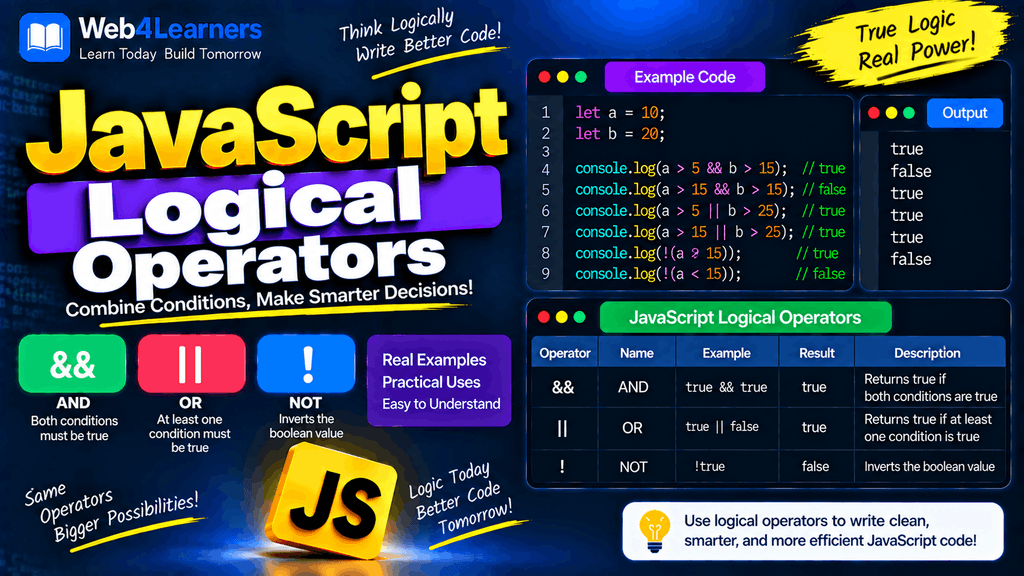
JavaScript provides three main logical operators:
&&    Logical AND
||    Logical OR
!     Logical NOT
These operators can be used with comparison expressions, Boolean values, variables, function calls, and many other JavaScript expressions.
In this tutorial, you will learn how each logical operator works, how JavaScript evaluates logical expressions, how truthy and falsy values affect logical operations, what short-circuit evaluation means, and how logical operators are used in practical JavaScript programs.
What Are Logical Operators in JavaScript?
Logical operators allow you to work with multiple conditions or values.
Consider this example:
let age = 25;
let hasLicense = true;

console.log(age >= 18 && hasLicense);
Output:
true
There are two conditions:
age >= 18
and:
hasLicense
Both conditions are true, so the && operator produces true.
Without logical operators, you would often need to write separate conditions. Logical operators let you combine them into a single logical expression.
JavaScript Logical Operators List
| Operator | Name | Basic Meaning |
|---|---|---|
&& | Logical AND | True when both conditions are truthy |
| ` | ` | |
! | Logical NOT | Reverses a value’s truthiness |
The behavior is easiest to understand when working with Boolean values.
true && true
produces:
true
While:
true && false
produces:
false
Similarly:
true || false
produces:
true
And:
!true
produces:
false
The && Logical AND Operator
The && operator is called the logical AND operator.
It checks multiple expressions and succeeds only when all required operands are truthy.
With Boolean values:
console.log(true && true);
Output:
true
But:
console.log(true && false);
Output:
false
And:
console.log(false && true);
Output:
false
The important idea is:
With logical AND, all required conditions must be truthy.
Truth Table for &&
The basic Boolean truth table for && is:
| A | B | A && B |
|---|---|---|
true | true | true |
true | false | false |
false | true | false |
false | false | false |
Only one combination produces true: when both operands are true.
Example with Comparisons
let age = 25;
let hasLicense = true;

console.log(age >= 18 && hasLicense === true);
Output:
true
The first condition is true:
age >= 18
The second condition is also true:
hasLicense === true
Therefore:
true && true
produces true.
Example Where One Condition Is False
let age = 16;
let hasLicense = true;

console.log(age >= 18 && hasLicense === true);
Output:
false
Although the user has a license, the age condition is false.
Therefore:
false && true
produces false.
Using && with if
The AND operator is commonly used when multiple conditions must be satisfied.
let age = 25;
let hasTicket = true;

if (age >= 18 && hasTicket) {
    console.log("You can enter.");
}
Output:
You can enter.
Both conditions must be true:
age >= 18
hasTicket
If either condition is false, the if block will not execute.
Practical Login Example
let isLoggedIn = true;
let isAdmin = true;

if (isLoggedIn && isAdmin) {
    console.log("Welcome to the admin panel.");
}
Output:
Welcome to the admin panel.
The user must be logged in and must have administrator privileges.
The || Logical OR Operator
The || operator is called the logical OR operator.
It is used when you want at least one condition to be truthy.
For example:
console.log(true || false);
Output:
true
Even though the second operand is false, the first operand is true, so the overall expression is true.
Similarly:
console.log(false || true);
Output:
true
The only Boolean combination that produces false is:
false || false
Truth Table for ||
| A | B | A || B |
|—|—|—|
| true | true | true |
| true | false | true |
| false | true | true |
| false | false | false |
The important idea is:
With logical OR, at least one operand must be truthy.
Example with Comparisons
let age = 16;

console.log(age < 18 || age > 60);
Output:
true
The first condition is true:
age < 18
Therefore the entire OR expression is true.
Another Example
let day = "Saturday";

if (day === "Saturday" || day === "Sunday") {
    console.log("It's the weekend.");
}
Output:
It's the weekend.
The program allows either Saturday or Sunday to satisfy the condition.
Using || with if
The OR operator is useful when multiple alternatives should be accepted.
let paymentMethod = "UPI";

if (paymentMethod === "UPI" || paymentMethod === "Card") {
    console.log("Payment method accepted.");
}
Output:
Payment method accepted.
The condition is true because the payment method is "UPI".
The ! Logical NOT Operator
The ! operator is called the logical NOT operator.
It reverses the Boolean meaning of a value.
console.log(!true);
Output:
false
And:
console.log(!false);
Output:
true
The NOT operator changes truthy values to false and falsy values to true.
Truth Table for !
| A | !A |
|---|---|
true | false |
false | true |
Example with a Boolean Variable
let isLoggedIn = true;

console.log(!isLoggedIn);
Output:
false
Because isLoggedIn is true, !isLoggedIn is false.
If:
let isLoggedIn = false;
then:
console.log(!isLoggedIn);
produces:
true
Using ! with if
The NOT operator is useful when you want to execute code when a condition is false.
let isLoggedIn = false;

if (!isLoggedIn) {
    console.log("Please log in.");
}
Output:
Please log in.
Here:
!isLoggedIn
means:
not logged in
This is often easier to read than explicitly comparing the variable with false.
What Are Logical Expressions?
A logical expression is an expression that uses logical operators to evaluate conditions or values.
For example:
age >= 18 && hasLicense
This is a logical expression.
Another example:
isAdmin || isModerator
And:
!isLoggedIn
Logical expressions can combine multiple comparisons.
let age = 25;
let country = "India";

let result = age >= 18 && country === "India";

console.log(result);
Output:
true
The expression contains two comparisons connected with &&.
Combining Multiple Logical Operators
You can use more than one logical operator in the same expression.
let age = 25;
let hasLicense = true;
let isBlocked = false;

if (age >= 18 && hasLicense && !isBlocked) {
    console.log("Access allowed.");
}
Output:
Access allowed.
The program checks three requirements:
age >= 18
hasLicense
!isBlocked
All three must be true.
Combining && and ||
You can combine AND and OR operators to create more complex conditions.
let isAdmin = false;
let isManager = true;
let isLoggedIn = true;

if (isLoggedIn && (isAdmin || isManager)) {
    console.log("Access granted.");
}
Output:
Access granted.
The expression means:
The user must be logged in
AND
the user must be either an admin OR a manager.
Parentheses make this logic much easier to understand.
Using Parentheses in Logical Expressions
Parentheses can control how a logical expression is evaluated.
Consider:
let age = 25;
let hasTicket = true;
let isVIP = false;

if (age >= 18 && (hasTicket || isVIP)) {
    console.log("Entry allowed.");
}
The expression:
hasTicket || isVIP
is evaluated as a group.
The complete condition means:
Age must be at least 18
AND
the user must have a ticket OR be a VIP.
Using parentheses is often a good practice when a logical expression contains multiple operators because it makes the intended logic clearer.
Logical Operator Precedence
When multiple logical operators appear in an expression, JavaScript follows operator precedence rules.
The NOT operator ! has higher precedence than AND &&, and AND has higher precedence than OR ||.
In simplified form:
!
&&
||
For example:
let result = true || false && false;
JavaScript evaluates the && operation first:
false && false
which produces:
false
Then:
true || false
produces:
true
Therefore:
console.log(result);
outputs:
true
Even though JavaScript has defined precedence rules, using parentheses can make complex logic easier to understand.
let result = true || (false && false);
Logical Operators and Truthy Values
Logical operators do not always return Boolean values.
This is an important JavaScript feature.
For example:
console.log("Hello" && "World");
Output:
World
The && operator can return one of its operands rather than converting everything into true or false.
Similarly:
console.log("Hello" || "World");
Output:
Hello
This behavior becomes especially useful when working with default values, optional data, and conditional expressions.
How && Returns Values
For &&, JavaScript evaluates operands from left to right.
It returns the first falsy value it encounters.
If all operands are truthy, it returns the last operand.
For example:
console.log(true && "Hello");
Output:
Hello
Both operands are truthy, so the last operand is returned.
Another example:
console.log(false && "Hello");
Output:
false
JavaScript stops at the first falsy operand.
Multiple && Values
console.log("A" && "B" && "C");
Output:
C
All three values are truthy, so the final value is returned.
But:
console.log("A" && "" && "C");
Output:
The empty string is falsy, so evaluation stops there and the empty string is returned.
How || Returns Values
The || operator also evaluates values from left to right.
It returns the first truthy value it finds.
If every operand is falsy, it returns the last operand.
For example:
console.log("" || "Hello");
Output:
Hello
The empty string is falsy, so JavaScript continues to "Hello".
Another example:
console.log("Hello" || "World");
Output:
Hello
Because "Hello" is truthy, JavaScript stops there.
Multiple || Values
console.log(false || 0 || "" || "JavaScript");
Output:
JavaScript
The first three values are falsy, so JavaScript continues until it finds "JavaScript", which is truthy.
Short-Circuit Evaluation
Logical operators use a behavior called short-circuit evaluation.
Short-circuiting means JavaScript may stop evaluating an expression as soon as the final result is already known.
For &&, if JavaScript encounters a falsy value, it can stop because the entire AND expression cannot become truthy.
false && someFunction();
JavaScript does not need to call someFunction().
For ||, if JavaScript encounters a truthy value, it can stop because the OR expression is already satisfied.
true || someFunction();
JavaScript does not need to call someFunction().
Practical Use of && Short-Circuiting
You may see code such as:
let isLoggedIn = true;

isLoggedIn && console.log("Welcome!");
Output:
Welcome!
Because isLoggedIn is true, JavaScript evaluates the second part.
If:
let isLoggedIn = false;
then:
isLoggedIn && console.log("Welcome!");
does not call console.log().
This pattern can be useful, although a regular if statement may sometimes be clearer for beginners and for more complex logic.
Practical Use of || for Default Values
The OR operator has historically been used to provide fallback values.
let username = "";

let displayName = username || "Guest";

console.log(displayName);
Output:
Guest
Because username is an empty string, which is falsy, JavaScript uses "Guest".
However, || treats all falsy values as missing. If 0, false, or "" are legitimate values, ?? may be more appropriate.
For example:
let score = 0;

let displayScore = score || 100;

console.log(displayScore);
Output:
100
That may not be what you intended because 0 is a valid value but is falsy.
Using nullish coalescing:
let score = 0;

let displayScore = score ?? 100;

console.log(displayScore);
Output:
0
The ?? operator checks specifically for null or undefined.
Logical NOT and Boolean Conversion
The ! operator converts its operand to a Boolean and then reverses the result.
For example:
console.log(!0);
Output:
true
Because 0 is falsy.
And:
console.log(!10);
Output:
false
Because 10 is truthy.
You can use double NOT !! to explicitly convert a value to a Boolean.
console.log(!!10);
Output:
true
And:
console.log(!!0);
Output:
false
Truthy and Falsy Values
Logical operators depend heavily on JavaScript’s concept of truthy and falsy values.
A value is truthy when JavaScript treats it as true in a Boolean context.
A value is falsy when JavaScript treats it as false.
Common falsy values include:
false
0
-0
0n
""
null
undefined
NaN
Most other values are truthy, including:
"Hello"
42
[]
{}
For example:
if ("Hello") {
    console.log("This runs.");
}
Output:
This runs.
The string "Hello" is truthy.
But:
if ("") {
    console.log("This runs.");
}
The code inside the block does not run because an empty string is falsy.
Logical Operators with null and undefined
Logical operators are frequently used when working with optional values.
For example:
let username = null;

let name = username || "Guest";

console.log(name);
Output:
Guest
Because null is falsy.
You can also use optional chaining together with logical expressions.
let user = {
    profile: {
        name: "John"
    }
};

if (user?.profile?.name) {
    console.log("Name exists.");
}
Output:
Name exists.
Optional chaining and logical operators are often useful when dealing with data that may or may not exist.
Logical Operators in User Authentication
Logical operators are frequently used in login and permission systems.
let isLoggedIn = true;
let isVerified = true;

if (isLoggedIn && isVerified) {
    console.log("You can access your account.");
}
Output:
You can access your account.
If either condition is false, access is denied.
Another example:
let role = "editor";

if (role === "admin" || role === "editor") {
    console.log("You can edit content.");
}
Output:
You can edit content.
Logical Operators in Age Validation
Suppose an application requires a user to be between 18 and 60 years old.
let age = 30;

if (age >= 18 && age <= 60) {
    console.log("Age is within the allowed range.");
}
Output:
Age is within the allowed range.
The two conditions must both be true:
age >= 18
age <= 60
This is a common pattern for range validation.
Logical Operators in Shopping Applications
Suppose a product can be purchased when it is in stock and the price is within the customer’s budget.
let inStock = true;
let price = 800;
let budget = 1000;

if (inStock && price <= budget) {
    console.log("Product can be purchased.");
}
Output:
Product can be purchased.
An alternative condition might allow free shipping for premium users or orders above a certain amount.
let isPremium = false;
let orderTotal = 1500;

if (isPremium || orderTotal >= 1000) {
    console.log("Free shipping available.");
}
Output:
Free shipping available.
Logical Operators in Form Validation
Logical expressions are useful for validating form fields.
let username = "john";
let password = "secret123";

if (username !== "" && password !== "") {
    console.log("Form is ready to submit.");
}
Output:
Form is ready to submit.
The form is accepted only when both fields contain values.
A more specific validation might be:
let age = 22;
let country = "India";

if (age >= 18 && country === "India") {
    console.log("User meets the requirements.");
}
Logical Operators in Games
Games often require multiple conditions.
let health = 80;
let hasWeapon = true;
let enemyAlive = true;

if (health > 0 && hasWeapon && enemyAlive) {
    console.log("Player can attack.");
}
The player needs health, a weapon, and an active enemy.
You can also use OR:
let hasKey = false;
let knowsPassword = true;

if (hasKey || knowsPassword) {
    console.log("Door unlocked.");
}
The player can unlock the door using either the key or the password.
Logical Expressions with Functions
Logical operators can also work with function results.
function isAdult(age) {
    return age >= 18;
}

function hasPermission() {
    return true;
}

if (isAdult(25) && hasPermission()) {
    console.log("Access granted.");
}
Output:
Access granted.
Each function returns a Boolean value, and the logical operator combines the results.
Logical Operators and Assignment
Logical operators can be combined with variables and assignments.
For example:
let isLoggedIn = true;
let isAdmin = false;

let canManageUsers = isLoggedIn && isAdmin;

console.log(canManageUsers);
Output:
false
The result of the logical expression is assigned to canManageUsers.
Another example:
let isAdmin = false;
let isEditor = true;

let canEdit = isAdmin || isEditor;

console.log(canEdit);
Output:
true
Difference Between && and ||
The easiest way to remember the difference is:
&& → AND → all required conditions
|| → OR  → at least one condition
For example:
true && true
returns:
true
But:
true && false
returns:
false
With OR:
true || false
returns:
true
But:
false || false
returns:
false
Difference Between ! and !=
Beginners sometimes confuse these operators.
The ! operator is the logical NOT operator.
!true
produces:
false
The != operator is a comparison operator that checks loose inequality.
10 != 20
produces:
true
They have different purposes.
| Operator | Type | Purpose |
|---|---|---|
! | Logical operator | Reverses truthiness |
!= | Comparison operator | Checks loose inequality |
!== | Comparison operator | Checks strict inequality |
Common Mistakes with Logical Operators
Using && When You Need ||
Consider:
let day = "Saturday";

if (day === "Saturday" && day === "Sunday") {
    console.log("Weekend");
}
This condition can never be true for a single string value because day cannot simultaneously equal both "Saturday" and "Sunday".
Use OR when either value should be accepted:
if (day === "Saturday" || day === "Sunday") {
    console.log("Weekend");
}
Forgetting Parentheses
Complex expressions can become difficult to understand.
Instead of:
if (isLoggedIn && isAdmin || isManager) {
    // ...
}
make the intended grouping explicit when appropriate:
if (isLoggedIn && (isAdmin || isManager)) {
    // ...
}
The second version clearly communicates that the user must be logged in and must have either admin or manager status.
Confusing || with ??
These operators are not identical.
let value = 0;

console.log(value || 100);
Output:
100
But:
console.log(value ?? 100);
Output:
0
Use ?? when you specifically want a fallback only for null or undefined.
Using ! Without Understanding Truthiness
Consider:
console.log(!"Hello");
Output:
false
The string "Hello" is truthy.
But:
console.log(!"");
Output:
true
The empty string is falsy.
The NOT operator works according to JavaScript’s truthiness rules.
Best Practices for Logical Operators
Use logical operators to express conditions clearly.
For example:
if (age >= 18 && hasLicense) {
    console.log("Can drive.");
}
Use parentheses when they make complex logic easier to understand.
if (isLoggedIn && (isAdmin || isEditor)) {
    console.log("Access granted.");
}
Use strict comparisons when checking exact values.
if (role === "admin" || role === "editor") {
    console.log("Authorized.");
}
Be careful when using || as a default-value operator because all falsy values trigger the fallback.
When the requirement is specifically “null or undefined”, consider ?? instead.
Keep complex logical expressions readable rather than trying to fit too much logic into a single condition.
JavaScript Logical Operators Cheat Sheet
| Operator | Name | Meaning | Example |
|---|---|---|---|
&& | AND | All required operands must be truthy | age >= 18 && hasLicense |
| ` | ` | OR | |
! | NOT | Reverses truthiness | !isLoggedIn |
Quick Examples
true && true;    // true
true && false;   // false

true || false;   // true
false || false;  // false

!true;           // false
!false;          // true
Logical Operators Quick Reference
AND &&
condition1 && condition2
Use when both conditions need to be satisfied.
Example:
age >= 18 && hasLicense
OR ||
condition1 || condition2
Use when at least one condition should be satisfied.
Example:
role === "admin" || role === "editor"
NOT !
!condition
Use when you want to reverse a condition.
Example:
!isLoggedIn
Practical Example: User Access System
Here is a complete example that combines all three logical operators:
let isLoggedIn = true;
let isAdmin = false;
let isBlocked = false;

if (isLoggedIn && (isAdmin || !isBlocked)) {
    console.log("Access granted.");
} else {
    console.log("Access denied.");
}
Output:
Access granted.
Let’s break down the expression:
isLoggedIn && (isAdmin || !isBlocked)
First:
isAdmin
is false.
Then:
!isBlocked
is true because isBlocked is false.
Therefore:
false || true
becomes:
true
Finally:
true && true
produces:
true
So access is granted.
Practical Example: Student Eligibility
Suppose a student needs a score of at least 40 and attendance of at least 75%.
let score = 65;
let attendance = 80;

if (score >= 40 && attendance >= 75) {
    console.log("Student is eligible.");
} else {
    console.log("Student is not eligible.");
}
Output:
Student is eligible.
Both requirements are satisfied.
Practical Example: Discount Eligibility
Suppose a store gives a discount to premium customers or customers whose order exceeds ₹2,000.
let isPremium = false;
let orderTotal = 2500;

if (isPremium || orderTotal >= 2000) {
    console.log("Discount available.");
}
Output:
Discount available.
Only one of the two conditions needs to be true.
Practical Example: Checking a Disabled Account
let isDisabled = false;

if (!isDisabled) {
    console.log("Account is active.");
}
Output:
Account is active.
The ! operator reverses the Boolean value.
Frequently Asked Questions
What are logical operators in JavaScript?
Logical operators are used to combine or reverse conditions. JavaScript provides three main logical operators: &&, ||, and !.
What does && mean in JavaScript?
&& is the logical AND operator. It requires all relevant operands to be truthy for the overall expression to be truthy.
age >= 18 && hasLicense
What does || mean in JavaScript?
|| is the logical OR operator. It returns a truthy result when at least one operand is truthy.
isAdmin || isEditor
What does ! mean in JavaScript?
! is the logical NOT operator. It reverses the truthiness of its operand.
!true
returns:
false
What is a logical expression?
A logical expression is an expression that uses logical operators to evaluate one or more conditions.
age >= 18 && hasLicense
The expression evaluates the two conditions together.
What is the difference between && and ||?
&& requires all relevant conditions to be truthy.
|| requires at least one operand to be truthy.
true && false;  // false
true || false;  // true
What is short-circuit evaluation?
Short-circuit evaluation means JavaScript can stop evaluating a logical expression when the final result is already known.
For &&, a falsy value can stop further evaluation.
For ||, a truthy value can stop further evaluation.
Can logical operators return values other than true and false?
Yes. In JavaScript, && and || can return one of their operands.
For example:
console.log("Hello" || "World");
returns:
Hello
And:
console.log(false || "JavaScript");
returns:
JavaScript
What are truthy and falsy values?
Truthy values are values JavaScript treats as true in a Boolean context. Falsy values are values JavaScript treats as false.
Common falsy values include false, 0, "", null, undefined, NaN, and 0n.
Can I use logical operators with if statements?
Yes. Logical operators are commonly used inside if conditions.
if (age >= 18 && hasLicense) {
    console.log("Allowed");
}
Can logical operators be combined?
Yes. You can combine &&, ||, and !.
if (isLoggedIn && (isAdmin || isEditor)) {
    console.log("Access granted");
}
Parentheses can make the intended logic clearer.
What is the difference between ! and !==?
! is a logical NOT operator that reverses truthiness.
!== is a strict inequality comparison operator that checks whether two values differ in value or type.
!true;          // false
10 !== "10";    // true
1 thought on “JavaScript Logical Operators”