HTML headings are used to define titles and section headings on a web page. Headings help organize content into a clear structure and make web pages easier to read and understand.
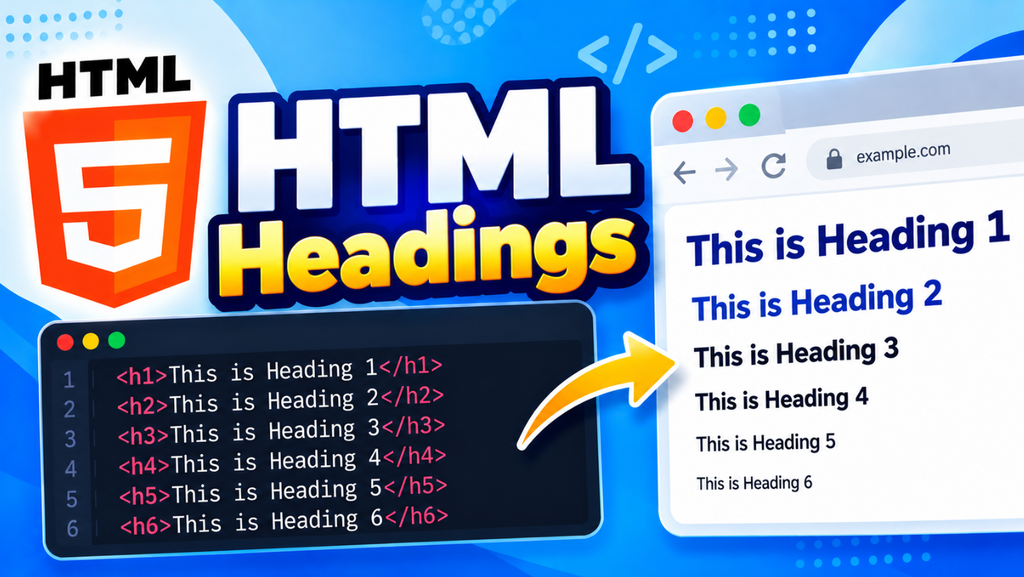
HTML provides six heading levels, from <h1> to <h6>. The <h1> element represents the most important heading, while <h6> represents the least important heading.
In this tutorial, you will learn what HTML headings are, how to use <h1> to <h6>, the difference between heading levels, heading hierarchy, SEO best practices, and common mistakes.
What Are HTML Headings?
HTML headings are created using heading elements from <h1> to <h6>.
<h1>HTML Tutorial</h1>
<h2>HTML Headings</h2>
<h3>Heading Examples</h3>
Each heading level has a different level of importance.
| Heading | Purpose |
|---|---|
<h1> | Main heading of the page |
<h2> | Major section |
<h3> | Subsection |
<h4> | Smaller subsection |
<h5> | Further subsection |
<h6> | Lowest heading level |
HTML <h1> Heading
The <h1> element is normally used for the main heading of a page.
<h1>Learn HTML</h1>
A page about HTML could use:
<h1>HTML Tutorial for Beginners</h1>
The <h1> heading tells users and search engines what the main topic of the page is.
HTML <h2> Heading
The <h2> element is used for major sections under the main topic.
<h1>HTML Tutorial</h1>

<h2>HTML Introduction</h2>

<h2>HTML Elements</h2>

<h2>HTML Attributes</h2>
Each <h2> represents an important section of the page.
HTML <h3> Heading
The <h3> element is commonly used for subsections inside an <h2> section.
<h2>HTML Elements</h2>

<h3>HTML Tags</h3>

<h3>HTML Attributes</h3>
This creates a logical content hierarchy.
HTML <h4>, <h5>, and <h6>
The remaining heading levels can be used for deeper sections.
<h4>Common HTML Elements</h4>
<h5>Text Elements</h5>
<h6>Inline Text Elements</h6>
You should use these headings only when your content actually needs additional levels of organization.
HTML Heading Hierarchy
A good heading structure makes your content easier to understand.
For example:
<h1>HTML Tutorial</h1>

<h2>HTML Basics</h2>

<h3>HTML Elements</h3>

<h3>HTML Attributes</h3>

<h2>HTML Formatting</h2>

<h3>Text Formatting</h3>

<h3>HTML Colors</h3>
The structure can be understood as:
H1
 ├── H2
 │    ├── H3
 │    └── H3
 └── H2
      ├── H3
      └── H3
This creates a clear hierarchy between the main topic, sections, and subsections.
HTML Headings and SEO
Headings are important for creating well-structured and readable content. Search engines can use the page structure and headings to better understand the topics covered on a page.
For SEO-friendly headings:
- Use a clear
<h1>for the main topic. - Use
<h2>for major sections. - Use
<h3>for subsections. - Include relevant keywords naturally.
- Make headings descriptive.
- Do not add keywords unnecessarily just for SEO.
For example:
<h1>HTML Headings: Complete Guide</h1>

<h2>What Are HTML Headings?</h2>

<h2>HTML Heading Levels</h2>

<h3>Using the H1 Heading</h3>

<h3>Using the H2 Heading</h3>
HTML Headings and Font Size
Browsers usually display different heading levels at different default sizes.
- For example,
<h1>is generally displayed larger than<h2>, and<h2>is larger than<h3>. - However, you should not choose a heading level simply because you want larger or smaller text.
- Use the correct heading based on the structure and importance of the content.
If you want to change the size, use CSS.
h2 {
    font-size: 28px;
}
Styling HTML Headings with CSS
You can customize headings using CSS.
<h1>Learn HTML</h1>
h1 {
    color: #2196f3;
    font-size: 36px;
}
You can style:
- Color
- Font size
- Font family
- Font weight
- Text alignment
- Margins
- Letter spacing
HTML Headings vs Paragraphs
Headings and paragraphs have different purposes.
| Element | Purpose |
|---|---|
<h1> to <h6> | Defines headings |
<p> | Defines paragraphs |
For example:
<h1>HTML Tutorial</h1>

<p>HTML is the standard markup language used to create web pages.</p>
The <h1> identifies the topic, while <p> contains the supporting information.
Common Mistakes with HTML Headings
Using Headings Only for Large Text
Do not use <h1> or <h2> simply because you want large text.
Incorrect:
<h1>This is a small note.</h1>
If the text is not actually a heading, use another suitable element and style it with CSS.
Skipping Heading Levels Without a Reason
Avoid creating confusing structures such as:
<h1>HTML Tutorial</h1>

<h4>HTML Elements</h4>
A clearer structure would be:
<h1>HTML Tutorial</h1>

<h2>HTML Elements</h2>
Using Too Many H1 Headings
For a typical article, use one clear main <h1> and organize the remaining content with <h2> and <h3> headings.
HTML Headings Best Practices
Follow these best practices:
- Use
<h1>for the main page topic. - Use
<h2>for major sections. - Use
<h3>for subsections. - Keep headings descriptive and meaningful.
- Maintain a logical heading hierarchy.
- Use CSS to change heading appearance.
- Include keywords naturally where appropriate.
- Do not use headings just to make text larger.
Complete HTML Headings Example
<!DOCTYPE html>
<html>
<head>
    <title>HTML Headings</title>
</head>
<body>

    <h1>HTML Tutorial</h1>

    <p>Learn HTML from the basics with practical examples.</p>

    <h2>HTML Basics</h2>

    <p>HTML provides the structure of a web page.</p>

    <h3>HTML Elements</h3>

    <p>HTML elements are used to define different parts of a web page.</p>

    <h3>HTML Attributes</h3>

    <p>Attributes provide additional information about HTML elements.</p>

    <h2>HTML Formatting</h2>

    <p>HTML provides elements for formatting and organizing content.</p>

</body>
</html>
HTML Headings Cheat Sheet
| Code | Description |
|---|---|
<h1> | Main heading |
<h2> | Major section heading |
<h3> | Subsection heading |
<h4> | Fourth-level heading |
<h5> | Fifth-level heading |
<h6> | Sixth-level heading |