
JavaScript expressions are one of the fundamental building blocks of JavaScript programming. An expression is a piece of JavaScript code that can be evaluated to produce a value. Expressions are used throughout JavaScript programs to calculate numbers, combine strings, compare values, assign data to variables, call functions, access properties, and perform many other operations.
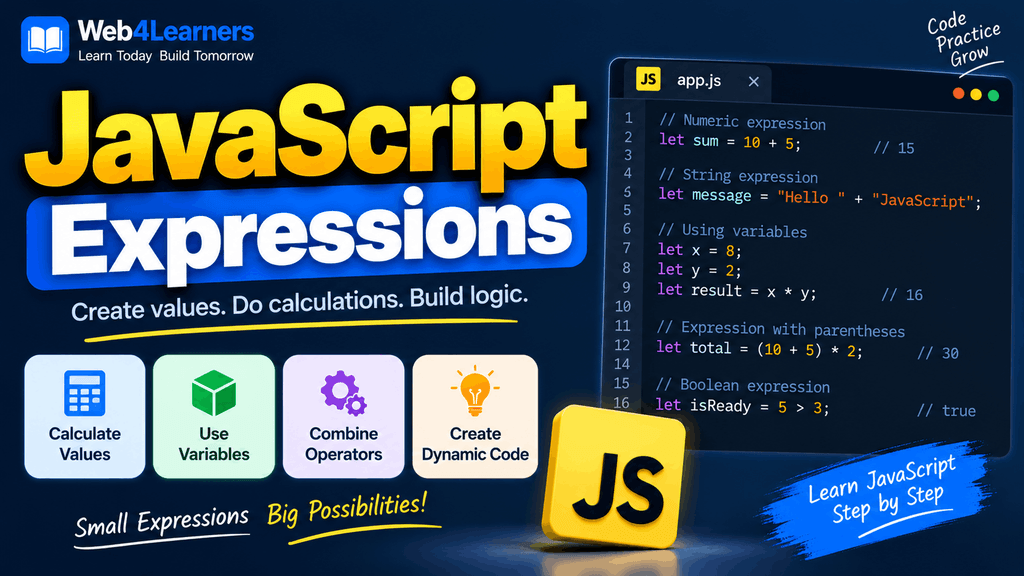
When you start learning JavaScript, you will see expressions almost everywhere. A simple calculation such as 10 + 20, a comparison such as age >= 18, a function call such as console.log("Hello"), and a variable reference such as username are all examples of expressions.
Understanding expressions is important because they are used inside JavaScript statements, conditions, loops, functions, arrays, objects, and many other programming structures. Once you understand how expressions work, JavaScript code becomes much easier to read and understand.
In this tutorial, you will learn what JavaScript expressions are, how they differ from statements, the different types of expressions, how operators are used in expressions, and how expressions are used in practical JavaScript programs.
What Is a JavaScript Expression?
A JavaScript expression is a piece of code that JavaScript can evaluate to produce a value.
For example:
10 + 20The expression produces the value:
30Another example is:
"Hello" + " World"This expression produces:
Hello WorldA variable name can also be an expression:
usernameIf the variable contains "John", evaluating the expression produces:
JohnExpressions can be very simple or much more complex depending on what your program needs to accomplish.
JavaScript Expressions vs Statements
One of the most important concepts for beginners is understanding the difference between an expression and a statement.
An expression produces a value, while a statement performs an action or controls the execution of a program.
For example:
10 + 20This is an expression because it produces the value 30.
Now consider:
let total = 10 + 20;This entire line is a statement. However, the part:
10 + 20is an expression inside that statement.
Another example is:
age >= 18This expression produces either true or false.
It can be used inside an if statement:
if (age >= 18) {
    console.log("You can continue.");
}
Here, age >= 18 is the expression, while the complete if structure is a statement.
| Expression | Statement |
|---|---|
| Produces a value | Performs an action or controls execution |
| Can be part of a statement | Can contain expressions |
Example: 10 + 20 | Example: let total = 10 + 20; |
Example: age >= 18 | Example: if (age >= 18) {} |
Example: user.name | Example: console.log(user.name); |
This distinction becomes increasingly useful as you learn more advanced JavaScript concepts.
Literal Expressions
A literal is a value written directly in JavaScript code. Literal expressions are among the simplest types of expressions.
For example:
100is a numeric literal.
A string literal can be written as:
"Hello"A Boolean literal can be:
trueYou can also create arrays and objects using literal syntax.
[10, 20, 30]and:
{
    name: "John",
    age: 25
}
Examples of common JavaScript literals include:
| Literal Type | Example |
|---|---|
| Number | 100 |
| String | "Hello" |
| Boolean | true |
| Boolean | false |
| Null | null |
| Array | [10, 20, 30] |
| Object | { name: "John" } |
| Template literal | `Hello ${name}` |
Image Placement
Add a visual showing the different JavaScript literal types grouped into Number, String, Boolean, Array, Object, and Template Literal categories.
Alt text: Types of JavaScript literal expressions with examples
Arithmetic Expressions
Arithmetic expressions are used to perform mathematical calculations.
For example:
10 + 5produces:
15JavaScript supports several arithmetic operators.
| Operator | Operation | Example | Result |
|---|---|---|---|
+ | Addition | 10 + 5 | 15 |
- | Subtraction | 10 - 5 | 5 |
* | Multiplication | 10 * 5 | 50 |
/ | Division | 10 / 5 | 2 |
% | Remainder | 10 % 3 | 1 |
** | Exponentiation | 2 ** 3 | 8 |
You can store the result of an arithmetic expression in a variable:
let price = 500;
let quantity = 3;

let total = price * quantity;

console.log(total);
The expression:
price * quantityproduces 1500.
This type of expression is commonly used in shopping carts, financial calculations, games, calculators, and data-processing applications.
String Expressions
JavaScript expressions can work with strings as well as numbers.
For example:
"Hello" + " World"produces:
Hello WorldYou can also combine variables with strings:
let firstName = "John";
let lastName = "Smith";

let fullName = firstName + " " + lastName;

console.log(fullName);
The expression:
firstName + " " + lastNamecombines three values to create a single string.
String expressions are frequently used when generating messages, displaying information on web pages, creating URLs, and processing user input.
Template Literal Expressions
Template literals provide another convenient way to create string expressions.
They use backticks:
let name = "John";
let age = 25;

let message = `My name is ${name} and I am ${age} years old.`;

console.log(message);
The expression inside ${} is evaluated and inserted into the string.
The result is:
My name is John and I am 25 years old.Template literals are particularly useful when a string needs to contain multiple variables or expressions.
Assignment Expressions
Assignment expressions assign a value to a variable.
For example:
let score;

score = 100;
The expression:
score = 100assigns the value 100 to score.
JavaScript also provides compound assignment operators.
let score = 100;

score += 20;

console.log(score);
The += operator adds 20 to the existing value.
Other common assignment operators include:
| Operator | Example | Equivalent |
|---|---|---|
= | x = 10 | Assign 10 |
+= | x += 5 | x = x + 5 |
-= | x -= 5 | x = x - 5 |
*= | x *= 5 | x = x * 5 |
/= | x /= 5 | x = x / 5 |
%= | x %= 5 | x = x % 5 |
**= | x **= 2 | x = x ** 2 |
Assignment expressions are used constantly in JavaScript applications because programs frequently need to create or update values.
Comparison Expressions
Comparison expressions compare two values and produce a Boolean result, either true or false.
For example:
10 > 5produces:
trueAnother example:
10 === 20produces:
falseCommon comparison operators include:
| Operator | Meaning | Example |
|---|---|---|
=== | Strict equality | 10 === 10 |
!== | Strict inequality | 10 !== 20 |
> | Greater than | 10 > 5 |
< | Less than | 5 < 10 |
>= | Greater than or equal | 10 >= 10 |
<= | Less than or equal | 5 <= 10 |
Comparison expressions are especially important when creating conditions.
let age = 25;

if (age >= 18) {
    console.log("Access allowed.");
}
The expression:
age >= 18determines whether the code inside the if block should execute.
Logical Expressions
Logical expressions combine conditions or reverse their Boolean result.
JavaScript provides three primary logical operators:
&&logical AND||logical OR!logical NOT
For example:
let age = 25;
let hasLicense = true;

let canDrive = age >= 18 && hasLicense;

console.log(canDrive);
The expression:
age >= 18 && hasLicenseproduces:
truebecause both conditions are true.
The OR operator can be used when at least one condition needs to be true:
let isStudent = false;
let isEmployee = true;

let hasDiscount = isStudent || isEmployee;

console.log(hasDiscount);
The result is:
trueThe NOT operator reverses a Boolean value:
let loggedIn = false;

console.log(!loggedIn);
The result is:
trueLogical expressions are commonly used for authentication, permissions, form validation, filtering, and user-interface conditions.
Conditional Expressions
JavaScript provides the ternary operator for creating a conditional expression.
The syntax is:
condition ? valueIfTrue : valueIfFalseFor example:
let age = 20;

let message = age >= 18 ? "Adult" : "Minor";

console.log(message);
The result is:
AdultThe ternary operator is useful when you need to choose between two values based on a condition.
It is essentially a compact way of expressing a simple conditional choice.
For example:
let isLoggedIn = true;

let message = isLoggedIn ? "Welcome back!" : "Please log in.";
For more complicated logic, a traditional if...else statement is usually easier to read.
Function Call Expressions
Calling a function is also an expression.
For example:
console.log("Hello");The function call:
console.log("Hello")is an expression.
Another example:
let result = Math.max(10, 20, 30);Here:
Math.max(10, 20, 30)is a function call expression that produces the value 30.
You can create your own function and use its return value in an expression:
function add(a, b) {
    return a + b;
}

let result = add(10, 20);

console.log(result);
The expression:
add(10, 20)produces 30.
Property Access Expressions
JavaScript allows you to access properties of objects using expressions.
For example:
let user = {
    name: "John",
    age: 25
};

console.log(user.name);
The expression:
user.nameaccesses the name property of the object.
You can also use bracket notation:
console.log(user["name"]);Both approaches access the same property.
Property access expressions are extremely important when working with objects, APIs, JSON data, and the DOM.
Array Access Expressions
Array elements can be accessed using square brackets.
let fruits = ["Apple", "Banana", "Mango"];

console.log(fruits[0]);
The expression:
fruits[0]produces:
AppleJavaScript arrays use zero-based indexing, which means the first element is at index 0.
You can also access an element using a variable:
let fruits = ["Apple", "Banana", "Mango"];
let index = 1;

console.log(fruits[index]);
The result is:
BananaIncrement and Decrement Expressions
JavaScript provides increment and decrement operators for increasing or decreasing a numeric value.
The increment operator is:
++For example:
let count = 10;

count++;

console.log(count);
The result is:
11The decrement operator is:
--For example:
let count = 10;

count--;

console.log(count);
The result is:
9These expressions are commonly used in loops and counters.
Unary Expressions
A unary expression operates on a single value.
For example:
let number = 10;

console.log(-number);
The expression:
-numberproduces:
-10The logical NOT operator is another example:
!trueproduces:
falseThe typeof operator is also commonly used as a unary operator:
let name = "John";

console.log(typeof name);
The output is:
stringUnary expressions are useful for changing, checking, or transforming a single value.
typeof Expressions
The typeof operator determines the type of a value.
For example:
let age = 25;

console.log(typeof age);
Output:
numberAnother example:
let name = "John";

console.log(typeof name);
Output:
stringYou can use typeof with different values:
console.log(typeof 100);
console.log(typeof "Hello");
console.log(typeof true);
The results are:
number
string
boolean
The typeof operator is particularly useful when debugging code and working with values whose types may not be immediately obvious.
new Expressions
The new operator can be used to create an object from a constructor.
For example:
let date = new Date();

console.log(date);
The expression:
new Date()creates a new Date object.
You may also encounter new when working with custom classes:
class Person {
    constructor(name) {
        this.name = name;
    }
}

let person = new Person("John");

console.log(person.name);
The expression:
new Person("John")creates a new instance of the Person class.
await Expressions
When working with asynchronous JavaScript, the await keyword can be used to wait for a Promise to settle inside an appropriate asynchronous context.
For example:
async function getData() {
    const response = await fetch("https://example.com/data");
    const data = await response.json();

    console.log(data);
}
Here, await fetch(...) and await response.json() are expressions used to obtain the resolved values from Promises.
This becomes important when learning APIs, asynchronous programming, and modern JavaScript applications.
Expressions Inside Statements
Expressions are frequently placed inside statements.
For example:
let price = 100;contains the expression:
100Another example:
if (price > 50) {
    console.log("Price is high.");
}
contains the comparison expression:
price > 50A loop can also contain expressions:
for (let i = 0; i < 5; i++) {
    console.log(i);
}
Here, expressions appear in several places, including:
let i = 0i < 5and:
i++This demonstrates how deeply expressions are integrated into JavaScript syntax.
Operator Precedence in Expressions
When an expression contains multiple operators, JavaScript follows rules that determine which operation is performed first. These rules are called operator precedence.
For example:
let result = 10 + 5 * 2;

console.log(result);
The result is:
20The multiplication is performed before the addition.
JavaScript effectively evaluates the expression as:
10 + (5 * 2)If you want to make the order explicit, you can use parentheses:
let result = (10 + 5) * 2;

console.log(result);
Now the result is:
30Using parentheses can make complex expressions easier to understand and reduce mistakes.
Combining Multiple Expressions
JavaScript allows multiple expressions to be combined to create more powerful logic.
For example:
let price = 500;
let quantity = 2;
let discount = 50;

let total = price * quantity - discount;

console.log(total);
The expression:
price * quantity - discountcontains multiple operations.
The result is:
950Expressions can become increasingly complex as applications grow, but breaking complicated calculations into meaningful variables can make the code easier to read.
For example, instead of:
let finalPrice = price * quantity - discount + tax;you could write:
let subtotal = price * quantity;
let discountedPrice = subtotal - discount;
let finalPrice = discountedPrice + tax;
Both approaches can work, but the second approach makes each step easier to understand.
Expressions in JavaScript Functions
Expressions are frequently used inside functions to calculate and return values.
function calculateTotal(price, quantity) {
    return price * quantity;
}

let total = calculateTotal(500, 3);

console.log(total);
The expression:
price * quantitycalculates the total.
The function call:
calculateTotal(500, 3)is another expression that produces the returned value.
Functions and expressions therefore work closely together when building reusable JavaScript logic.
Expressions in Arrow Functions
Arrow functions can make simple expressions particularly concise.
For example:
const add = (a, b) => a + b;

console.log(add(10, 20));
Here:
a + bis the expression returned by the arrow function.
This is called an implicit return because the expression is returned without explicitly writing the return keyword.
For more complex logic, you can use a block body:
const add = (a, b) => {
    let result = a + b;
    return result;
};
Both forms are useful depending on the complexity of the function.
Expressions in the DOM
Expressions are also widely used when working with the Document Object Model, commonly known as the DOM.
For example:
let heading = document.getElementById("heading");The expression:
document.getElementById("heading")returns an HTML element.
You can then use a property access expression:
heading.textContentand an assignment expression:
heading.textContent = "Hello JavaScript!";A complete example is:
<h1 id="heading">Original Heading</h1>

<script>
    let heading = document.getElementById("heading");

    heading.textContent = "Hello JavaScript!";
</script>
Here, JavaScript uses several expressions to locate and modify an HTML element.
Common Mistakes With JavaScript Expressions
Understanding common mistakes can help you write expressions correctly and debug your JavaScript programs more efficiently.
Confusing Assignment With Comparison
The assignment operator is:
=while strict equality uses:
===For example:
let age = 18;assigns 18 to age.
But:
age === 18checks whether age is strictly equal to 18.
Forgetting Operator Precedence
Consider:
let result = 10 + 5 * 2;This produces 20, not 30, because multiplication has higher precedence than addition.
If you want addition first, use parentheses:
let result = (10 + 5) * 2;Creating Overly Complex Expressions
A very long expression can be difficult to understand.
Instead of writing everything in one line:
let result = price * quantity - discount + tax;you can divide the calculation into meaningful steps:
let subtotal = price * quantity;
let discountedTotal = subtotal - discount;
let finalTotal = discountedTotal + tax;
Readable code is easier to maintain and debug.
Using Variables Before They Are Properly Initialized
For example:
console.log(total);

let total = 500;
This causes an error because total cannot be accessed before its let declaration has been initialized.
Write the declaration before using the variable:
let total = 500;

console.log(total);
Best Practices for Writing JavaScript Expressions
Good expressions should be clear enough that another developer can understand their purpose without having to decode complicated logic.
Use meaningful variable names:
let productPrice = 500;
let productQuantity = 2;
rather than unclear names such as:
let x = 500;
let y = 2;
Use parentheses when they improve clarity:
let total = (price + tax) - discount;Break complicated calculations into multiple expressions when doing so improves readability.
Use strict equality when comparing values in most ordinary JavaScript application code:
if (userRole === "admin") {
    console.log("Admin access");
}
Avoid unnecessarily complicated ternary expressions because they can become difficult to read.
Good JavaScript is not only about producing the correct result. It should also be understandable, maintainable, and easy to debug.
JavaScript Expressions Quick Reference
| Expression Type | Example | Purpose |
|---|---|---|
| Literal | 100 | Represents a value |
| Arithmetic | 10 + 20 | Performs calculations |
| String | "Hello " + name | Combines strings |
| Assignment | x = 10 | Assigns a value |
| Comparison | age >= 18 | Compares values |
| Logical | age >= 18 && licensed | Combines conditions |
| Conditional | age >= 18 ? "Adult" : "Minor" | Chooses a value |
| Function call | add(10, 20) | Calls a function |
| Property access | user.name | Accesses an object property |
| Array access | items[0] | Accesses an array element |
| Increment | count++ | Increases a value |
| Decrement | count-- | Decreases a value |
| Unary | -number | Operates on one value |
typeof | typeof name | Checks a value’s type |
new | new Date() | Creates an object |
await | await fetch(url) | Waits for a Promise |
Frequently Asked Questions About JavaScript Expressions
What is an expression in JavaScript?
A JavaScript expression is a piece of code that can be evaluated to produce a value. Examples include 10 + 20, name, age >= 18, and add(10, 20).
What is the difference between an expression and a statement in JavaScript?
An expression produces a value, while a statement performs an action or controls program execution. Expressions are often used as parts of statements.
Is a variable an expression in JavaScript?
Yes. A reference to a variable can be evaluated to produce the value currently stored in that variable.
let name = "John";

console.log(name);
Here, name is an expression that evaluates to "John".
Is a function call an expression?
Yes. A function call is an expression. If the function returns a value, the function-call expression evaluates to that returned value.
function add(a, b) {
    return a + b;
}

let result = add(10, 20);
The expression add(10, 20) evaluates to 30.
Can an expression contain another expression?
Yes. JavaScript expressions can be combined and nested.
let result = (10 + 5) * 2;Here, 10 + 5 is part of the larger multiplication expression.
What are the most common JavaScript expressions?
Common expressions include arithmetic expressions, assignment expressions, comparison expressions, logical expressions, function calls, property access, array access, conditional expressions, and template literal expressions.
Practice Exercise
Try creating a JavaScript program that calculates the total price of a product after applying a discount.
let productPrice = 1000;
let quantity = 2;
let discount = 100;

let subtotal = productPrice * quantity;
let finalPrice = subtotal - discount;

console.log("Subtotal:", subtotal);
console.log("Final Price:", finalPrice);
Now modify the values of productPrice, quantity, and discount and observe how the expressions produce different results.
You can extend the exercise by adding tax:
let productPrice = 1000;
let quantity = 2;
let discount = 100;
let tax = 50;

let subtotal = productPrice * quantity;
let discountedPrice = subtotal - discount;
let finalPrice = discountedPrice + tax;

console.log("Final Price:", finalPrice);
This exercise gives you practice with arithmetic expressions, assignment expressions, variables, and multiple calculations working together.