
JavaScript is a case-sensitive programming language, which means uppercase and lowercase letters are treated as different characters. When you write JavaScript code, the capitalization of variable names, function names, object properties, keywords, and many other identifiers matters.
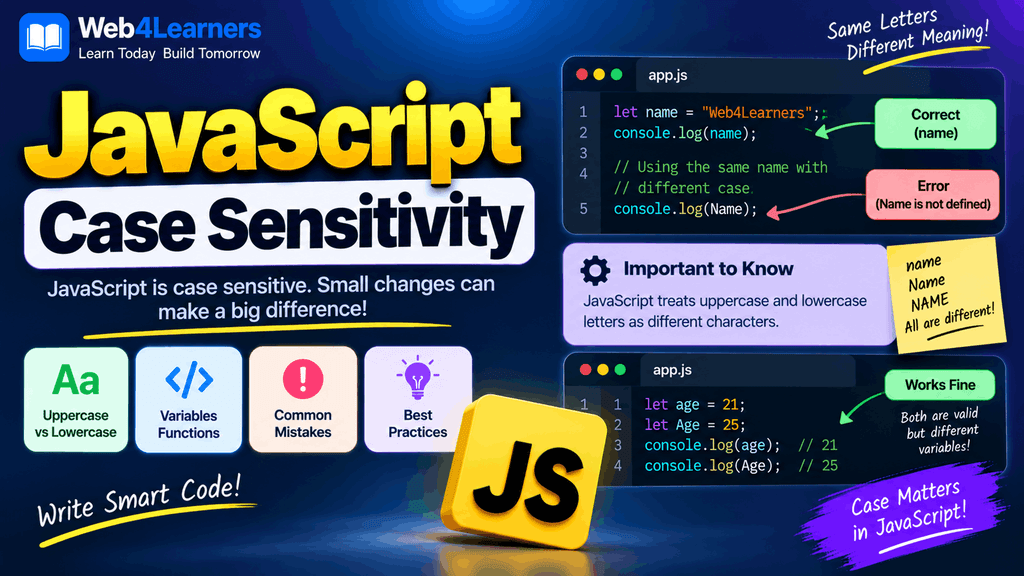
For example, JavaScript considers name, Name, and NAME to be three different identifiers:
let name = "John";
let Name = "David";
let NAME = "Alex";

console.log(name);
console.log(Name);
console.log(NAME);
The output is:
John
David
Alex
Although the three names contain the same letters, their capitalization is different, so JavaScript treats them as separate variables.
Understanding case sensitivity is important for beginners because accidentally changing one uppercase or lowercase letter can cause errors that may be difficult to identify at first. A variable declared as userName cannot later be accessed using username, because JavaScript considers those names different.
In this tutorial, you will learn what case sensitivity means in JavaScript, how it affects variables and functions, how it applies to object properties and keywords, common mistakes beginners make, and the naming conventions commonly followed in JavaScript development.
What Does Case Sensitive Mean?
Case sensitivity means that uppercase and lowercase versions of a letter are treated differently.
For example:
a ≠ A
b ≠ B
name ≠ Name
JavaScript therefore treats these as different identifiers:
let userName = "John";
let username = "David";
let UserName = "Alex";
Each variable has a different name even though the letters are almost identical.
You can access them individually:
console.log(userName);
console.log(username);
console.log(UserName);
The output is:
John
David
Alex
This behavior applies throughout JavaScript and is one of the basic rules you need to remember whenever you write code.
JavaScript Variable Names Are Case Sensitive
Variables are one of the most common places where beginners encounter JavaScript case sensitivity.
Consider this example:
let firstName = "John";

console.log(firstName);
This works because the variable is referenced using exactly the same capitalization with which it was declared.
However:
let firstName = "John";

console.log(firstname);
does not refer to the same variable.
firstName and firstname are different identifiers.
JavaScript will generally produce a ReferenceError if firstname has not been declared.
Common Case-Sensitivity Mistake
A common mistake looks like this:
let userName = "John";

console.log(username);
The declaration uses:
userNamewhile the console.log() uses:
usernameThe uppercase N makes the names different.
The correct version is:
let userName = "John";

console.log(userName);
Uppercase and Lowercase Variable Names
JavaScript allows variable names containing uppercase and lowercase letters.
For example:
let age = 25;
let Age = 30;
let AGE = 35;
These are three separate variables.
You could display all three:
console.log(age);
console.log(Age);
console.log(AGE);
The result is:
25
30
35
Although JavaScript allows this, creating variables that differ only by capitalization is generally a bad practice because it can make code difficult to read and can easily lead to mistakes.
For example:
let user = "John";
let User = "David";
A developer reading the code could easily confuse the two variables.
It is better to use clear and distinct names.
JavaScript Function Names Are Case Sensitive
Function names are also case sensitive.
For example:
function greetUser() {
    console.log("Hello!");
}

greetUser();
The function is called correctly because the capitalization matches.
However:
function greetUser() {
    console.log("Hello!");
}

greetuser();
does not call the same function.
greetUser and greetuser are different names.
You must use the same capitalization when calling the function:
greetUser();Function Name Example
Consider these two functions:
function loginUser() {
    console.log("User logged in");
}

function LoginUser() {
    console.log("Another function");
}
JavaScript treats them as different functions.
Calling:
loginUser();runs the first function.
Calling:
LoginUser();runs the second function.
Although this is technically valid, using names that differ only by capitalization can make your program confusing.
Object Property Names Are Case Sensitive
JavaScript object properties are also case sensitive.
Consider this object:
const user = {
    name: "John",
    age: 25
};
You can access the name property like this:
console.log(user.name);The result is:
JohnHowever:
console.log(user.Name);does not access the same property because Name and name are different property names.
You can demonstrate this by creating both properties:
const user = {
    name: "John",
    Name: "David"
};

console.log(user.name);
console.log(user.Name);
The output is:
John
David
This is particularly important when working with JSON data and APIs because property names must match the names provided by the data source.
JavaScript Keywords Are Case Sensitive
JavaScript keywords must be written using the correct capitalization.
For example:
let name = "John";The keyword is:
letJavaScript does not recognize:
Let name = "John";as the same keyword.
Similarly:
if (age >= 18) {
    console.log("Adult");
}
is correct.
But:
If (age >= 18) {
    console.log("Adult");
}
does not use the JavaScript if keyword correctly.
JavaScript keywords are normally written in lowercase.
Common JavaScript keywords include:
| Keyword | Correct | Incorrect |
|---|---|---|
let | let | Let |
const | const | Const |
if | if | If |
else | else | Else |
for | for | For |
while | while | While |
function | function | Function |
return | return | Return |
class | class | Class |
Capitalizing a JavaScript keyword incorrectly can cause a syntax error or cause JavaScript to interpret it as an identifier rather than a keyword.
JavaScript Built-In Objects Are Case Sensitive
JavaScript’s built-in objects and methods also require the correct capitalization.
For example:
console.log("Hello");The object is:
consoleand the method is:
logWriting:
Console.log("Hello");is different because Console is not the same identifier as console.
Similarly:
Math.max(10, 20);is correct.
But:
math.max(10, 20);does not refer to the built-in Math object.
The uppercase M is important.
JavaScript Methods Are Case Sensitive
Method names are case sensitive as well.
For example:
let message = "hello";

console.log(message.toUpperCase());
The correct method is:
toUpperCase()Writing:
message.touppercase();does not work because JavaScript does not consider touppercase to be the same method.
Similarly:
message.toLowerCase();is correct, while:
message.tolowercase();is not.
This is why learning the exact spelling and capitalization of JavaScript methods is important.
JavaScript DOM Methods Are Case Sensitive
Case sensitivity is especially noticeable when working with the DOM.
For example:
document.getElementById("heading");The method name is:
getElementByIdThe capitalization matters.
This would be incorrect:
document.getelementbyid("heading");Likewise, the property:
element.textContentuses a capital C.
Writing:
element.textcontentdoes not refer to the same property.
DOM programming therefore requires careful attention to capitalization.
Case Sensitivity in HTML and JavaScript
JavaScript itself is case sensitive, while HTML’s handling of element and attribute names has different rules depending on the document type and context.
For example, JavaScript can select an element using:
document.getElementById("myHeading");The id value is typically treated as case sensitive when JavaScript looks it up.
Suppose your HTML contains:
<h1 id="mainHeading">Hello</h1>Then:
document.getElementById("mainHeading");matches that ID.
But:
document.getElementById("MainHeading");does not match the same ID.
The capitalization of identifiers and values therefore needs to be consistent between HTML and JavaScript.
Case Sensitivity With Strings
JavaScript also treats uppercase and lowercase characters as different characters when comparing strings.
For example:
let name = "John";

console.log(name === "John");
The result is:
trueBut:
console.log(name === "john");produces:
falseThe strings "John" and "john" are different because J and j have different capitalization.
This is important when working with user input.
For example:
let answer = "YES";

if (answer === "yes") {
    console.log("Accepted");
}
The condition is false because "YES" is not exactly the same as "yes".
If your application should treat the values as equivalent, you can normalize the input:
let answer = "YES";

if (answer.toLowerCase() === "yes") {
    console.log("Accepted");
}
Now both "YES" and "yes" can be compared in lowercase form.
Case-Sensitive String Comparison
JavaScript string comparisons are case sensitive.
Consider:
console.log("Hello" === "hello");The result is:
falseAnother example:
console.log("JavaScript" === "javascript");The result is:
falseIf you need a case-insensitive comparison, you can convert both strings to the same case.
For example:
let language = "JavaScript";

console.log(language.toLowerCase() === "javascript");
The result is:
trueYou could also use toUpperCase():
let language = "JavaScript";

console.log(language.toUpperCase() === "JAVASCRIPT");
The result is:
trueCase Sensitivity in JSON Data
Case sensitivity becomes particularly important when working with JSON.
Suppose an API returns:
const user = {
    firstName: "John",
    lastName: "Smith"
};
You must access the properties using the correct names:
console.log(user.firstName);
console.log(user.lastName);
These are different:
user.firstname
user.FirstName
user.FIRSTNAME
They do not refer to the firstName property.
This is a common source of bugs when working with APIs because the property names must match the structure provided by the API.
Case Sensitivity in JavaScript Classes
Class names are also case sensitive.
For example:
class User {
    constructor(name) {
        this.name = name;
    }
}
The class is named:
UserCreating an instance requires the same capitalization:
const user = new User("John");This is different from:
const user = new user("John");The lowercase u refers to a different identifier.
JavaScript developers commonly use PascalCase for class names:
class UserAccount {
}

class ShoppingCart {
}

class ProductManager {
}
Case Sensitivity in Import and Export Statements
Modern JavaScript applications frequently use modules.
For example:
import { calculateTotal } from "./cart.js";The imported identifier must match the exported name.
If another file contains:
export function calculateTotal() {
    return 100;
}
then:
import { calculateTotal } from "./cart.js";matches the exported name.
Using:
import { CalculateTotal } from "./cart.js";does not refer to the same exported identifier.
File paths can also be case sensitive depending on the operating system and environment.
For example:
import "./utils.js";may not be equivalent to:
import "./Utils.js";This is especially important when deploying applications to Linux-based servers.
Case Sensitivity and File Names
When working with external JavaScript files, the capitalization of file names can matter.
Suppose your project contains:
script.jsYour HTML should reference:
<script src="script.js"></script>Using:
<script src="Script.js"></script>may fail in environments where file systems distinguish uppercase and lowercase letters.
This is particularly important when developing locally on one operating system and deploying your website to a server that uses a case-sensitive file system.
JavaScript Naming Conventions
Because JavaScript is case sensitive, developers use naming conventions to keep code consistent and readable.
A common convention for variables and functions is camelCase.
Examples:
let firstName = "John";
let accountBalance = 5000;

function calculateTotal() {
}
The first word begins with lowercase letters, and subsequent words begin with uppercase letters.
For classes, developers commonly use PascalCase:
class UserAccount {
}

class ShoppingCart {
}
Constants that represent fixed configuration values are sometimes written using uppercase letters:
const MAX_USERS = 100;
const API_URL = "https://example.com";
These conventions are not requirements of JavaScript. They are common style practices that make code easier to read.
Camel Case in JavaScript
Camel case is one of the most common naming conventions for JavaScript variables and functions.
For example:
let firstName = "John";
let lastName = "Smith";
let userAge = 25;
let accountBalance = 5000;
Functions can also use camelCase:
function calculateTotal() {
}

function getUserDetails() {
}

function updateProfile() {
}
Notice that the first word begins with lowercase letters, while additional words begin with uppercase letters.
Pascal Case in JavaScript
PascalCase is commonly used for classes and constructor functions.
For example:
class UserAccount {
}

class ProductDetails {
}

class ShoppingCart {
}
The first letter of every word is capitalized.
Using consistent naming conventions makes it easier to recognize what a particular identifier represents.
Common Case-Sensitivity Mistakes
Changing the Capitalization of a Variable
Incorrect:
let firstName = "John";

console.log(firstname);
Correct:
let firstName = "John";

console.log(firstName);
Incorrect Function Capitalization
Incorrect:
function calculateTotal() {
    return 100;
}

console.log(calculatetotal());
Correct:
function calculateTotal() {
    return 100;
}

console.log(calculateTotal());
Incorrect Method Capitalization
Incorrect:
let name = "john";

console.log(name.touppercase());
Correct:
let name = "john";

console.log(name.toUpperCase());
Incorrect Built-In Object Capitalization
Incorrect:
console.log(math.max(10, 20));Correct:
console.log(Math.max(10, 20));Incorrect DOM Method Capitalization
Incorrect:
document.getelementbyid("heading");Correct:
document.getElementById("heading");These examples show why paying attention to capitalization is an important part of writing JavaScript correctly.
How to Avoid Case-Sensitivity Errors
The easiest way to avoid case-related errors is to use consistent naming conventions throughout your project.
If you declare:
let userName = "John";always use:
userNameinstead of switching between:
username
UserName
USERNAME
Modern code editors such as Visual Studio Code can also provide autocomplete suggestions, which can help you use the correct spelling and capitalization for variables, methods, and APIs.
When an identifier is not working, carefully compare the declaration and the place where you are using it. Check every letter, including uppercase and lowercase characters.
JavaScript Case Sensitivity Quick Reference
| Example | Same or Different? |
|---|---|
name and Name | Different |
userName and username | Different |
age and AGE | Different |
console and Console | Different |
Math and math | Different |
getElementById and getelementbyid | Different |
"Hello" and "hello" | Different |
User and user | Different |
calculateTotal and calculateTotal | Same |
firstName and firstName | Same |
JavaScript Case Sensitivity Practice Example
Try the following example in your browser’s Developer Tools console:
let name = "John";
let Name = "David";

console.log(name);
console.log(Name);
You should get:
John
David
Now try:
let firstName = "John";

console.log(firstname);
You should see an error because firstname is not the same identifier as firstName.
Next, practice string comparisons:
console.log("JavaScript" === "javascript");The result is:
falseThen normalize both strings:
console.log(
    "JavaScript".toLowerCase() === "javascript".toLowerCase()
);
The result is:
trueThis exercise demonstrates the difference between case-sensitive identifiers and case-sensitive string comparisons.
Best Practices for JavaScript Case Sensitivity
Use consistent capitalization throughout your JavaScript project and avoid creating identifiers that differ only by uppercase and lowercase letters.
Prefer clear naming conventions such as camelCase for variables and functions:
let userName = "John";

function getUserName() {
    return userName;
}
Use PascalCase where appropriate for classes:
class UserAccount {
}
When working with APIs, JSON, DOM elements, modules, and external files, carefully match the exact spelling and capitalization expected by the system.
Use editor autocomplete whenever possible because it can reduce accidental capitalization mistakes.
When comparing user input, consider normalizing the values with methods such as toLowerCase() when your application should treat different capitalization as equivalent.
Frequently Asked Questions About JavaScript Case Sensitivity
Is JavaScript case sensitive?
Yes. JavaScript is a case-sensitive programming language, so uppercase and lowercase letters are treated as different characters.
Are JavaScript variable names case sensitive?
Yes. username, UserName, and USERNAME are different variable names.
Are JavaScript function names case sensitive?
Yes. If a function is declared as calculateTotal(), calling calculatetotal() does not refer to the same function.
Are JavaScript keywords case sensitive?
Yes. JavaScript keywords must use their correct capitalization. For example, if is a JavaScript keyword, while If is not the same keyword.
Are JavaScript strings case sensitive?
Yes. String comparisons distinguish between uppercase and lowercase characters. "Hello" and "hello" are different strings.
Is Math the same as math in JavaScript?
No. JavaScript is case sensitive, so the built-in Math object must be written with an uppercase M.
Is getElementById() case sensitive?
Yes. The method name must be written with the correct capitalization:
document.getElementById("heading");Why does JavaScript care about uppercase and lowercase letters?
Case sensitivity allows JavaScript to distinguish between identifiers that have different capitalization and provides consistent rules for names, properties, methods, keywords, and other parts of the language.
How can I avoid case-sensitivity errors?
Use consistent naming conventions, pay attention to capitalization, use descriptive variable names, and take advantage of autocomplete in your code editor.