
Whitespace is an important part of writing clean and readable JavaScript code. In JavaScript, whitespace generally refers to spaces, tabs, line breaks, and other formatting characters that separate or organize pieces of code.
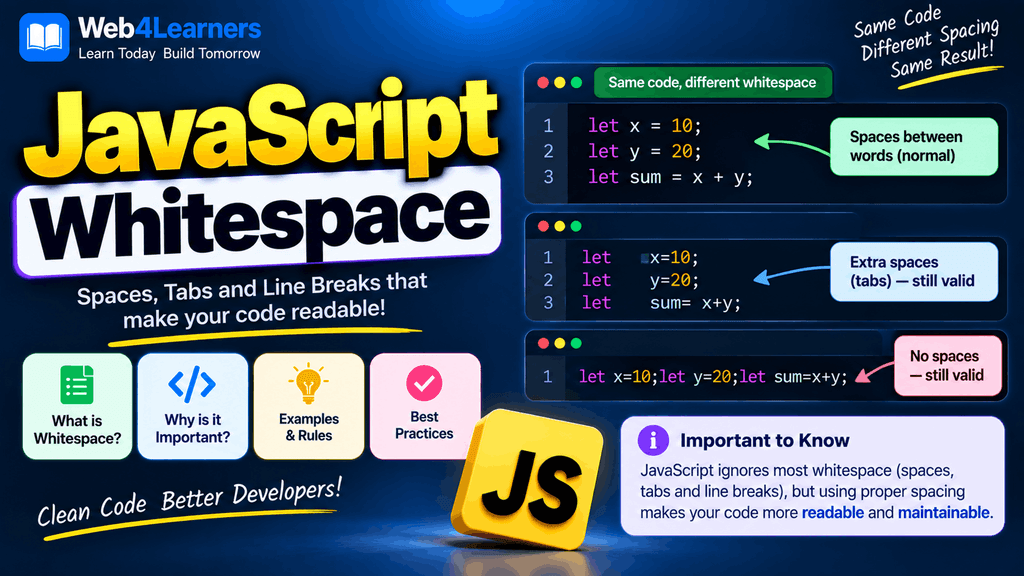
In many situations, JavaScript does not require extra spaces or line breaks for the program to work. The JavaScript engine can ignore whitespace when it does not affect the meaning of the code. This allows developers to format their code in different ways while producing the same result.
For example, these two pieces of JavaScript can produce the same result:
let name = "John";
let age = 25;
and:
let name="John";let age=25;Although both can be valid JavaScript, the first version is much easier for humans to read and maintain.
Whitespace therefore has two important roles in JavaScript. It can help separate tokens so JavaScript can understand the code correctly, and it can make the source code easier for developers to read.
In this tutorial, you will learn what whitespace means in JavaScript, how spaces and line breaks work, when whitespace is ignored, when whitespace matters, how indentation improves readability, and the common whitespace practices used in modern JavaScript development.
What Is Whitespace in JavaScript?
Whitespace consists of characters that provide visual or syntactic separation without normally producing visible output.
Common examples include:
- Spaces
- Tabs
- Line breaks
- Blank lines
- Certain Unicode whitespace characters
For example:
let name = "John";contains spaces between some of the JavaScript tokens