
Assignment operators in JavaScript are used to assign values to variables. The most basic assignment operator is the equal sign (=), but JavaScript also provides several compound assignment operators that make it easier to update the value of a variable.
Assignment operators are used throughout JavaScript programs. Whether you are calculating a total price, increasing a counter, updating a score, modifying a balance, or working with mathematical expressions, you will frequently use assignment operators.
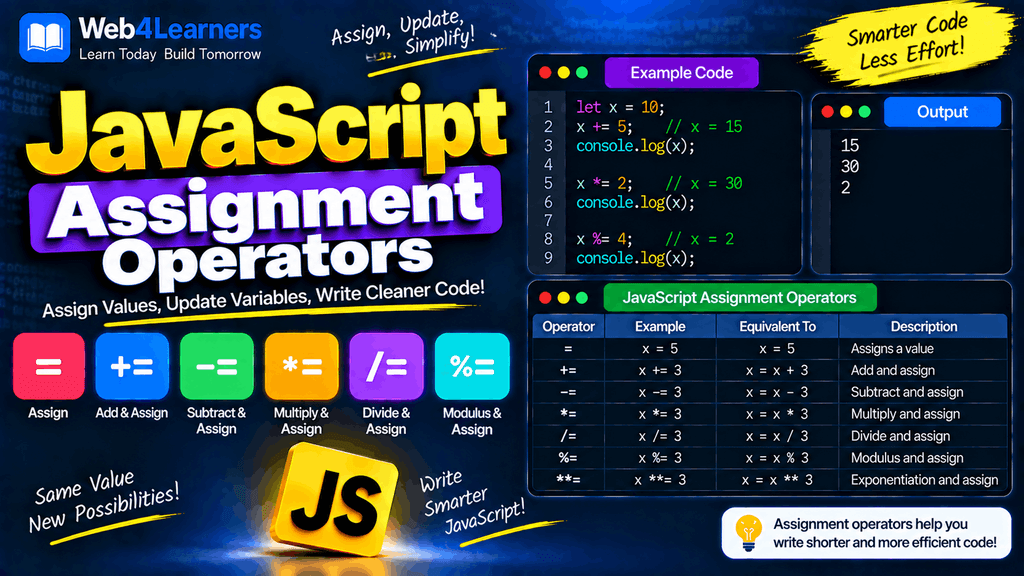
In this tutorial, you will learn how JavaScript assignment operators work, including =, +=, -=, *=, /=, %=, and **=. Each operator is explained with simple examples so that you can understand when and why to use it.
What Are Assignment Operators in JavaScript?
Assignment operators are used to store a value in a variable or update an existing value.
The simplest assignment operator is =.
let age = 25;
Here, the value 25 is assigned to the variable age.
The left side contains the variable, while the right side contains the value or expression that should be assigned.
let price = 100;
In this example:
priceis the variable.=is the assignment operator.100is the value being assigned.
Assignment operators can also work with expressions.
let total = 50 + 25;

console.log(total);
Output:
75
JavaScript first evaluates the expression 50 + 25 and then assigns the result to total.
JavaScript Assignment Operators List
JavaScript provides several assignment operators for assigning and updating values.
| Operator | Name | Example | Equivalent To |
|---|---|---|---|
= | Assignment | x = 10 | x = 10 |
+= | Addition assignment | x += 5 | x = x + 5 |
-= | Subtraction assignment | x -= 5 | x = x - 5 |
*= | Multiplication assignment | x *= 5 | x = x * 5 |
/= | Division assignment | x /= 5 | x = x / 5 |
%= | Remainder assignment | x %= 5 | x = x % 5 |
**= | Exponentiation assignment | x **= 5 | x = x ** 5 |
The compound assignment operators provide a shorter way to perform an operation and assign the result back to the same variable.
The = Assignment Operator
The = operator is the basic assignment operator in JavaScript.
It assigns the value on the right side to the variable on the left side.
let name = "John";

console.log(name);
Output:
John
Another example:
let score = 100;

console.log(score);
Output:
100
You can also assign a variable using another variable.
let firstNumber = 20;
let secondNumber = firstNumber;

console.log(secondNumber);
Output:
20
The value stored in firstNumber is assigned to secondNumber.
Updating a Variable with =
The assignment operator can also be used to replace an existing value.
let age = 20;

age = 21;

console.log(age);
Output:
21
The original value of age was 20. The statement age = 21 replaces it with 21.
Assigning an Expression
You can assign the result of an expression to a variable.
let total = 10 + 20;

console.log(total);
Output:
30
JavaScript evaluates 10 + 20 first and then stores the result in total.
The += Addition Assignment Operator
The += operator adds a value to an existing variable and assigns the new result back to that variable.
For example:
let score = 10;

score += 5;

console.log(score);
Output:
15
This:
score += 5;
is equivalent to:
score = score + 5;
Using += with Numbers
let price = 100;

price += 25;

console.log(price);
Output:
125
The original value was 100. JavaScript adds 25 and stores the result back in price.
Using += with Strings
The += operator can also be used with strings.
let message = "Hello";

message += " World";

console.log(message);
Output:
Hello World
This is equivalent to:
message = message + " World";
This makes += useful when building strings.
The -= Subtraction Assignment Operator
The -= operator subtracts a value from an existing variable and assigns the result back to that variable.
let balance = 100;

balance -= 30;

console.log(balance);
Output:
70
This:
balance -= 30;
is equivalent to:
balance = balance - 30;
Another Example
let score = 50;

score -= 10;

console.log(score);
Output:
40
The value 10 is subtracted from the current value of score.
The *= Multiplication Assignment Operator
The *= operator multiplies the current value of a variable by another value and assigns the result back to that variable.
let price = 20;

price *= 3;

console.log(price);
Output:
60
This:
price *= 3;
is equivalent to:
price = price * 3;
Using *= in Calculations
let quantity = 5;

quantity *= 2;

console.log(quantity);
Output:
10
The original value of quantity was 5. After multiplication by 2, the new value becomes 10.
The /= Division Assignment Operator
The /= operator divides the current value of a variable by another value and assigns the result back to that variable.
let total = 100;

total /= 4;

console.log(total);
Output:
25
This:
total /= 4;
is equivalent to:
total = total / 4;
Division Result Can Be a Decimal
JavaScript uses regular number division, so the result can contain decimal values.
let number = 10;

number /= 4;

console.log(number);
Output:
2.5
Dividing by Zero
JavaScript does not throw a normal arithmetic error when a number is divided by zero.
let number = 10;

number /= 0;

console.log(number);
Output:
Infinity
This behavior is important to remember when working with calculations.
The %= Remainder Assignment Operator
The %= operator calculates the remainder of a division and assigns that remainder back to the variable.
let number = 17;

number %= 5;

console.log(number);
Output:
2
This:
number %= 5;
is equivalent to:
number = number % 5;
Since 17 divided by 5 leaves a remainder of 2, the value of number becomes 2.
Checking Even and Odd Numbers
The remainder assignment operator is useful when working with divisibility.
For example:
let number = 10;

number %= 2;

console.log(number);
Output:
0
A remainder of 0 means the original number was evenly divisible by 2.
For an odd number:
let number = 11;

number %= 2;

console.log(number);
Output:
1
The **= Exponentiation Assignment Operator
The **= operator raises a variable to a specified power and assigns the result back to that variable.
let number = 2;

number **= 3;

console.log(number);
Output:
8
This:
number **= 3;
is equivalent to:
number = number ** 3;
The expression 2 ** 3 means:
2 × 2 × 2 = 8
Another Example
let number = 5;

number **= 2;

console.log(number);
Output:
25
The value 5 is raised to the power of 2.
Compound Assignment Operators
Operators such as +=, -=, *=, /=, %=, and **= are called compound assignment operators because they combine an arithmetic operation with assignment.
For example:
let x = 10;

x += 5;
Instead of writing:
x = x + 5;
you can use the shorter form:
x += 5;
The same idea applies to other operators.
| Short Form | Long Form | Result if x is 10 |
|---|---|---|
x += 5 | x = x + 5 | 15 |
x -= 5 | x = x - 5 | 5 |
x *= 5 | x = x * 5 | 50 |
x /= 5 | x = x / 5 | 2 |
x %= 5 | x = x % 5 | 0 |
x **= 5 | x = x ** 5 | 100000 |
Assignment Operators with Variables
Assignment operators become especially useful when a program needs to update values repeatedly.
let points = 100;

points += 20;
points -= 10;
points *= 2;
points /= 5;

console.log(points);
The value changes after each assignment.
These operators are commonly used for counters, scores, totals, quantities, balances, and calculations.
Assignment Operators with let
Variables declared with let can be reassigned.
let count = 10;

count += 1;

console.log(count);
Output:
11
You can continue updating the value:
count += 5;
count -= 2;

console.log(count);
Output:
14
Assignment Operators with const
A variable declared using const cannot be reassigned.
Therefore, these operations are not allowed:
const price = 100;

price += 20;
This produces an error because price cannot be assigned a new value.
Similarly:
const number = 10;

number *= 2;
is not allowed.
Use let when the variable itself needs to be updated.
let price = 100;

price += 20;

console.log(price);
Output:
120
Assignment Operators with var
Variables declared with var can also be reassigned.
var score = 50;

score += 25;

console.log(score);
Output:
75
Although var supports assignment operators, modern JavaScript code generally uses let and const instead of var because they provide clearer variable-scoping behavior.
Assignment Operators in Counters
One of the most common uses of assignment operators is updating counters.
let count = 0;

count += 1;
count += 1;
count += 1;

console.log(count);
Output:
3
You can also use the increment operator for this specific situation:
count++;
However, += is useful when you want to increase a value by more than one.
count += 10;
Assignment Operators in Shopping Calculations
Assignment operators can make shopping calculations easier to understand.
let total = 500;

total += 100;
total += 250;

console.log(total);
Output:
850
You can also subtract a discount.
let total = 1000;

total -= 150;

console.log(total);
Output:
850
Assignment Operators in Game Development
Assignment operators are commonly used for game scores, health points, coins, and other changing values.
let score = 100;

score += 50;

console.log(score);
Output:
150
Reducing health can be written as:
let health = 100;

health -= 20;

console.log(health);
Output:
80
Adding coins works similarly:
let coins = 500;

coins += 100;

console.log(coins);
Output:
600
Assignment Operators in Loops
Assignment operators are frequently used inside loops.
let total = 0;

for (let i = 1; i <= 5; i++) {
    total += i;
}

console.log(total);
Output:
15
Here, total += i adds the current value of i to total during every iteration.
This is a common pattern when calculating totals.
Combining Assignment Operators with Expressions
The right side of a compound assignment can contain an expression.
let number = 10;

number += 5 * 2;

console.log(number);
Output:
20
JavaScript evaluates:
5 * 2
first, producing 10.
Then:
number += 10;
updates the original value.
Assignment Operators and Type Conversion
Assignment operators can behave differently depending on the data type.
For example, += can work with strings because the regular + operator can perform string concatenation.
let message = "Hello";

message += " JavaScript";

console.log(message);
Output:
Hello JavaScript
However, arithmetic assignment operators such as -=, *=, and /= generally involve numeric conversion when the values can be converted to numbers.
let value = "10";

value -= 3;

console.log(value);
Output:
7
The string "10" is converted to a number for the subtraction operation.
It is still important not to rely on implicit conversion when writing code that needs to be clear and predictable. Explicitly converting user input to the expected type is often better.
Difference Between = and ==
A common beginner mistake is confusing assignment with comparison.
The = operator assigns a value.
let age = 20;
The == operator compares values after allowing type conversion.
age == 20;
The === operator performs a strict comparison.
age === 20;
These operators have different purposes.
| Operator | Purpose |
|---|---|
= | Assigns a value |
== | Compares values with type coercion |
=== | Strictly compares value and type |
For example:
let number = 10;
This assigns 10 to number.
But:
number === 10
checks whether number is strictly equal to 10.
Assignment Operators vs Increment and Decrement
Assignment operators and increment/decrement operators can both change a variable’s value.
For example:
let count = 10;

count += 1;
This increases count by one.
You can also write:
count++;
Similarly:
count -= 1;
is equivalent in effect to:
count--;
The main difference is that assignment operators allow you to specify the amount or operation more generally.
count += 10;
count -= 5;
Common Mistakes with Assignment Operators
Confusing = with ===
One of the most common mistakes is using the assignment operator when you actually want to compare values.
Incorrect in a comparison:
if (age = 18) {
    console.log("Adult");
}
The statement performs an assignment instead of a comparison.
Use:
if (age === 18) {
    console.log("Age is 18");
}
Trying to Modify a const Variable
This is not allowed:
const score = 100;

score += 10;
If the variable itself needs to change, use let.
let score = 100;

score += 10;
Forgetting That += Can Concatenate Strings
Consider:
let value = "10";

value += 5;

console.log(value);
Output:
105
Because the value is a string, += performs string concatenation.
If you want numerical addition, convert the value first.
let value = "10";

value = Number(value);
value += 5;

console.log(value);
Output:
15
This is particularly important when working with values received from HTML forms, because form input values are commonly strings.
Best Practices for Using Assignment Operators
Use assignment operators when they make an update clearer and easier to read.
Instead of:
score = score + 10;
you can write:
score += 10;
Use let for variables that need to be reassigned.
let total = 100;
total += 50;
Use const for values that should not be reassigned.
const taxRate = 0.18;
Be careful with += when working with values that may be strings.
let value = "100";

value += 20;
This produces:
10020
If you need mathematical addition, convert the value to a number first.
let value = Number("100");

value += 20;

console.log(value);
Output:
120
JavaScript Assignment Operators Cheat Sheet
| Operator | Description | Example | Result |
|---|---|---|---|
= | Assign | x = 10 | 10 |
+= | Add and assign | x += 5 | 15 |
-= | Subtract and assign | x -= 5 | 5 |
*= | Multiply and assign | x *= 5 | 50 |
/= | Divide and assign | x /= 5 | 2 |
%= | Remainder and assign | x %= 5 | 0 |
**= | Power and assign | x **= 5 | 100000 |
Practical Example Using Multiple Assignment Operators
Here is a simple example that uses several assignment operators in one program:
let balance = 1000;

balance += 500;
console.log(balance);

balance -= 200;
console.log(balance);

balance *= 2;
console.log(balance);

balance /= 2;
console.log(balance);

balance %= 300;
console.log(balance);
Output:
1500
1300
2600
1300
100
Each compound assignment operator updates the same variable.
Frequently Asked Questions
What is an assignment operator in JavaScript?
An assignment operator is used to assign a value to a variable or update the value of an existing variable. The basic assignment operator is =, while operators such as +=, -=, *=, /=, %=, and **= combine an operation with assignment.
What does = mean in JavaScript?
The = operator assigns the value on its right to the variable on its left.
let name = "John";
What does += mean in JavaScript?
The += operator adds a value to an existing variable.
let score = 10;

score += 5;
This is equivalent to:
score = score + 5;
What does -= mean in JavaScript?
The -= operator subtracts a value from a variable.
let balance = 100;

balance -= 20;
The new value is 80.
What does *= mean in JavaScript?
The *= operator multiplies a variable by a value.
let number = 10;

number *= 3;
The new value is 30.
What does /= mean in JavaScript?
The /= operator divides a variable by a value.
let number = 20;

number /= 4;
The new value is 5.
What does %= mean in JavaScript?
The %= operator calculates the remainder and assigns it back to the variable.
let number = 17;

number %= 5;
The new value is 2.
What does **= mean in JavaScript?
The **= operator raises a variable to a power and assigns the result back to the variable.
let number = 2;

number **= 3;
The new value is 8.
Can assignment operators be used with const?
A const variable cannot be reassigned, so assignment operators such as +=, -=, and *= cannot be used to update the variable itself.
Use let when the variable needs to be reassigned.
Which assignment operator should I use?
Use = when you want to assign a value directly. Use compound assignment operators such as += or -= when you want to perform an operation on the existing value and store the result back in the same variable.