
JavaScript provides several ways to repeat code and work with collections of data. Traditional loops such as for, while, and do...while are useful for many situations, but modern JavaScript also provides specialized loop structures that make it easier to work with arrays, strings, objects, and other data collections.
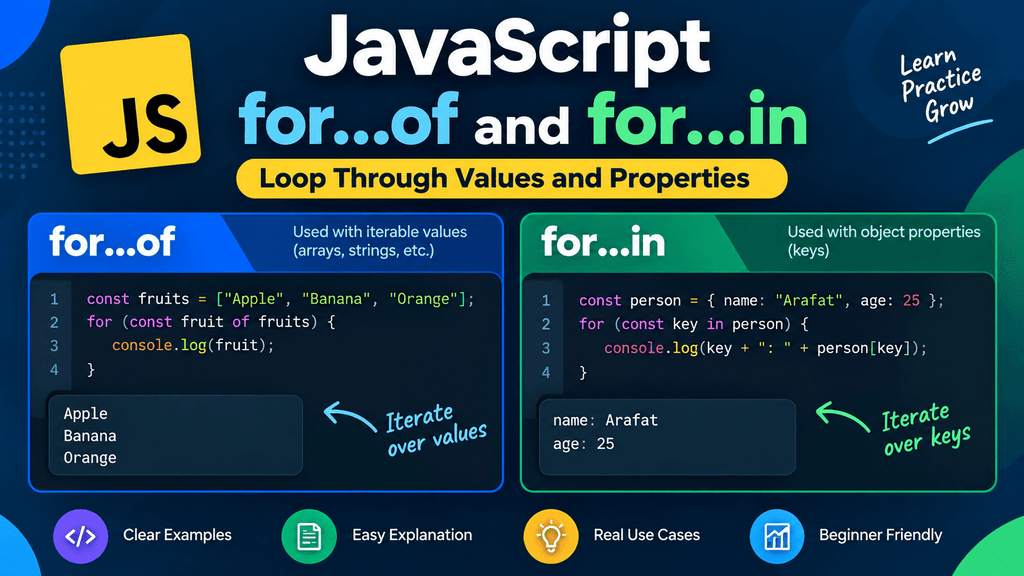
Two important modern looping statements are for...of and for...in.
Although they look very similar, they are designed for different purposes. The for...of loop is primarily used to iterate over the values of iterable objects such as arrays and strings, while the for...in loop is primarily used to iterate over the enumerable property keys of an object.
Understanding this difference is essential because using the wrong loop can produce unexpected results, especially when working with arrays and objects.
In this tutorial, you will learn how for...of and for...in work, how their syntax is structured, when to use each loop, how they behave with arrays, strings, objects, and other data types, and the common mistakes you should avoid.
What Are Modern Loops in JavaScript?
Modern JavaScript introduced several iteration features that make working with collections more convenient and readable.
Instead of manually managing an index like this:
const fruits = ["Apple", "Banana", "Mango"];

for (let i = 0; i < fruits.length; i++) {
    console.log(fruits[i]);
}
you can use for...of:
const fruits = ["Apple", "Banana", "Mango"];

for (const fruit of fruits) {
    console.log(fruit);
}
The second version directly gives you each value from the array.
Similarly, when working with object properties, for...in allows you to access the property keys directly:
const user = {
    name: "Karim",
    age: 25,
    city: "Hyderabad"
};

for (const key in user) {
    console.log(key);
}
Output:
name
age
city
The main idea is simple:
for...of
→ Values

for...in
→ Property keys
This distinction should be kept in mind throughout this tutorial.
The for...of Loop
The for...of loop is used to iterate over the values of an iterable object.
Its basic syntax is:
for (const value of iterable) {
    // Code to execute
}
For example:
const fruits = ["Apple", "Banana", "Mango"];

for (const fruit of fruits) {
    console.log(fruit);
}
Output:
Apple
Banana
Mango
The variable fruit receives one value from the array during each iteration.
You do not need to manually manage the array index.
How for...of Works
Consider this array:
const colors = ["Red", "Green", "Blue"];
When you write:
for (const color of colors) {
    console.log(color);
}
JavaScript effectively processes the values one by one:
Red
↓
Green
↓
Blue
The variable color represents the current value during each iteration.
This makes the code easier to read because the loop directly expresses what you are trying to do:
For each color in the colors collection, execute this code.
for...of With Arrays
One of the most common uses of for...of is iterating over arrays.
const products = ["Laptop", "Mouse", "Keyboard", "Monitor"];

for (const product of products) {
    console.log(product);
}
Output:
Laptop
Mouse
Keyboard
Monitor
This is often simpler than using a traditional indexed for loop:
for (let i = 0; i < products.length; i++) {
    console.log(products[i]);
}
Both approaches can be useful, but for...of is particularly convenient when you only need the values.
for...of With Strings
Strings are iterable, so you can use for...of to process their characters.
const language = "JavaScript";

for (const character of language) {
    console.log(character);
}
Output:
J
a
v
a
S
c
r
i
p
t
This can be useful when you need to examine or process each character individually.
For example:
const word = "Hello";
let count = 0;

for (const character of word) {
    count++;
}

console.log(count);
Output:
5
for...of With Sets
A Set is another iterable data structure that can be used with for...of.
const numbers = new Set([10, 20, 30, 40]);

for (const number of numbers) {
    console.log(number);
}
Output:
10
20
30
40
The loop gives you each value stored in the Set.
This is one of the advantages of for...of: it is not limited to arrays.
for...of With Maps
You can also use for...of with a Map.
const users = new Map([
    ["name", "Karim"],
    ["age", 25],
    ["city", "Hyderabad"]
]);

for (const entry of users) {
    console.log(entry);
}
Each iteration returns a key-value pair as an array:
["name", "Karim"]
["age", 25]
["city", "Hyderabad"]
You can use destructuring to make this easier to work with:
for (const [key, value] of users) {
    console.log(key, value);
}
Output:
name Karim
age 25
city Hyderabad
This is a practical example of how modern JavaScript syntax can make collection processing more readable.
for...of With Array Destructuring
You can also combine for...of with destructuring.
Suppose you have an array of objects:
const users = [
    { name: "Karim", age: 25 },
    { name: "Rahul", age: 24 },
    { name: "John", age: 26 }
];
You can write:
for (const { name, age } of users) {
    console.log(name, age);
}
Output:
Karim 25
Rahul 24
John 26
This can be useful when working with API responses or collections of structured data.
for...of and the Array Index
By default, for...of gives you the value, not the index.
For example:
const fruits = ["Apple", "Banana", "Mango"];

for (const fruit of fruits) {
    console.log(fruit);
}
You get:
Apple
Banana
Mango
If you also need the index, you can use entries():
for (const [index, fruit] of fruits.entries()) {
    console.log(index, fruit);
}
Output:
0 Apple
1 Banana
2 Mango
This provides both the index and the value.
for...of With break
You can use break with for...of just as you can with traditional loops.
const numbers = [10, 20, 30, 40, 50];

for (const number of numbers) {
    if (number === 30) {
        break;
    }

    console.log(number);
}
Output:
10
20
When the loop reaches 30, break stops the loop completely.
for...of With continue
The continue statement can also be used with for...of.
const numbers = [1, 2, 3, 4, 5];

for (const number of numbers) {
    if (number === 3) {
        continue;
    }

    console.log(number);
}
Output:
1
2
4
5
The loop skips 3 and continues with the remaining values.
The for...in Loop
The for...in loop is primarily used to iterate over the enumerable property keys of an object.
Its basic syntax is:
for (const key in object) {
    // Code to execute
}
For example:
const user = {
    name: "Karim",
    age: 25,
    city: "Hyderabad"
};

for (const key in user) {
    console.log(key);
}
Output:
name
age
city
Notice that the loop gives you the property names, not their values.
Accessing Object Values With for...in
Once you have a property key, you can use bracket notation to access its corresponding value.
const user = {
    name: "Karim",
    age: 25,
    city: "Hyderabad"
};

for (const key in user) {
    console.log(key, user[key]);
}
Output:
name Karim
age 25
city Hyderabad
This pattern is extremely useful when you do not know the property names in advance.
Why Use Bracket Notation With for...in?
Consider:
const user = {
    name: "Karim",
    age: 25
};
During the loop, key could contain:
name
or:
age
You cannot write:
user.key
because that looks for a property literally named "key".
Instead, use:
user[key]
This tells JavaScript to use the value stored in the key variable as the property name.
For example:
for (const key in user) {
    console.log(user[key]);
}
Output:
Karim
25
for...in With Objects
Objects are the most common use case for for...in.
const product = {
    name: "Laptop",
    price: 75000,
    brand: "Dell"
};

for (const key in product) {
    console.log(`${key}: ${product[key]}`);
}
Output:
name: Laptop
price: 75000
brand: Dell
This approach can be useful for displaying or processing object properties dynamically.
for...in and Inherited Properties
A particularly important point about for...in is that it can iterate over enumerable properties inherited through the object’s prototype chain, not only properties directly owned by the object.
For this reason, when you specifically want an object’s own properties, it is often safer to check ownership.
Modern JavaScript provides:
Object.hasOwn(object, key)
For example:
const user = {
    name: "Karim",
    age: 25
};

for (const key in user) {
    if (Object.hasOwn(user, key)) {
        console.log(key, user[key]);
    }
}
This ensures that you process only properties directly owned by user.
For ordinary object literals without custom prototypes, you may not notice the difference, but it becomes important when working with inheritance and more complex JavaScript code.
for...in With Arrays
Technically, for...in can be used with arrays because array indexes are enumerable property keys.
For example:
const fruits = ["Apple", "Banana", "Mango"];

for (const index in fruits) {
    console.log(index);
}
Output:
0
1
2
Notice that the loop gives you the indexes as strings:
"0"
"1"
"2"
It does not directly give you the array values.
You could access the values using:
for (const index in fruits) {
    console.log(fruits[index]);
}
Output:
Apple
Banana
Mango
However, for...in is generally not the preferred way to iterate over an array’s values.
For arrays, for...of is usually a better fit:
for (const fruit of fruits) {
    console.log(fruit);
}
Why for...in Is Usually Not Recommended for Arrays
Arrays are ordered collections of values, and for...of is designed to iterate over those values.
for...in, on the other hand, is designed around property keys.
This distinction matters because arrays can have additional enumerable properties, and for...in does not communicate the intent of “iterate through the array’s values” as clearly.
For example:
const numbers = [10, 20, 30];

numbers.extra = "Hello";

for (const key in numbers) {
    console.log(key);
}
Depending on the object’s enumerable properties, the loop can include properties beyond the normal array indexes.
For straightforward array iteration, prefer:
for (const number of numbers) {
    console.log(number);
}
This clearly expresses that you want the array’s values.
The Main Difference Between for...of and for...in
The most important distinction is what each loop provides.
for...of
for...of gives you values.
const fruits = ["Apple", "Banana", "Mango"];

for (const fruit of fruits) {
    console.log(fruit);
}
Output:
Apple
Banana
Mango
for...in
for...in gives you property keys.
const user = {
    name: "Karim",
    age: 25
};

for (const key in user) {
    console.log(key);
}
Output:
name
age
The easiest way to remember the difference is:
for...of
→ Values

for...in
→ Keys
for...of vs for...in With an Array
Consider:
const fruits = ["Apple", "Banana", "Mango"];
Using for...of:
for (const fruit of fruits) {
    console.log(fruit);
}
Output:
Apple
Banana
Mango
Using for...in:
for (const index in fruits) {
    console.log(index);
}
Output:
0
1
2
So:
for...of → array values
for...in → array property keys
for...of vs for...in With an Object
Consider:
const person = {
    name: "Karim",
    age: 25,
    city: "Hyderabad"
};
for...in is suitable for iterating over the object’s keys:
for (const key in person) {
    console.log(key);
}
Output:
name
age
city
A plain object is not directly iterable with for...of.
This will result in an error:
for (const value of person) {
    console.log(value);
}
The reason is that ordinary objects do not implement the iterable protocol by default.
If you want to use for...of with an object’s data, you can first obtain an iterable collection of its keys or values.
For example:
for (const value of Object.values(person)) {
    console.log(value);
}
Output:
Karim
25
Hyderabad
Or:
for (const [key, value] of Object.entries(person)) {
    console.log(key, value);
}
Output:
name Karim
age 25
city Hyderabad
This is a very useful modern JavaScript pattern.
Using Object.keys() With for...of
Object.keys() returns an array containing an object’s own enumerable property keys.
const user = {
    name: "Karim",
    age: 25,
    city: "Hyderabad"
};

for (const key of Object.keys(user)) {
    console.log(key);
}
Output:
name
age
city
This combines the benefits of for...of with the object keys returned by Object.keys().
Using Object.values() With for...of
If you only need the values, Object.values() is especially useful.
const user = {
    name: "Karim",
    age: 25,
    city: "Hyderabad"
};

for (const value of Object.values(user)) {
    console.log(value);
}
Output:
Karim
25
Hyderabad
This is often cleaner than using for...in and then manually accessing user[key].
Using Object.entries() With for...of
When you need both the property name and its value, Object.entries() is useful.
const user = {
    name: "Karim",
    age: 25,
    city: "Hyderabad"
};

for (const [key, value] of Object.entries(user)) {
    console.log(`${key}: ${value}`);
}
Output:
name: Karim
age: 25
city: Hyderabad
This is one of the most useful modern patterns for iterating over objects.
Choosing Between for...of and for...in
The choice becomes much easier when you think about what you actually want to iterate over.
Use for...of when you want the values of an iterable.
const numbers = [10, 20, 30];

for (const number of numbers) {
    console.log(number);
}
Use for...in when you want the property keys of an object.
const user = {
    name: "Karim",
    age: 25
};

for (const key in user) {
    console.log(key);
}
If you want object values, use:
Object.values(user)
with for...of.
If you want object key-value pairs, use:
Object.entries(user)
with for...of.
for...of With Map
Map is designed to store key-value pairs and is iterable.
const scores = new Map([
    ["Karim", 90],
    ["Rahul", 85],
    ["John", 95]
]);

for (const [name, score] of scores) {
    console.log(`${name}: ${score}`);
}
Output:
Karim: 90
Rahul: 85
John: 95
This is a clean way to process each entry in a Map.
for...of With Set
A Set stores unique values.
const languages = new Set([
    "JavaScript",
    "Python",
    "Java"
]);

for (const language of languages) {
    console.log(language);
}
Output:
JavaScript
Python
Java
Because Set is iterable, for...of can directly access its values.
for...of With Other Iterables
The for...of loop works with values that implement JavaScript’s iterable protocol.
Common examples include:
- Arrays
- Strings
- Sets
- Maps
- Typed arrays
- Generators
- Other iterable objects
This is why for...of is more general than simply being an “array loop.”
Common Mistakes With for...of
Trying to Use for...of Directly on a Plain Object
This does not work:
const user = {
    name: "Karim",
    age: 25
};

for (const value of user) {
    console.log(value);
}
A normal object is not iterable by default.
Use:
for (const value of Object.values(user)) {
    console.log(value);
}
or:
for (const [key, value] of Object.entries(user)) {
    console.log(key, value);
}
Expecting for...of to Give Array Indexes
This:
const fruits = ["Apple", "Banana"];

for (const value of fruits) {
    console.log(value);
}
gives values, not indexes.
If you need both:
for (const [index, value] of fruits.entries()) {
    console.log(index, value);
}
Using for...in When You Actually Want Array Values
This:
for (const index in fruits) {
    console.log(index);
}
gives property keys.
For array values, use:
for (const fruit of fruits) {
    console.log(fruit);
}
Forgetting That for...in Returns Property Keys
Consider:
const user = {
    age: 25
};

for (const key in user) {
    console.log(typeof key);
}
The result is:
string
The property key is represented as a string in this context.
Common Mistakes With Object Iteration
A common mistake is assuming that all JavaScript objects can be used directly with for...of.
They cannot.
For ordinary objects, use methods such as:
Object.keys()
Object.values()
Object.entries()
These methods return arrays that can then be iterated using for...of.
For example:
const product = {
    name: "Laptop",
    price: 75000
};

for (const [key, value] of Object.entries(product)) {
    console.log(key, value);
}
This is a clean and modern approach.
for...of and const
It is common to use const with the loop variable:
for (const fruit of fruits) {
    console.log(fruit);
}
This works because a new loop binding is created for each iteration.
If you need to modify the loop variable itself, you can use let:
for (let number of numbers) {
    number *= 2;
    console.log(number);
}
However, changing the loop variable does not automatically modify the original array element.
For example:
const numbers = [1, 2, 3];

for (let number of numbers) {
    number *= 2;
}

console.log(numbers);
The original array remains:
[1, 2, 3]
If you need to modify the array itself, use an appropriate method such as map() or assign through an index when that is actually the desired operation.
Practical Example: Displaying Products
Suppose your application contains a list of products:
const products = [
    "Laptop",
    "Keyboard",
    "Mouse",
    "Monitor"
];

for (const product of products) {
    console.log(`Product: ${product}`);
}
Output:
Product: Laptop
Product: Keyboard
Product: Mouse
Product: Monitor
This is a natural use case for for...of because the goal is to process each value.
Practical Example: Processing Student Scores
const scores = [85, 92, 78, 96, 88];

for (const score of scores) {
    if (score >= 90) {
        console.log(`Excellent score: ${score}`);
    }
}
Output:
Excellent score: 92
Excellent score: 96
The loop directly processes each score without requiring an index.
Practical Example: Displaying User Information
For objects, for...in can be useful:
const user = {
    name: "Karim",
    age: 25,
    profession: "Developer"
};

for (const key in user) {
    console.log(`${key}: ${user[key]}`);
}
Output:
name: Karim
age: 25
profession: Developer
The key is dynamically used to access the corresponding value.
Practical Example: Processing Object Values
If you only care about the values, Object.values() with for...of can be clearer:
const prices = {
    laptop: 75000,
    mouse: 1000,
    keyboard: 2500
};

for (const price of Object.values(prices)) {
    console.log(price);
}
Output:
75000
1000
2500
Practical Example: Processing Object Entries
When both keys and values are required:
const product = {
    name: "Laptop",
    price: 75000,
    stock: 10
};

for (const [key, value] of Object.entries(product)) {
    console.log(`${key}: ${value}`);
}
Output:
name: Laptop
price: 75000
stock: 10
This pattern is especially useful when processing configuration objects, API data, and application settings.
Modern Loops Cheat Sheet
| Requirement | Recommended approach |
|---|---|
| Iterate over array values | for...of |
| Iterate over string characters | for...of |
Iterate over Set values | for...of |
Iterate over Map entries | for...of |
| Iterate over object keys | for...in |
| Iterate over object values | for...of + Object.values() |
| Iterate over object key-value pairs | for...of + Object.entries() |
| Iterate over array indexes and values | for...of + entries() |
for...of and for...in Quick Comparison
| Feature | for...of | for...in |
|---|---|---|
| Main purpose | Iterate over values | Iterate over property keys |
| Arrays | Excellent choice | Usually avoid |
| Strings | Yes | Not intended for characters |
| Objects | Not directly on plain objects | Yes |
| Sets | Yes | Not the intended approach |
| Maps | Yes | Not the intended approach |
| Returns array values | Yes | No |
| Returns object keys | No | Yes |
| Works with iterables | Yes | No, it follows enumerable properties |
Best Practices for Modern JavaScript Loops
Use for...of when your goal is to process the values of an iterable collection. It usually produces cleaner code than manually managing indexes when the index is not required.
Use for...in primarily for object property keys, and remember that it works with enumerable properties.
Avoid using for...in as your default array loop. Although it can iterate over array indexes, it is designed for property enumeration rather than straightforward value iteration.
When working with ordinary objects, consider Object.keys(), Object.values(), and Object.entries() depending on whether you need keys, values, or both.
Use const for loop variables when you do not need to reassign the variable itself. This makes your intent clearer and reduces accidental reassignment.
When iterating over nested or complex data, choose the loop that most clearly communicates what your code is doing. Readability is often more important than simply reducing the number of lines.
Frequently Asked Questions
What is for...of in JavaScript?
for...of is a loop used to iterate over the values of iterable objects such as arrays, strings, Sets, Maps, and other iterable data structures.
What is for...in in JavaScript?
for...in is a loop used primarily to iterate over the enumerable property keys of an object.
What is the main difference between for...of and for...in?
The simplest distinction is that for...of iterates over values, while for...in iterates over property keys.
Should I use for...in with arrays?
Usually, no. Although for...in can enumerate array indexes, for...of is generally a better choice when you want to process array values.
Can for...of iterate over objects?
A normal JavaScript object is not directly iterable, so you cannot normally use for...of directly on it. You can use Object.keys(), Object.values(), or Object.entries() and then iterate over the resulting array.
Can for...of be used with strings?
Yes. Strings are iterable, so for...of can process their characters.
Does for...of give the array index?
No. It gives the array value. If you need both the index and value, you can use entries():
for (const [index, value] of array.entries()) {
    console.log(index, value);
}
Does for...in give object values?
No. It gives property keys. You can use those keys to access values:
for (const key in object) {
    console.log(object[key]);
}
What should I use to iterate over object values?
A clean modern approach is:
for (const value of Object.values(object)) {
    console.log(value);
}
What should I use to iterate over object keys and values?
Use Object.entries() with for...of:
for (const [key, value] of Object.entries(object)) {
    console.log(key, value);
}